Server Version#:v.1.42.1.10060-720010060
Player Version#: Whatever apple tv latest version is
Guys i need your help. I have 2 apple tvs. One in the theater and 1 in the bedroom. All of a sudden since getting new 2 gig speeds I now have to wait like 20 seconds before plex plays a media file for me. I have no idea why. I have tried removing plex app and reinstalling. I have switched off the routers and nbn and turned back on. I have done a speed test and got over 800 on my apple tv and still waiting over 20 seconds. I have tried via ethernet and still the same. I have turned off the apple tv and reset them still nothing.
I also have a ps5 and tv. I installed plex on both of them and it works instantly as well.
I have an ipad which with plex works flawlessly and same with my pc app. Both work perfectly. Please please help. I have no idea why its happening all of a sudden.
I have a Synology DiskStation 8 Bay Ryzen Quad Core 8Gig ram
tp link BE19000 Tri-Band Wi-Fi 7 Gaming Router
Please any advice would be amazing. (sorry for the long post just really feeling gutted)
Another thing i have noticed is the plex for some reason only on the apple tv wants to convert automatically to 4k maximum. I am really stumped here please help
It’s possible you have a pi-hole that’s blocking some plex domains used to track you, but it doesn’t recover well and waits for their reply.
If not that, check out ChuckPA/DBRepair on GitHub. He’s a team member here, and the utility will optimize your db on Synology. It can also prune excessively large thumbnail caches. Are you running a modern DSM 7? I’m not saying upgrade from 6, just curious.
If not that, check that you have set an optimal DNS server for your LAN. The one given by your ISP is generally inferior. Most folks get much better results using CloudFlare (1.1.1.1) because Plex has domains that shift more often than is expected by an ISP.
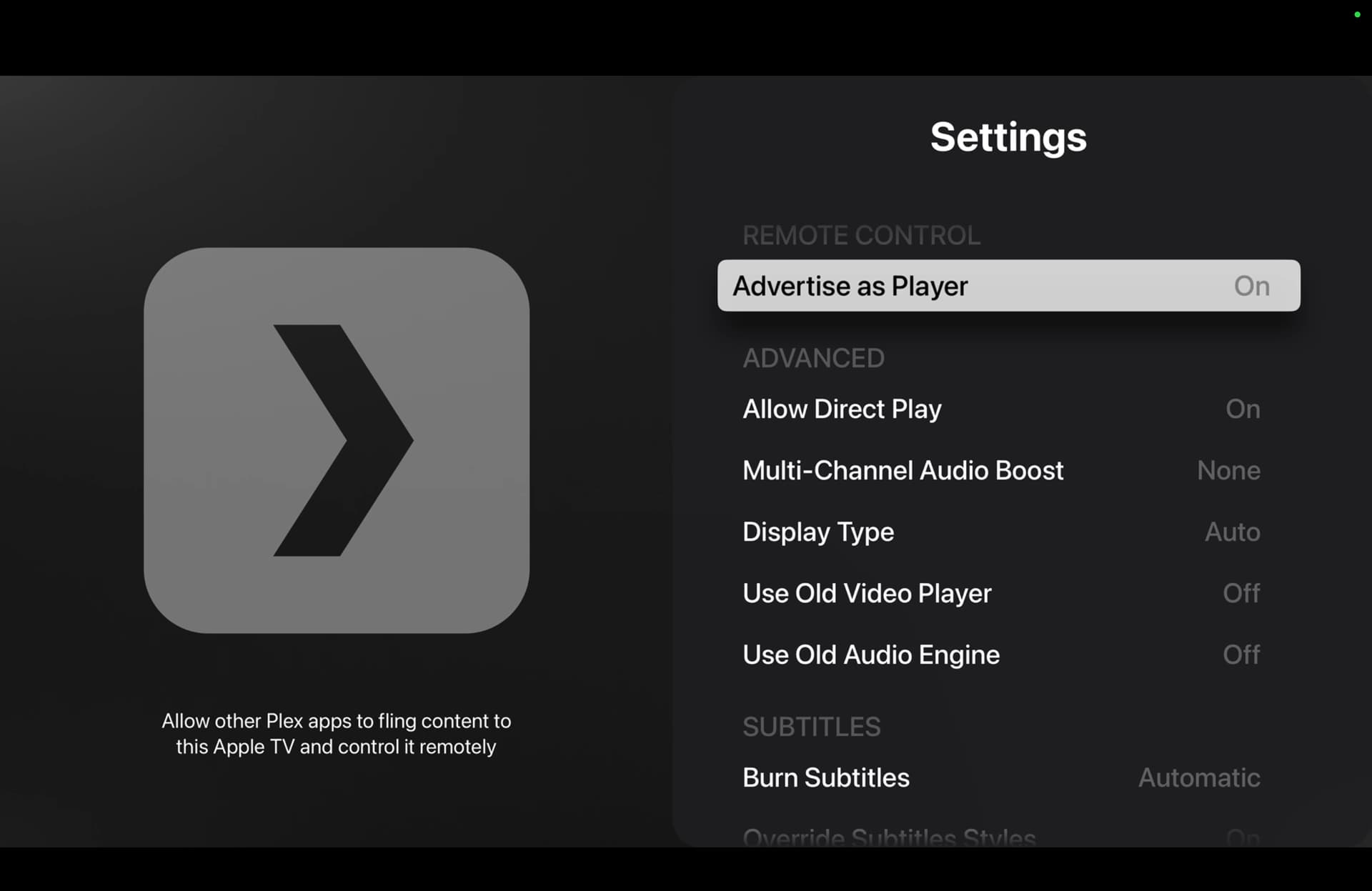
Provide a screenshot of your Plex Dashboard when you are trying to play something. On your Apple TV make sure you have '“Auto Adjust Quality” OFF. What codec are the files you are trying to play? Your ATV settings should look like this.
Thank you everyone for trying to help. None of this has worked. I have now downloaded the app on Apple TV called infuse and it Instantly worked. It plays everything remuxes everything instantly. I’m assuming an update has borked something and I will wait until it’s fixed. In the meantime I’m using infuse until Plex fixes itself. Thank you all for trying.
Just an update on my plex situation. For some reason I have done nothing but it has fixed itself. I will use infuse as a back up but im so going back to plex. Thank you all for trying to help. I have no idea why it has fixed itself but im so happy haha.