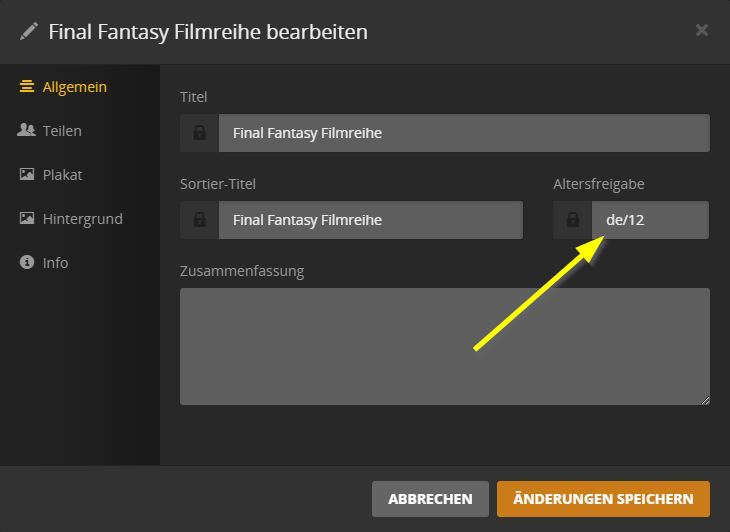
The Issue: A lot of Plex Collections weren’t showing up for my kids, even though the movies in these collections had Content Ratings that I allowed. It turns out that these hidden Collections lacked their own specified Content Rating, so they were still being hidden from the restricted user. When I manually entered ratings for these Collections, they then showed up.
Suggestion: A Collection that lacks a Content Rating should still be shown to a restricted user if any of its movies’ Content Ratings are allowed for that user. Then when the Collection is selected, only the movies that have an allowed Content Rating should show. (This would probably also require changing or hiding the collection’s automatic picture based on the allowed movies.)
Advantages: This avoids a lot of manual management of Collections that don’t automatically have their own Content Rating. It also allows the latitude for a Collection to be restricted either on its own specified Content Rating or on its underlying movies.
I would like something like this as well. Or maybe the ability to manually apply a rating to an entire folder. We have a home movie folder with hundreds of clips. They won’t show up on restricted accounts because they don’t have individual ratings. I can’t conceivably go through and change all the settings for each file individually and then for every file I add in the future.
When the collections feature was developed, it worked exactly like requested in this thread.
But then it was quickly changed upon user feedback.
Someone had created collections with inappropriate custom posters and descriptions and demanded that if there was only one unsuitable movie in the collection for his kids, that the collection had to be invisible.
That doesn’t make sense, since the unsuitable movie shouldn’t have been visible (whether part of a collection or not) as long as the movie itself had a disallowed rating.
If the collection had no visible movies in it, I can see how they should rightly demand that the collection not be visible. But if the collection had one suitable and visible movie in it for the kids, then that’s just bad judgement on the parent’s part in the way they created and populated the collection.
Am I missing something? Why would anyone put non-kid descriptions/posters on a collection that includes kid movies?
This nearly had me do a fresh install. I never dreamed that collection would have their own content rating. I do not share unrated stuff with my children so half of the movies I was sharing did not show on their profile because the collection had no rating. I would suggest an easy fix for this would be to add a simple toggle to allow the user to make all collections have the same content rating as the lowest rated item in the collection. The if the collection is all above the restricted rating nothing will show, if there are items at or below the restriction the collection will show but the restricted items still will not. OR since Plex is the ONLY thing that I have even heard of with collection content ratings just get rid of the tag all together. Hell keep the tag in the background and just set it as the lowest item in the collection for book keeping.
Exactly. In other words, visibility to movies should never change by being in a collection that has no content rating. When the collection does have a content rating, the current Plex behavior is fine.
I would like it to allow me to give an entire library a manual rating. That way anything that is in that library or that is added to it in the future would carry that rating. I’m thinking of home movies and a “G” rating so that my 6 year old can watch them. With the current setup, she has to go into my or my wife’s library to watch our home videos. Guess what else is in our profiles? Literally everything unfiltered. If I could mark the home movies as G rated or have them ignored by rating, she would be able to see them in her profile and not need to enter another profile to view them.
Server Version#: Version 1.18.3.2129
Player Version#: all players
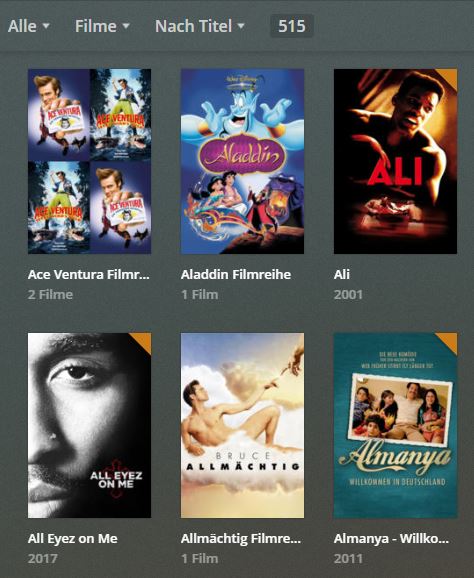
If my main user sorts by title all movies are displayed:
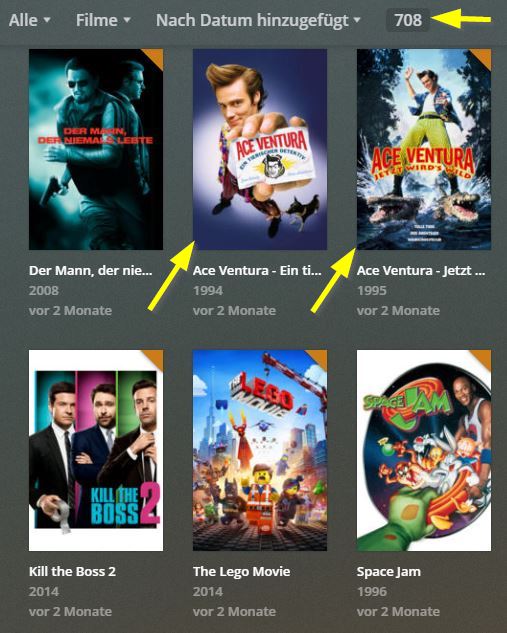
Of course it misses entries compared to sort by recently added, but this is because collections are displayed as individual entries:
This is ok as I used the setting “Hide items which are in collections”:
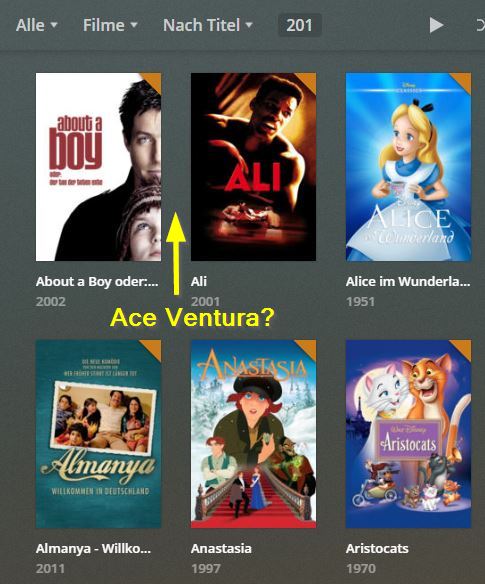
But this setting does not work for age restricted local users. For them all movies that are part of a collection are completely removed in “sort by title” although the collection does not contain a movie with disallowed age rating:
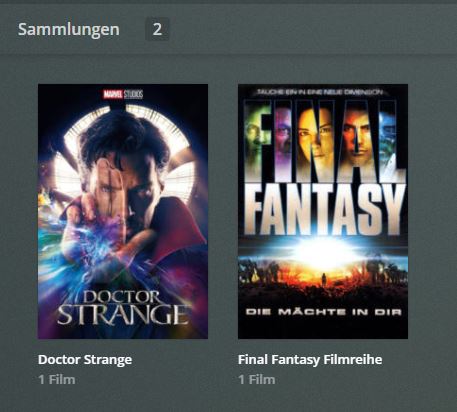
Then I clicked on “Collections” and it returns only two entries:
I checked one of these collections and it has an age restriction:
This means a collection needs a separate age rating to be displayed through sort by title. But as the movie databases obviously not really contain this data I suggest the following:
a) Collections should be automatically disabled if a user is restricted by age
b) Plex should check itself if a collection contains at least one movie with an allowed age rating. The age ratings of movie databases should be totally ignored.
c) Similar to b) but should be better for performance: If age restrictions are setup, Plex crawls all collections and sets an age rating for all collections that do not have one and it uses the highest age rating of all containing movies.
A the moment the only solution is to manually add age ratings for all 200 collections
I too have just come across this same problem, using the latest plex server, and latest android app.
Somehow some collections DO have age ratings assigned, and they display properly as per @mgutt post.
However I have a fair few film (that have age ratings) where the collection does NOT have a rating, and as these are then classed as “unrated” they are not displayed to age-restricted users.
I am not 100%, but it seems this might happen when all the films in the collection don’t have the same age rating, (i.e. some might be “PG” , some “12”).
This causes a big problem as it means that these films are not viewable by the age restricted user, even though the FILM age limit is fine.
I don’t want to have to manually add age ratings to all the collections, and I also don’t want to to switch off the “Hide items that are in collections” option, since that then makes the collections largely pointless…