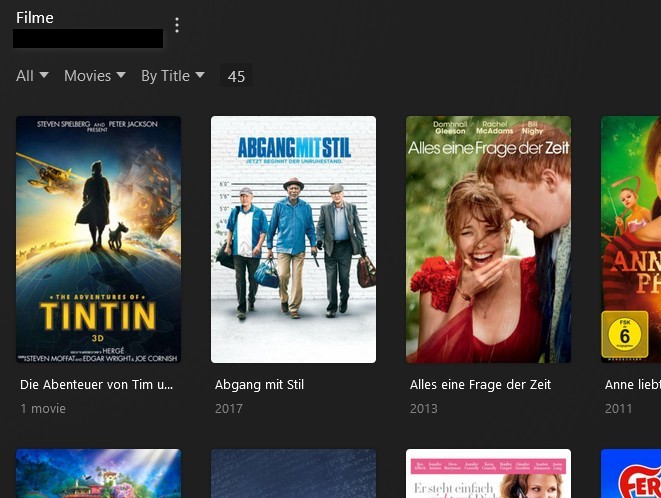
When I, as an admin, filter my Movies library (called “Filme”) with the Content Rating “at/6” I have 68 movies in there:
Then I created another user V in Settings > Plex Home with the Movies restriction “at/6” only:
When I switch to user V and view the Movies library “Filme” I only see 45 movies:
I also tried to set the content rating manually for the movies not showing up for V, but this does not change anything.
There must be a bug with the filtering. This is the same regardless of the filter I use, so the same wrong behavior with “PG-13”, “G”, etc. Or did I overlook something here?
Could you edit “Alice im Wunderland” and see which age certification this movie actually has in your database?
Is “allow only at/6” the only access rule for this user? Are there no additonal rules?
Are there any collections in this library? And if so, are the missing movies part of such a collection? And if so, does the collection itself have an age certification, which allows the sharee to view it?
The rating was set correctly for the movie and in the restrictions. The reason was with the Collections!
They had no rating, and “None” was not included in the restrictions. Adding it shows the missing movies. Unfortunately this does solve the issue in principle but not in practical terms, as correcting this is cumbersome to say the least.
Because this also shows a lot of other collections as more or less all collections do not have a rating, also inappropriate ones. Since the movies within have a not allowed rating the covers of the collections are shown black and the movies cannot be played. This is ugly, not intuitive and confusing for the children.
To be honest: The implementation of the restrictions are not well thought through in my opinion. When there is no rating for a collection, then it should be ignored. Collections are mostly created automatically when data is taken from online databases. I mostly do not care about them and I actually would prefer not to edit each new collection manually when adding new content. In addition, collections cannot be filtered, so I would have to check each and every collection one after the other.
Feature request:
- Ignore empty or “Not Rated” ratings for collections (an indeed for TV shows this would also make much sense)
- If the collection/TV show has a rating this is taken into account together with rating of the child element (logic AND), which is the current behavior.
- Add an option (checkbox, off by default) for collections (and TV shows), if the rating should override the child elements (movies or episodes).
This allows for the most convenient usage. Leaving the collections / TV shows empty allows for a convenient default behavior, where the rating of the child elements counts.
If there is a rating for the parent element then by default you are on the safe side, as a child element with a different rating would also be taken into account.
But if you want to overrule the child elements, because for example you want to make the whole collection or series accessible for your kids, then you just have to set the rating for the parent element and check the checkbox for overruling the child elements, and voila!
Well, does this even make sense to suggest this here?
As it seems to me, the content rating of the collection is only taken into account, if your library is set to show collections instead of movies. In that case you have to set the content rating for the collection AND the movies.
In order to show the movies solely based on content rating of the movies and ignoring that of the collection, you have to set it like this:
Manage library > Edit… > Advanced > Collections: Hide collections but show their items