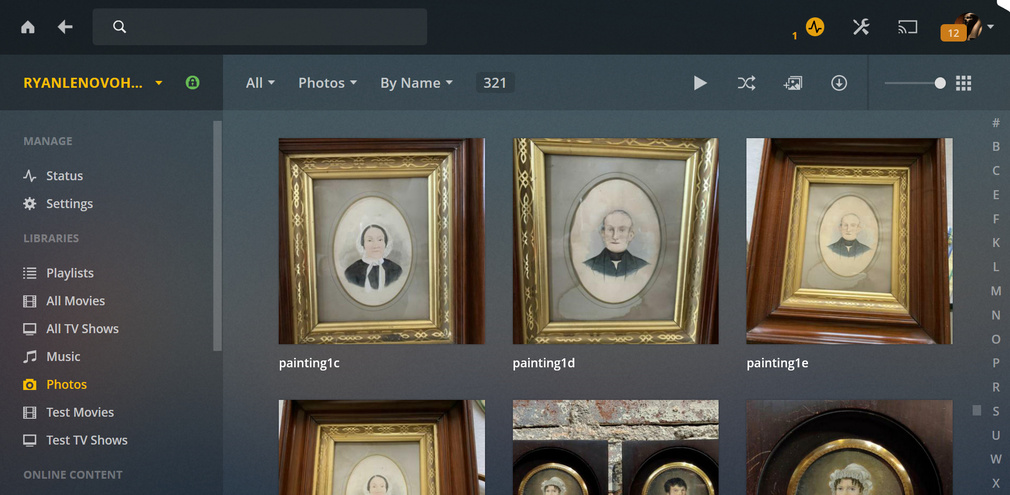
Server Version#: 1.15.5.994 (Win 10)
Player Version#: Current
I have recently added a very bare bones photo library to my Plex Media server (stored in my Win 10 Pictures library). I find that when I try to jump to the “F” section (where a photo is titled “Frank, Anne” for example) in the vertical A-Z index tree on the right side of the screen next to the scroll bar, I end up going to “Ury, John” instead. There is not obvious explanation for this, as the titles are clear and not cluttered with any tags or metadata as yet that might account for this. Is it simply a bug?
Oh, you have all your photos in 1 flat folder. I typically see photos organized into folders. You need a certain number of items before the alphabet (aka jump list) shows up and I don’t think I’ve seen anyone with enough folders to make that appear. Let me see if I can recreate this to test.
I just tried with a small library of about 100 photos and it seems to be working fine for me. However, I used a regular folder and not the Win10 picture library. I’ll have to try later with the win10 library.
Interesting… When albums are created within my small library, I find that the file names disappear from the photos when they are within the albums. Why would that be in your opinion?
The intent was that the name should only be shown for the folder, not individual photos. So when viewing beyond the first page in a photo library, names are no longer shown except for folder. That first page was never updated to use this format, since it was expected there would be folders, not photos, there was no rush to update that page.
I see. I CC’d my entire photos folder to the plain Documents library of my hard drive… Still the same problem. I click on the “B” link and it scolls down to the “P” section… very odd.
Can you PM me a screenshot of the full Plex Web page and of the files in your documents library so I can see how the files compare when shown in Plex Web.
I could but I can tell you that they appear precisely the same in Windows as they do after being drawn into Plex. Each photo file has a title such as “Smith, John” or “Dough, Jane.” Clicking the S link should take me to Smith, John.
Please note that Plex has no concept of “last name, first name”. If that is what you have, it will sort by “S”, so clicking on “S” will take you there.
Plex does have a separate sort title field. Edit your photo and check that to see if that is different from the actual title. The sorting uses that field, but what is shown is the regular title.
I suspected that to be the issue; however, where I have a photograph titled Bailey, Joseph C., it appears before Bailey, Martha F.–just as it should. The sort title of each is simply Bailey. Yet, when I click on B, it takes me to the P section!
That last part is odd, and I can’t seem to recreate it. The only thing I can try is if you are willing to share that library with me, then I can check what is going on.