I’m having the same issue as Munchkin_1 on the latest plex pass build.
Request: anidb5 sorting method, using airdate for season order
I’d love to see a modified “anidb4” mode that uses anidb airdate info to sort shows into seasons, instead of using the relationship graph. Since TVDB doesn’t understand the concept of OVA-type arcs (think Monogatari series) it ends up sorting entire sections as “specials”, making watching in order a mess, so anidb2 frequently doesn’t work right. Anidb3 and 4 work in a similar way to what I’m envisioning, using ScudLee to match up the series to a TVDB entry, but then instead of the relation graph, I’d like to order them purely by airdate. Relation graph is great but definitely not always the best viewing order for a show.
What I’m describing:
- Shows matched to TVDB for poster/descriptions and whatnot using ScudLee’s list (like anidb3/4)
- Each anidb entry is its own season (mostly like anidb4)
- Season 1 is the first one that aired, and so on, using air date info from anidb
Note: I don’t actually have a complaint about HAMA/ASS or any of the modes, they do exactly what they’re supposed to, it’s just that none of them sorts seasons/specials quite the way I want.
P.S. Amazing work on HAMA/ASS, my 10TB or so library of anime would be unmanageable without it. May you get all the waifus/husbandos.
Recent Plexpass update broke this scanner. Receiving the python errors mentioned by @Munchkin_1 above.
Wanted to add that I too am getting the errors posted by @Munchkin_1. I’m running the binhex’s plexpass docker container image on my server, and it looks like something that changed with 1.15.0.647. Downgrading to 1.14.1.5488 fixes the issue.
@Tater-Tatsumi, same setup here. How did you downgrade?
Edit: Figured it out. Set my repository to “binhex/arch-plexpass:1.14.1.5488-1-01”
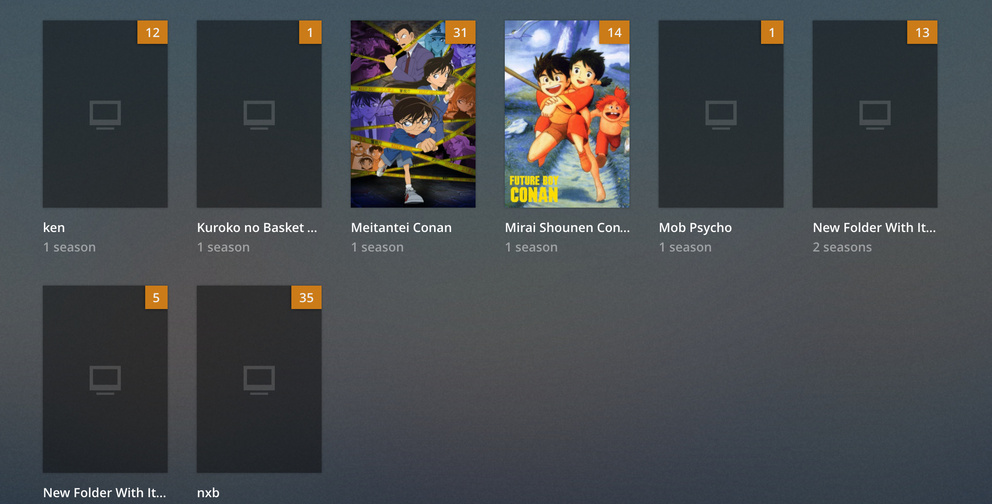
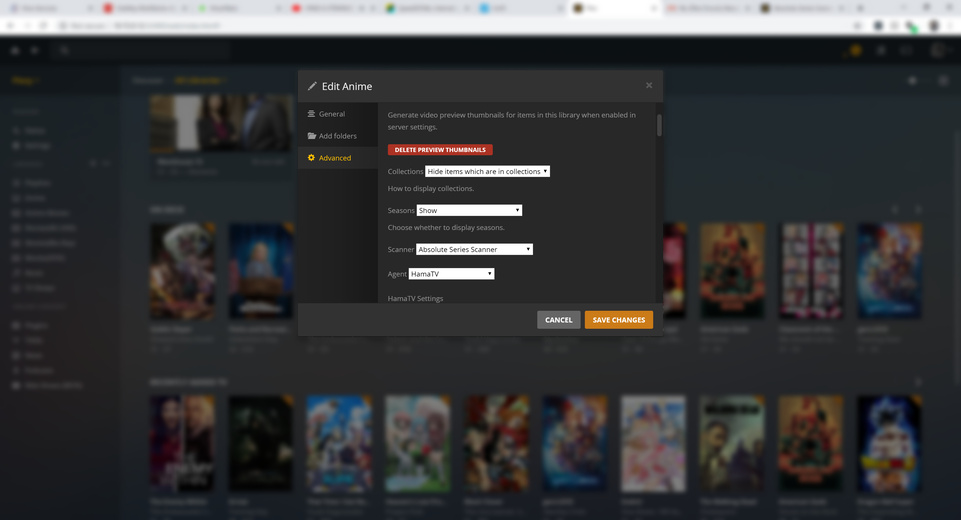

Do you use an application like filebot to name your media? If all of your media is showing up its not necessarily the scanner.
should i use it? I thought Hurrible subs format was a good one
lol i am new to all these , i am a beginner
@Munchkin_1 @ntcollazo Good news! Ive been working with Binhex on this and he just pushed a new build that should fix this for us!
Using the latest binhex plexpass docker returns: GitHub - binhex/arch-plex: Docker build script for Arch Linux base with Plex Media Server
Error in Python: Looking up module:
Traceback (most recent call last):
File "/config/Plex Media Server/Scanners/Series/Absolute Series Scanner.py", line 20, in
from lxml import etree # fromstring
ImportError: libexslt.so.0: cannot open shared object file: No such file or directory
Using the latest binhex plexstandard docker returns: GitHub - binhex/arch-plex: Docker build script for Arch Linux base with Plex Media Server
Error in Python: Looking up module:
Traceback (most recent call last):
File "/config/Plex Media Server/Scanners/Series/Absolute Series Scanner.py", line 20, in
from lxml import etree # fromstring
ImportError: libexslt.so.0: cannot open shared object file: No such file or directory
Solution: Opening the dockers terminal and running “pacman -S libxslt --noconfirm” then rebooting the docker fixes the issue.
@membrake Each time a mode is added in the scanner the agent needs amending and the complexity increases… Monogatari is possibly the most complex anime to match… There is few other things to implement beforehands like proper poster priority…
@AJ_1 the scanner log written by the scanner in hama agent data olders has the answers, it’a a shame the troubleshooting steps in the readme weren’t followed and you didn’t paste that log here… It happen so much i had to put the following in the readme, which lead me to think you didn’t read it…
If you post anything on the scanner github or thread for any issue like poster missing/wrong, episode thumbnail/screenshot/title/summary missing/wrong, then you clearly haven’t read this and need to pay the RTFM tax by donating (or you just find this the best anime scanner and/or agent, much apreciated average is 5 euros). Also applies if you want assistance but didn’t follow troubleshooting steps or include logs…
- For scanner or agent issues where the agent doesn’t crash, please include impacted series filelist and scanner logs, location below
Hey guys … total newbie here … I used to have HAMA and ASS working with my anime. Updated both since I had the same version for the last 2 years.
Now it doesn’t detect some of my big series like Fairy Tail, Naruto Shippuden, Bleach, InuYasha. Anyone could help me out ? If so, please tell me what you need me to provide to get this sorted out … tried multiples things … all ended up with the same result.
Thanks in advance
as per readme if files don’t get added to plex, it’s a scanner issue
If it doesn’t get metadata that’s an agent issue.
current issues:
I apologize if this has been answered somewhere I couldn’t find. I’m using youtubedl with your agent and scanner to archive some youtube channels. Everything works great except for episode number assignment. What this results in is the incorrect posters per episode. In the hama log I can see it identify something and for example assign episode 3 and dl all the metadata correct for the episode, then another episode will show up in the folder and it will shuffle episode numbers so what was episode 3 is now 5, and the new episode is 3. Still all the metadata is correct except the poster for 3 is wrong, when looking at the episode details, the correct poster is there, but not selected. In the end what was episode 3 is now 211 so a lot of posters to have to fix manually. How can I avoid this? If I remove and readd the episodes it just goes through the same process.
Metadata is the agent responsability…
The scanner is the season and ep number. If the ep number change every release the channel number them in reverse and is wrong
You didn’t give any usable example for me to reproduce it and you didn’t follow the readme troubleshooting steps as you didn’t provide logs [https://github.com/ZeroQI/YouTube-Agent.bundle]
Requirements
- Please use the Absolute Series Scanner to scan your media and leave the YouTube id in the series/movie title
- leave the YouTube video ID on every file
- Playlist (preffered) id OR Channel id on series foldername (as Search() need to assign an id to the series)
My wide guess is that you didn’t specify the playlist or channel number (requirement number 3)
I seem to be doing something wrong so reaching out for any hints.
I’ve tried setting my series [anidb#-id] between 2 and 3 but both end up with the same results.
Basically, let’s say for Gintama; I’m attempting to have the first entry into the series split into seasons as how TheTVDB has and per ScudLee mapping:
  <anime anidbid="3468" tvdbid="79895" defaulttvdbseason="1" episodeoffset="" tmdbid="" imdbid="">
    <name>Gintama</name>
    <mapping-list>
      <mapping anidbseason="0" tvdbseason="0">;3-0;4-3;</mapping>
      <mapping anidbseason="1" tvdbseason="2" start="50" end="99" offset="-49"/>
      <mapping anidbseason="1" tvdbseason="3" start="100" end="150" offset="-99"/>
      <mapping anidbseason="1" tvdbseason="4" start="151" end="201" offset="-150"/>
    </mapping-list>
    <supplemental-info>
      <studio>Sunrise</studio>
    </supplemental-info>
  </anime>
So far my attempts have being fruitless and I end up with Season 1 containing 150 episodes; skips Season 2 and 3; then it shows the rest as Season 4 with 59 episodes.

Needless to say, I don’t quite like the result so any hints will be appreciated.
Pretty sure anidb2 would not give the result above…
Did you try “Gintama [tvdb3-79895]” and “Gintama [anidb2-3468]”?
I’ve tried “Gintama [anidb2-3468]” but not “Gintama [tvdb3-79895]”, I’ll give that a try when I’m back home.
The Scanner is no longer scanning my movies as movies but instead as shows I’ve tried everything i can think of to fix it but have no idea what’s going on. It was working before not sure exactly when it stopped working.
