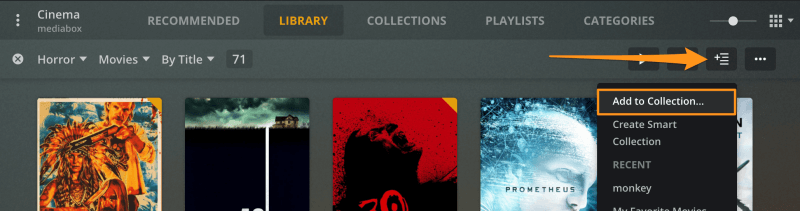
add individual items to a collection by selecting individual items, or a the results of a filter, then from the Add To menu select Add to Collection and choose an existing collection, or create a new one. The existing collection tag will be added to the items. If you create a new one the title you give it will be added as a Collection tag to the items.
However, I don’t have this “Add to collection” option, and can only “add to playlist”:
I was able to create a collection by manually editing the tag of a film. But I’ve been unable to figure out how to add to a collection using either the web UI or the android TV app.
I’m using a Shield Pro 2019 as my plex server and client.
What version of Plex Media Server do you have installed on your Shield?
Are you using accessing the web app through the Shield’s IP address (http://[Shield IP address]:32400/web) or the hosted version of Plex Web (https://app.plex.tv/desktop)?
ok odd i thought that was sent to google a while ago. might have gotten held up in their approval cycle for some reason. I will let folks know find out what is going on.
collections itself isn’t a new feature but we are always tweaking things and the “add to” option is new. since you are on an older version you would need to edit the item and add the collection tag to it manually.