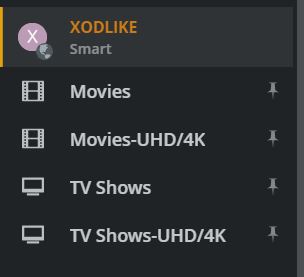
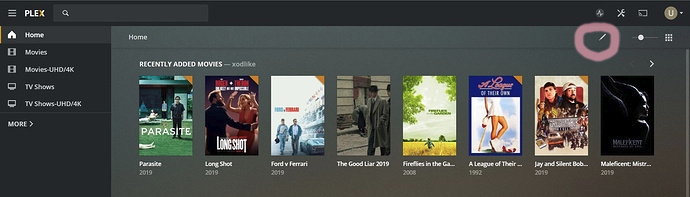
Not sure if this is the right forum, but I’ll start here.
A friend of mine has provided access to his Plex server and I have been using it for sometime.
Recently I was cleaning up the home screen for both his, and my local Plex servers, and deleted the link to his Music library. Now I cannot figure out how to recreate that link.
I should add that I do not have the three dots next to his server, only on my local one.
Anyone have an answer? Do I have to contact him to do something?
Thanks in advance!
Thanks for pointing me to these links.
That said, it seems that it a) did not ask me for a preferred server which it may have done in the past, and b) I do not have an EDIT button in the top right of my Plex Web App screen.
See attached. And when I select MORE, it shows the remote server, but with no three dots.
Doh! OK, I clicked that and got the screen that allowed me to see his other libraries, but when I moved the music library up, it did not reflect in the display, even after logging out and back in.
Maybe he needs to refresh his side, so let me work on that aspect.
Screenshot attached…I did Save.
Thank you for all your responses on this topic.
I have learned a little more about the customization of Plex.
I have discovered that the problem is on the remote server side, where the owner has actually remove the music library from his server! This explains it all. Thanks again!