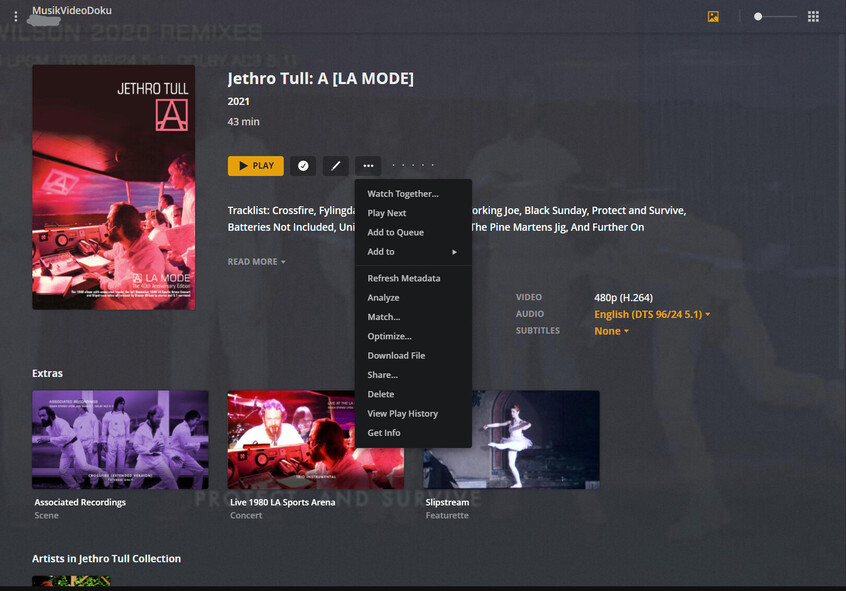
I have a lot of concert DVD/BluRays from Japan, I organize them as a personal media library because none of the agents will match the content, I assume because none of it is in the agents available.
Most of these disks have behind the scenes or featuretts. I can not get any of the file naming conventions to work under personal media -behindthescenes -featurette, -scene, none of them work. Neither does using the folder method. I have all the options for local matching and local files enabled. I found a post from a guy 5 years ago who did what I am trying to do, but I was not able to reproduce the result.
I have managed to get that kind of content to show ONLY when I set the library to movie AND I force a match on some random movie. Then the -bts, etc show up. But then of course I need to manually remove all the mis-matched info (at least as much as I can).
Am I doing something wrong? Do those things only work on matched, movie/music content? If the later, that seems like a needless restriction…
Server Version#: 1.23.1.4528
Player Version#: Web