Hello!
I’m new to Plex and I am a little overwhelmed with the complexitiy of it.
I got a question and didn’t really find an answer so far.
I am running Plex server on my QNAP and added 3 folders (which are located on my QNAP) to my library. So far so good: I can now access my movies on my windows and android apps.
Now I have another folder on a local PC with some movies which I don’t want to add to my QNAP because of lack of capacity. Is there a easy non-tech way to add that folder to my library? I imagine Plex then only showing the movies on the dashboard when the computer is running. Otherwise it would show something like “offline at the moment”.
Is Plex able to do this?
Thanks for any help!
Best
Pierre
maybe with Hybridmount but i have not used it. You need to set up the share on your computer (SMB or FTP) then access it with filestation on QNAP to mount it. then your server on QNAP should see it.
would need to set server to not empty trash after every scann so it does not get rid of things beause it cannot find files
Thanks for your reply! Would it work to establish 2 servers (QNAP + local PC) and then add both servers to every client? Maybe that’s the way to go?
Thanks!
P
you can do that sure. just claim the server as admin on your computer with the same account and the client you are signed into with that same accounts will automatically see it. (you will need to set up remote access to see outside of network still)
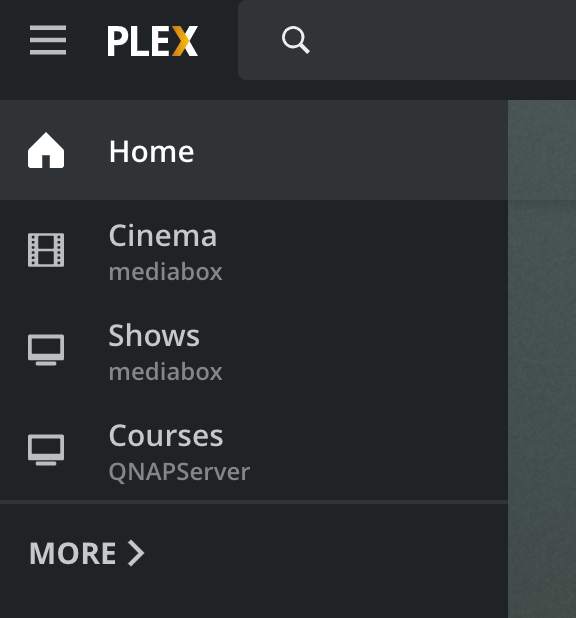
when you click MORE on the home screen side bar it will show the libraries from both servers. and you can Pin any of them to the home screen sidebar
in web app it will look like this. where you can see the server that the pinned libraries belong to under library names
This worked like immediately. Fantastic! thanks a bunch! P
