refer to my post above.
Thanks, this worked for me and it was very easy to perform!
I think I have the same problem!
edit: I just saw you find a solution…
I became following:

What should I do?
1 Like
This worked for me on a Synology NAS running DSM 7!
It was fast and easy!
Thanks!!
Made the Mistake to reset my Password too… And now nothing works (Synology NAS). First the Desaster with non running Plex on DSM7 and now this again… And for this broken software i buyed a life time pass 
1 Like
Not if you use 3rd party login like Google, Apple, Facebook…
Hello dane22, do you know if Plex will release a new version to correct the problem? I have tried everything without success…
I did a password reset with disconnection devices. I also did the Preferences.xml modification, removing all the PlexOnline* entries. In fact I also did an upgrade of the PMS version. Now I can access the PMS on host:32400/web, but it does not see itself there. There is only an option to download PMS by selecting the platform.
It reports claimed 1
After following all sorts of routes suggested in various threads, I finally tired claimit, and that did the trick
My plex server is running again! Thanks!!
1 Like
I was also surprised to see my server not working. I think I tried all the solutions :
- Updating the Plex app
- Restarting the App many times
- Restarting my QNAP NAS many times
- Edit the Preferences.xml file
- Claim through SSH
From the online interface of the app from local address, Plex just tells me to install Plex Server, which is paradoxically running, and I have no option to reclaim it from the preferences as it doesn’t even show up in the sidebar of the preferences.
I’m at loss of solutions. Even re-installing doesn’t work. Unless I have to remove all linked files and start from scratch which I wouldn’t want to do…
If anyone has some clue, I’m all ears.
I’m surprised that potential problem wasn’t even showed with an important disclaimer for everyone who changed their passwords following the passwords breach.
Did you read this post?
I’m still having the same issue, been waiting to see if it rectifies itself but still nothing.
I can access my server on all my streaming boxes and android phone, but cannot access it via the web.
Does the workstation you use have an IP Address that starts with 192.168.0 ?
Have you tried another browser ?
Have you tried both http://<IP_OF_QNAP>:32400/web as well as https://app.plex.tv
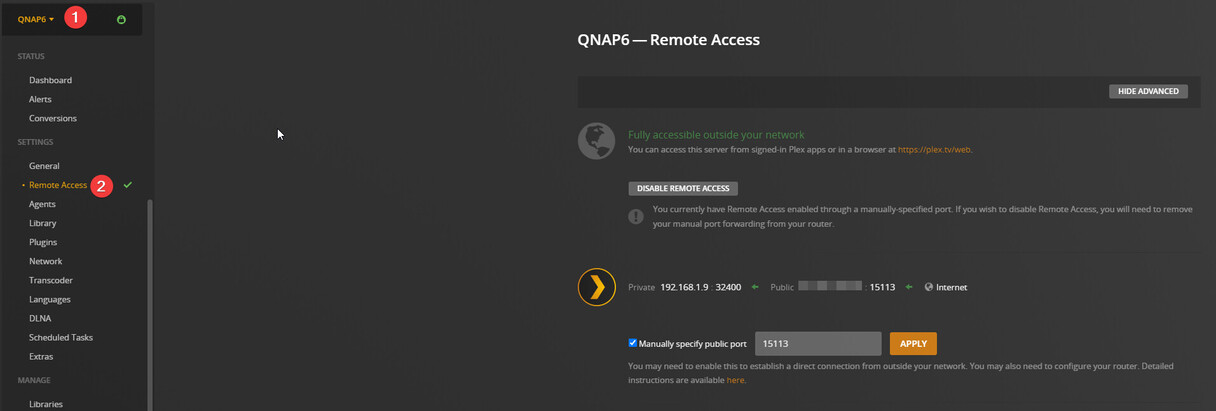
Yes it does, it is running off a windows pc. I have tried a different browser and still the same. It works with the 32400/web but only on local network. Cannot access remotely
This topic was automatically closed 90 days after the last reply. New replies are no longer allowed.
