After waiting a few hours I have not changed anything (except for accessing via direct IP locally and claiming from my last post) and now all appears to be working again from the outside
After a password reset all I get is a 503 error and “PMS is currently running startup maintenance tasks”
@dane22 please tell me what I can do to fix this or do I have to wait for a repair to be issued?
Hi. I tried this identity thing and it’s “0” (I’d previously done the preferences.xml fix for my QNAP). But I don’t see the button to reclaim the server when I access settings > general when I access the web interface locally.
People who are having the “cannot authorize/find server” issue, did you try reclaiming the server? That’s what I had to do - Plex does not do a good job of telling you that there is an unclaimed server in your network. (In fact, the error message only showed up on my mobile Plex app, actually.)
If you go in the web app to the home page, and select “MORE>” you should see the server as unclaimed on the left hand side.
I reclaimed it, and everything came back.
This means your database is been upgraded.
Depending on the size of the database, as well as what version you upgraded from, it can take some time
Simply let it run
If you have SSH access to your QNAP, you could try this 3rd. Party tool
Use the Linux one, and when running and asked for an IP address, enter 127.0.0.1
what tool? I do have SSH but today’s the first time I’ve tried using it when I tried another fix involving SSH which I can’t remember right now.
Darn, forgot the link 
Sorry
thanks but… that doesn’t look very user-friendly. isn’t there an easier way to fix this? I’ve never done any of this SSH stuff. I got lost when it said " cd to the location of the file on your system" - I don’t even know what that means…
Well, I did ask if your IP address as well as the address of your qnap was in a selected range
You responded with: “I use the same address I always used”
So start by telling me if you are in range!
Hi @dane22 does that error mean its on the Plex side and I just need to wait?
What error?

mate. I appreciate the help but you’re losing me. I don’t understand. where do I go to get you the information you’re asking me for? what does “in range” mean? I’ll give you all the info you need but you have to understand that I’m not a hardcore techie.
It’s not an error, but PMS telling you to wait until it finish doing database upgrades
If going on for longer that 1 hour, then please start a new thread, since not related to this
When you browse to your QNAP, you enter something like: http://192.168.1.4:32400/web
Above means, that your QNAP has the IP address 192.168.1.4
And if your workstation is running windows, you could start a commend prompt
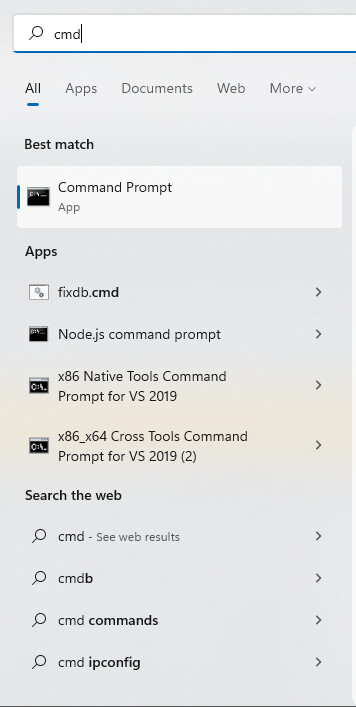
Then when it opens, type ipconfig, and it’ll show you it’s address

Thanks for the explanation! I appreciate it. I’m on a mac but found out the IP address. the mac and the IP for plex local share the same first three blocks of numbers. does that help you?
Only of it starts with 192.168.x or 172.x or 10
And for what it’s worth, above IP addresses are not a secret, since we all got them, so you can tell. (Heck I showed you one for my Windows box)
Thanks. OK. Not sure what I should be sharing publicly. They’re both 192.168.1.X
Good, since then on private address space, meaning IP addresses that are not exposed to the internet
Have you enabled the PlexData share on your QNAP?
Ref: Qnap faq.....read me first! - #5 by ChuckPa
