I have run into an issue (for example) with Doctor Who specials, say, the episode “The Star Beast” (Doctor Who (2005) - The Star Beast - TheTVDB.com) but there is no way to fix this issue for the episode because the season and episode level “Fix Match” does not exist.
From what I’ve been reading here, you’ll probably need to either update the file naming to match the episode order from TMDb or TVDb as set for your library / this particular show OR set the episode order to match the order of your files.
Trying to match individual episodes or seasons is set to fail.
Follow this post. It will also match yesterday’s Christmas Special
S00E168 - The Church on Ruby Road
Show name: Doctor Who (2005)
Specials: Under folder Specials (or Season 00)
I see a lot of value in being able to match individual episodes, in case there’s minor discrepancies within a show.
It’s totally understandable that any library scanning agent relying on an algorithm and its own database won’t be able to catch every nuance of every show or film. So, why not allow users to help the matching with granular customization? In fact, have an option to contribute to the community, so the database can offer crowdsourced solutions to non-standard shows/series. I think this would be particularly helpful in refining movie collections and shows with reboots, bonus content or integrated movies.
A good example of this is Futurama, which did a straight-to-dvd season when they weren’t renewed at Fox. Currently, those episodes/films are not included in the Plex database and are therefore left off the series. What if someone wants those to be part of their Plex experience? Right now, there’s no option, unless you want to try changing the database agent for the entire library.
The show Blue’s Clues has multiple variants on how the series is presented. Maybe some of you know the context of this, but it’s a nightmare to get any Plex scanner to accurately match the episodes with the corresponding media.
There should be an option in the episode drop down menu to “fix match”, much like this is offered at the series level. Maybe even have a checkbox to allow the scanning agent to report back your change to help improve the accuracy of the database.
You can change the episode ordering for a show if the default ordering doesn’t line up with what you have. E.g. if you change it to “TheTVDB (Aired)” for Futurama, you can name the straight-to-dvd movies as specials 2, 3, 5, and 6:
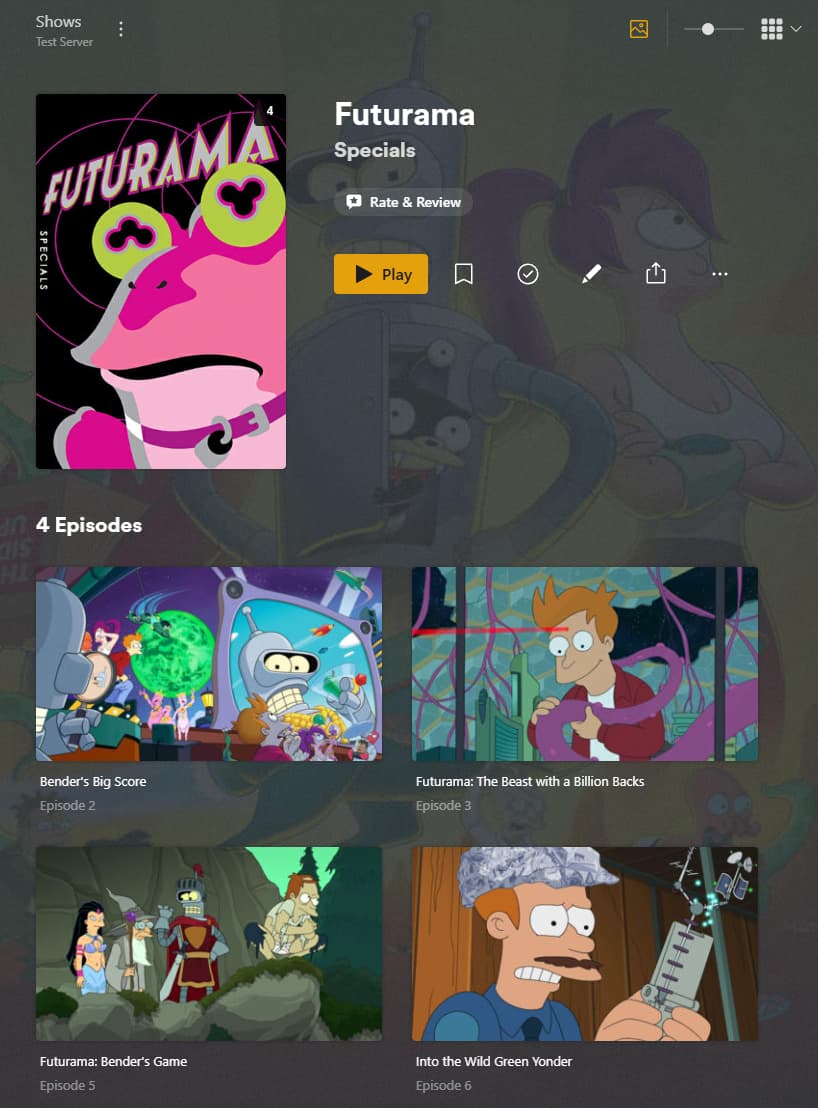
There’s also a “streaming” and “production” order that turns them into their own season (with each movie split into 4 parts): Futurama - Unknown - Season 6 - TheTVDB.com
Screenshot

Not saying it wouldn’t be nice to remap individual episodes, but in the meantime it might do what you need for some of your shows. And if there is a well known order that isn’t available in Plex, you could look into adding it to TVDB, which Plex will then be able to bring in.
As per DTR‚a response… that’s why you can set / override the episode order per show to your needs.
The episode order currently supports aired order as listed on The Movie Database (TMDb) and all available orders from TheTVDb (aired, DVD, absolute and all custom orders).
See Episode Ordering in the related support article.
https://support.plex.tv/articles/naming-and-organizing-your-tv-show-files/
