Server Version#: plexmediaserver-1.26.1.5772-872b93b91.x86_64
Player Version#: 9.2.0.32364 Beta
Chromecast Google TV
This actually started happening with 9.2.0.32281 Beta, but I was distracted by the Artist Radio not working so I didn’t notice it until late yesterday. I then upgraded to 9.2.0.32364 and the issue still remains. What is happening if I play artist radio or actually any playlist, the first title shows up on the ambient mode screen saver perfectly, but when the second, third, etc. selection starts playing it no longer shows that information on the ambient mode screen. It’s a bit inconsistent. It seems as if after a bit it starts working again, and then it stops working. Let me know if you need more information. This was working fine with Android 9.1.0.
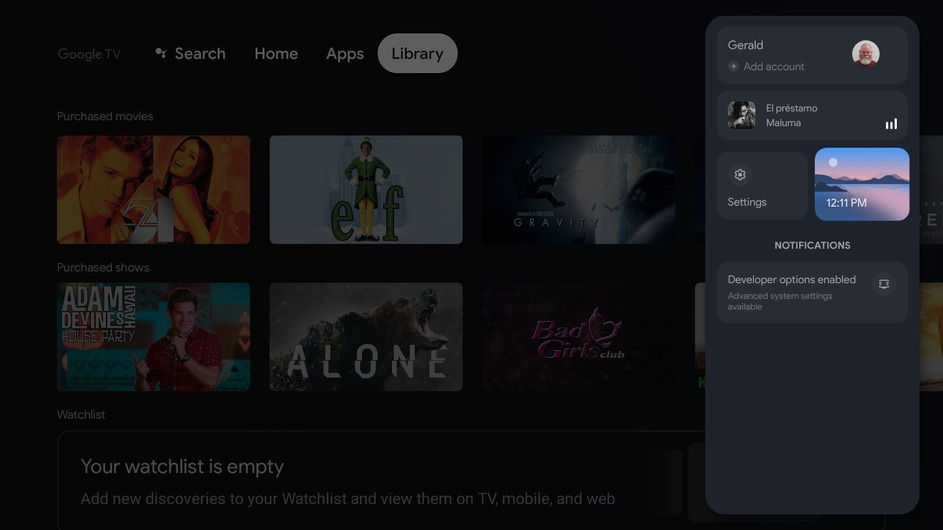
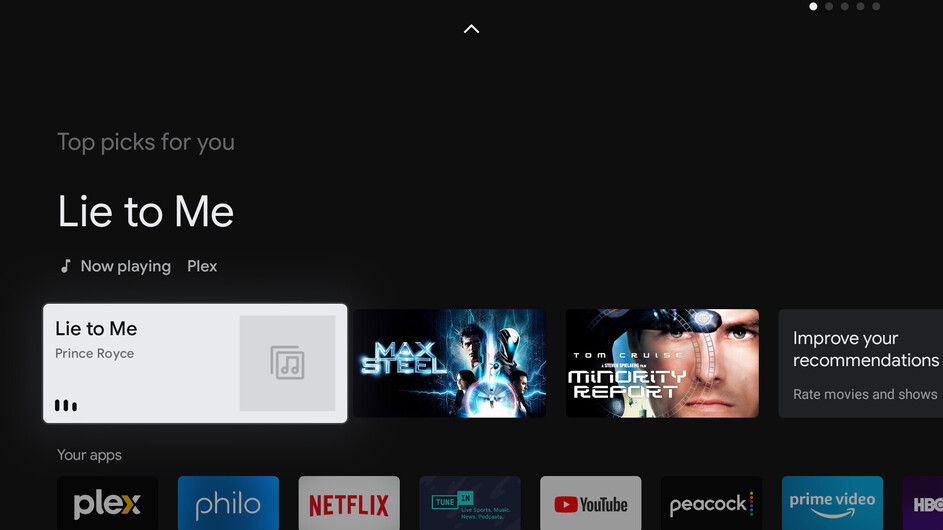
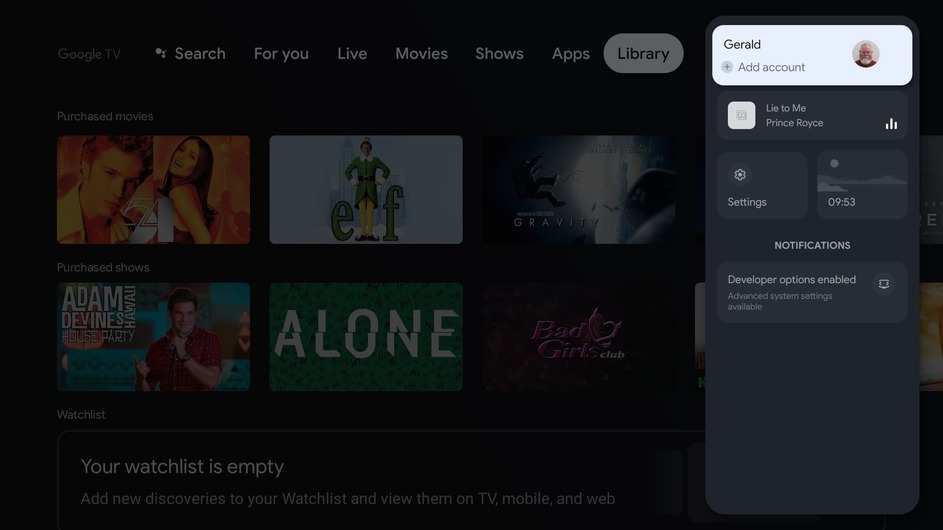
I’ve attached three screenshots to show how this is suppose to work as plex plays multiple songs, (and again this was working in 9.1.0. Now if you start to play a selection and then hit the menu button, you’ll see on the main menu “Now Playing”, that also shows up on when you click on the avatar on the upper right of the menu screen to show the settings menu. Then if you press the ambient button you’ll see the selection playing in the lower left corner of the ambient screen. What I’ve found is that if you’re now playing multiple selections the “now playing” information disappears on selections after the first one.
Still an issue with: Plex for Android 9.3.0.32892-beta
In fact, it’s now worse. Now when the selection does show up, the album art is just a white box. As you can see from my previous posts when it did work for that limited period of time, at least it showed the cover art.
Still occuring with: Plex for Android 9.4.0.33105-beta
I’m now noticing the following pattern which may help you guys fix it. Previous versions sometime displayed the Now playing in ambient mode. Now it appears that the “Now playing” is being displayed consistently (at least with the testing I’ve done this AM). What is now happening is that when I play from Tidal within Plex, everything seems to be working as it should, however when I play from my Plex Music library, the album art is not displayed. Only a white box. Plex displays the album art correctly within Plex, but for some reason only displays a white box in Android ambient mode.
When I play from my Plex music library, the album art displayed is the white box, but when I play from Tidal within Plex, the album art is displayed fine.
OK, I’ve been testing now for about 4 hours and what I mentioned above seems to be consistently reproducible. Playing music from Tidal seems to be working fine now. Music from private library is displaying a empty white box for the album art for the ambient display. Within Plex, the album art is displaying OK. Hopefully this will give you folks the information you need to get this finally fixed.
Correct… the album art displays correctly if I’m using Tidal within Plex, but if I play from from my local library, the album art displays as a white box, as shown in the following photos. The first pic shows the album art showing when playing within Plex. The second, shows the playlist with the album art displaying correctly in the upper right corner of the screenshot. However, when I go to the menu, the ambient mode display shows the title correctly, but the album art is displayed as a blank grey box with music notes. Then if select the profile avatar to display the settings menu, you see again that the title information and artist is displayed, but again you don’t see the album art, you see only the generic cover art placeholder. Finally, if you display the screen saver screen the album art is not displayed, only a white box. Let me know if you need more information.
With the latest update we’re back to the situation where only the first song in the playlist shows up. When the 2nd and subsequent selections play, nothing is displayed. As far as the white box, same thing… when playing from the server library, no album art is displayed, if playing from Tidal, album art is display. Plex for Android 9.4.0.33250-beta
I’ve also noticed another serious regression with 9.4.0.33250-beta… if you play songs from your music playlist and a new selection starts, the screen doesn’t change at all. In other works, if you start with song A, song A is always displayed. If left untouched song A continues to show while the playlists advances through Song B, C, D, etc. No screensaver is activated.
Plex for Android 9.4.1.33400-beta Well, at least the screen is now changing again when a new selection in the playlist starts… so I guess that’s something - but ambient mode continues to be broken. I really don’t understand why this is so hard. Tidal and Tunein of all things work perfectly with ambient mode.
I just upgraded to a Chromecast Google TV and also see the album art display as a white box in the lower left corner when casting from my local music via Plexamp once Ambient mode starts.
The issue is as @gbcox describes in the main menus as well