I’m getting the same problem on my Plex for Windows app as well. I can play on web player and my Android cell phone without difficulty. I think I will try reinstalling the client and restarting the server.
Reinstall of Plex for Windows had no effect, but I restarted the server and now things work as expected. Strange.
Getting the same error in app from mac m1. Can’t also playback music or see movies using android tv app in the xiaomi stick (android tv). The files appear on the library. I can acess them thou and play thEm by a add on in kodi (NOT THE PLEX ONE) , or vlc… very strange.
the official plex add on from Kodi detects the server but cant access. In the app on mac and in web app can’t also turn on remote control.
Videos and music play in web app.
I have the files on a WD My cloud Home
Same issue here but:
Mac mini: where the server is installed, it works
MacBook pro: error
Samsung TV: works, so it could be related with local codecs…
Here you
Plex.log (393.5 KB)
Plex.1.log (81.0 KB)
Plex.2.log (82.2 KB)
have my logs in case it helps
Happened to me this morning. Error code on Predator Laptop, but plays fine everywhere else (iPhone, Roku TV, Samsung TV, Sony TV).
Also new this morning is that I am unable to “Scan Library Files” in music library only.
****** BOTH FIXED. I noticed the update after I posted. Why is it that whenever there is an available update, often enough something stops working until you do it? Just curious.
having the same issue reinstalled plex, and plex server keep getting playback error. Also, how do I update my plex pass.
I was experiencing this issue as well on my Macbook Pro. I removed/re-installed the app and got the same issue.
RESOLVED: I fixed it by updating the server software, not the player…My server is a windows desktop in another room of my house and I was able to initiate & complete the update from the player app on my mac. The app re-instantiated itself and everything works now.
RESOLVED: I had the same issue on my Windows 10 Plex Player; though my Samsung player app was working fine. I updated my PLEX SERVER software and it was resolved.
I just started seeing this on my Macbook Pro today as well. Running Version 1.33.0.2444-a220eae4. I’ve seen people be able to fix the issue with a server side update, but unfortunately I’m at the whims of Plex and Western Digital as they are the ones who decide when and if updates get made. Any other solutions people have found?
I have a Samsung TV and AppleTV also connecting to it without issue, and my macbook works from the browser. So this seems to be an issue specifically with the Mac Plex App.
Hi:
Did you ever get this resolved?
Thanks…
Just FYI, I’ve found that the “Plex Media Player” app seems to work for me. Just inconvenient.
Plex.log (223.6 KB)
Same problem here in my Macbook Pro. Works fine on web app and Android app as well.
So I hadn’t tried this on my Macbook since I posted in mid August, but I’m STILL getting this issue. Zero response from anyone at Plex…ever. Their ‘support’ as it were is just utterly unhelpful. Every other device I have Plex on works just fine, but the Mac app cannot play anything.
I don’t know what it takes to get action on their part, but hopefully posting to keep this thread alive helps.
Hi,
I have the same problem. It’s quite annoying.
A mistake:
An unknown error occurred (4294967279)
Error code: 4294967279
My environment:
Client: Windows 10
Client version: 1.35.1.2632-c6783c78
Local IP: 192.168.88.234
User: frantisek@domain.tdl (ID: 37966297)
Device name: test-pc-plex
Server:
OS:
Debian 11.1
Plex version: 1.24.3.5033-757abe6b4
GPU HW: Nvidia quadro P2000
GPU Driver Version: 470.57.02
GPU CUDA Version: 11.4
After the server is restarted, the plexmediaserver application also shuts down. I have free space for transcoding.
he only peculiarity is that if I rewind the film before the transcoding, the film transcodes OK. In case of non-rotation, it will print an error. (see above)
LOG:
Plex Media Server.log (1.1 MB)
OR Screen:
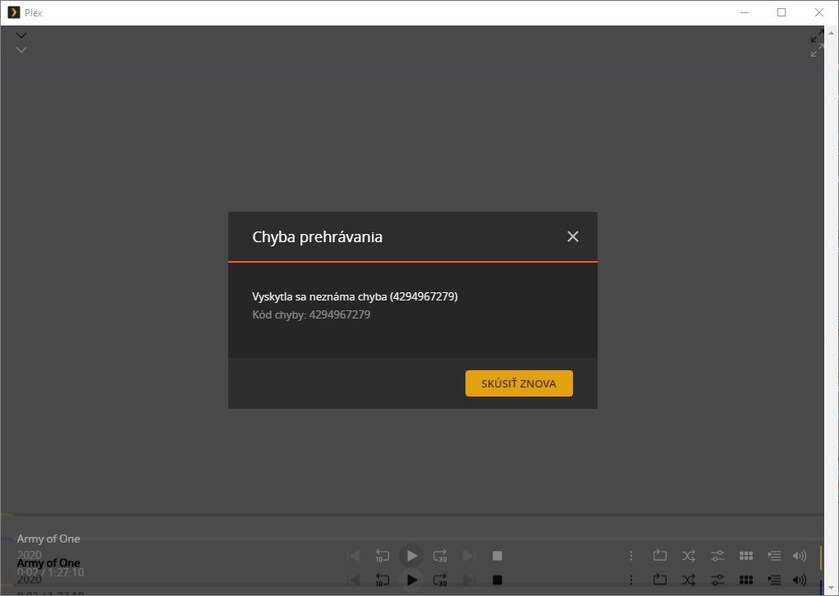
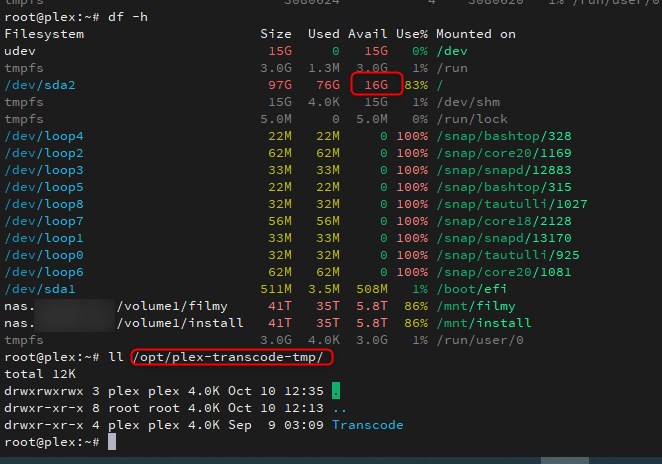

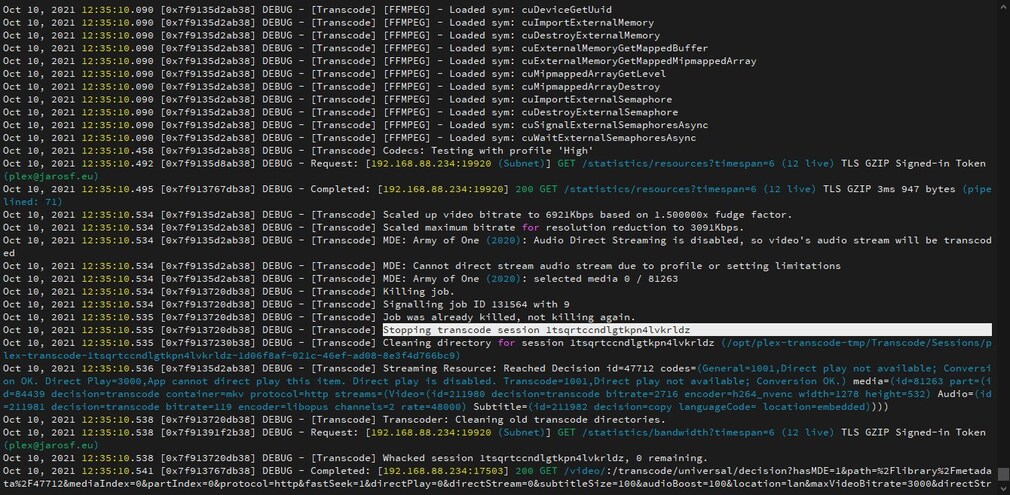

Please solve, in case of synergy I am available. Well thank you
I have also been having this issue for the past month or two. Nothing I have tried (including reinstall of Plex server and app) has resolved the problem.
Hopefully keeping this thread alive.
So now that I have seen users with the Plex Pass badge posting on the forum, it has reinforced my apathy as to ever upgrading to a lifetime pass.
hi,
test 18:07 film venom
transcode to 1080p 10 mbps
error after 2 sec.
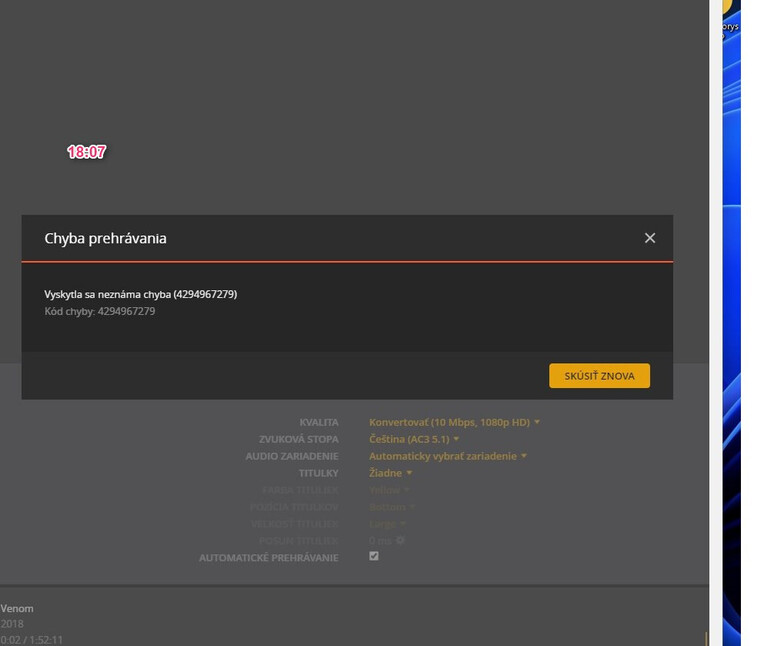
Logs:
Plex Media Server Logs_2022-01-06_18-07-32.zip (1.4 MB)
Well, this came very close to auto-closing.
I just started getting this same error number WHICH NO ONE HAS YET DEFINED HERE.
I mean, I get that it’s an “unknown error” but when you give a 10 character number to it (that’s not 0000000001), it means something to SOMEone. How about someone who knows just post the likely conditions under which that piece of code would be triggered?
My troubleshooting went like this (in case this helps anyone else):
Same server & several static Plex for Windows versions went from working to not working in the same night. Worked, closed, time passed, reopened, got this error (but from everywhere, not just the PC where first found).
From this, I suspect the PMS immediately (FreeBSD here), but not the server version – which has worked flawlessly for quite a while. I suspected something got fouled up in some cache somewhere to create this issue so suddenly and across several PCs without any sort of an upgrade occurring anywhere.
I also noticed that Plex for Web worked to my Windows server, but couldn’t “reach” the FBSD server at all (so, not the “normal interface except things won’t play” situation as with Plex for Windows). Firefox complained of some sort of a certificate error when going directly at the FBSD server.
In my case, a simple reboot of the FreeBSD PMS service (not a hardware reboot) resolved my version of this issue.
I got the same message multiple times this morning. The server is running on Windows 10 V. 1.26.2.5797. Client is the Windows player which I don’t use often but it did update today when I opened it.
Hi,
So do I. I still have this mistake.
I’m sorry, I’ll have to look for a Plex alternative.
