Server Version#: 1.40.4
Player Version#: 2025.14.0
I have both a 1520 and a 423 Synology NAS and they were working perfectly with the server version noted above. Now my phone and some other devices have been pushed the new Plex app and now it is telling me that all of my servers are outdated and I cannot access anything on them. The message notes that it needs to be updated to version 1.41.2 or newer. Within the Synology store, the latest version is the 1.40.4.
Normally I would just manually update the package. However, neither machine is allowing the manual update to work. Anyone have any thoughts? How can I even revert the clients to an older version until Plex and Synology can get in sync?
Plex team, I know you are hearing this from all ends but this is for sure a terrible experience .
are you logged in with an administrators privilege account or as admin ?
You are using the 64-bit Intel SPK for DSM 7.2.2+ ?
Yes. I have the only account on those machines and am set up as admin. And yes using PlexMediaServer-1.41.6.9685-d301f511a-x86_64_DSM72.spk
Both of those NAS use an Intel processor and both are updated to the most current Version: 7.2.2-72806 Update 3 DSM.
But excellent questions I should have originally stated…
Give me a minute please.
I’m going to wake my DS418j and retest with 2025.15.0
Thanks very much. I did also try the manual install of the spk via multiple browsers and same issue (which very well may be a Synology issue). I am going to run down to my shop in a few and see if for some reason it will work from a Linux machine but super bad experience to not ensure cross compatibility before doing a forced update and effectively bricking people’s experience. If it matters too at all, lifetime Plex Pass holder and all servers and clients running under that account…
This is embarrassing . It’s been running but unused so long that it’s out of sync.
I must have bumped something.
Even with permissions set for Everyone, PMS is getting Permission denied reading the file

Sorry about this. I’ll get a bigger 

I forgot I moved the NFS mount to /volume2. Fixing now lol
My issue resolved. Now yours.
Can you please do the following:
- Make certain server DEBUG logging is enabled
- Restart PMS
- Give it a minute or two to stabilize (you know how long)
- Now try a playback so we can catch the error(s) in the log
- When done, Download Logs and attach the ZIP here please
The existing server runs fine… debugging will just show what is taking place in the running instance of version 1.40.4. The issue is that client can no longer access that server version and I cannot update to the newer version in Synology.
Is there something I am missing you think we would get from debugging?
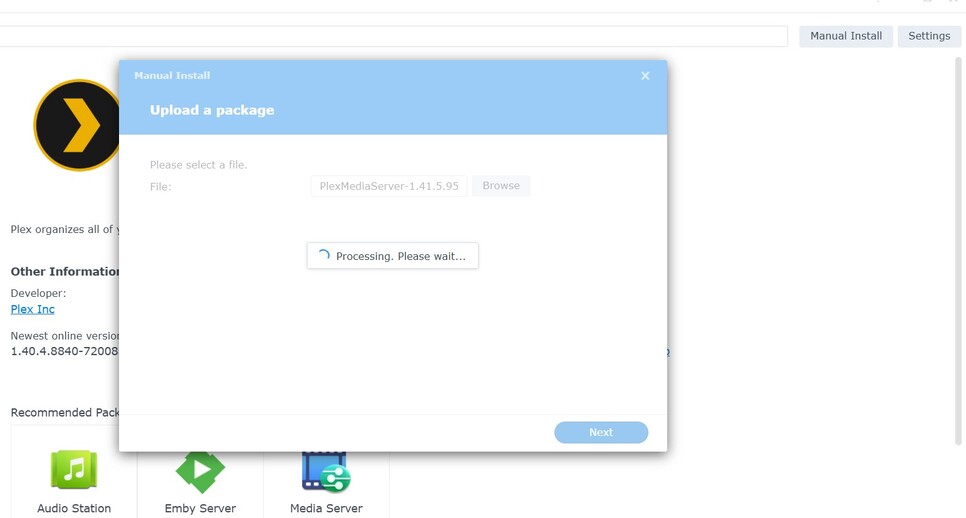
Appreciate the help but same result. No error, but Synology just sits with processing please wait for as long as you let it. Never installs. Now as I noted, I think this is a Synology issue in terms of it not allowing manual installs. I am also going to try to open a ticket with them to see what is going on and why it is hanging trying to do manual installs but unfortunately means I am still stuck with no means to access content.
Happy to try any other solutions you might have. I did also try to see if I could update from within Plex but that just forces the download of the PlexMediaServer-1.41.6.9685-d301f511a-x86_64_DSM72.spk.
How good are you with the keyboard ? (SSH)
Savvy enough likely. SSH is enabled on them. I have several Linux machines. I try to not manually install that way if it can be avoided as I know the Synology team frowns on SSH into their NAS devices but will do what I can if I have to.
let’s try the install from the command line.
( I fear your DSM has gotten itself twisted up — can other packages install?)
- Copy the SPK file to somewhere easy on /volume1
- SSH into the box
- sudo bash
- synopkg install
/volume1/xxxxx/Plex*.spk (give it the full path)
It should give you an error
Plex has no privileges anymore so if it’s not installing – it’s DSM
Also try this with PMS stopped. (confirm by ‘ps -ef | grep -i plex’)
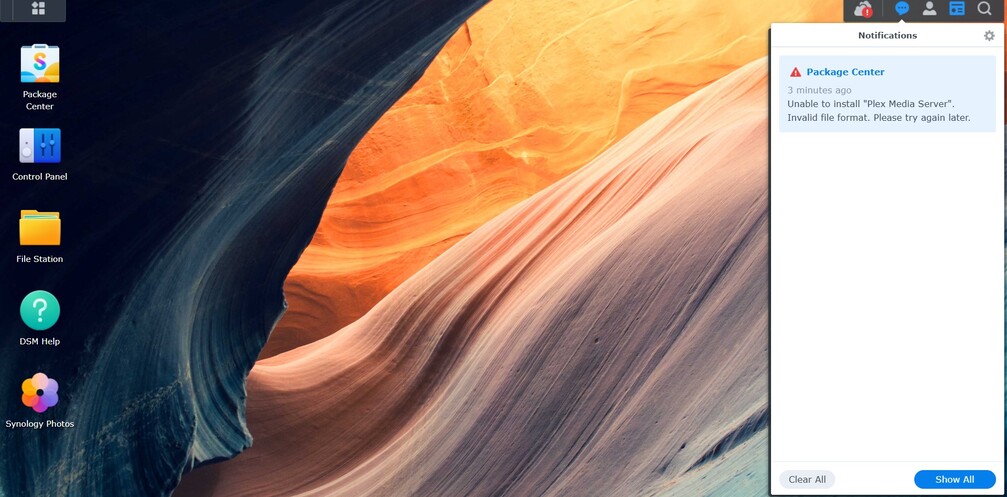
Tried with Plex Server running and also not running. I did just get this error generated which is net new. That error only generates when I attempt the command line install, not from the manual upload. I did also create a Synology ticket… unfortunately they are off 5/1 for a holiday so it is going to be likely days before I get a reply from them.
Open to other thoughts.
what did you use to download PMS ?
When it says it can’t extract the tgz that usually means it was corrupted on the way down
We can always use wget to download directly to the syno as confirmation.
Just copied over from my PC to the NAS via SMB. I am happy enough to try to download via wget on it and try it that way as well. I did update several other packages within Synology Package Center a few seconds ago and those still work just fine…
On the syno SSH (where you are still ‘root’)
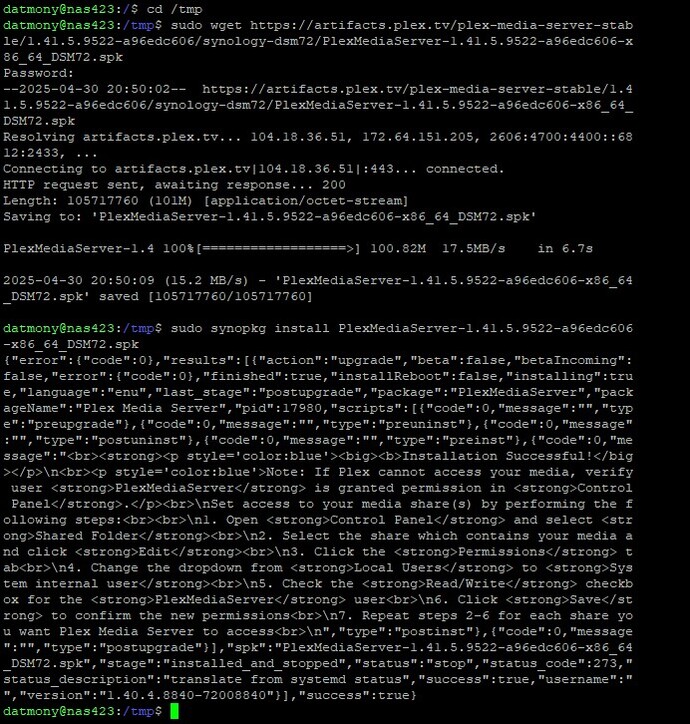
cd /tmpwget https://artifacts.plex.tv/plex-media-server-stable/1.41.5.9522-a96edc606/synology-dsm72/PlexMediaServer-1.41.5.9522-a96edc606-x86_64_DSM72.spksynopkg install PlexMediaServer-1.41.5.9522-a96edc606-x86_64_DSM72.spk
It’ll look like this
chuck@ds418j:~$ cd /tmp
chuck@ds418j:/tmp$ wget https://artifacts.plex.tv/plex-media-server-stable/1.41.5.9522-a96edc606/synology-dsm72/PlexMediaServer-1.41.5.9522-a96edc606-x86_64_DSM72.spk
Will not apply HSTS. The HSTS database must be a regular and non-world-writable file.
ERROR: could not open HSTS store at '/var/services/homes/chuck/.wget-hsts'. HSTS will be disabled.
--2025-04-30 22:42:03--  https://artifacts.plex.tv/plex-media-server-stable/1.41.5.9522-a96edc606/synology-dsm72/PlexMediaServer-1.41.5.9522-a96edc606-x86_64_DSM72.spk
Resolving artifacts.plex.tv... 104.18.36.51, 172.64.151.205, 2606:4700:4400::6812:2433, ...
Connecting to artifacts.plex.tv|104.18.36.51|:443... connected.
HTTP request sent, awaiting response... 200
Length: 105717760 (101M) [application/octet-stream]
Saving to: 'PlexMediaServer-1.41.5.9522-a96edc606-x86_64_DSM72.spk'

PlexMediaServer-1.41.5.9522-a96 100%[=======================================================>] 100.82M  52.9MB/s    in 1.9s

2025-04-30 22:42:05 (52.9 MB/s) - 'PlexMediaServer-1.41.5.9522-a96edc606-x86_64_DSM72.spk' saved [105717760/105717760]

chuck@ds418j:/tmp$ synopkg install PlexMediaServer-1.41.5.9522-a96edc606-x86_64_DSM72.spk
Can you please show me the output of df -h ?
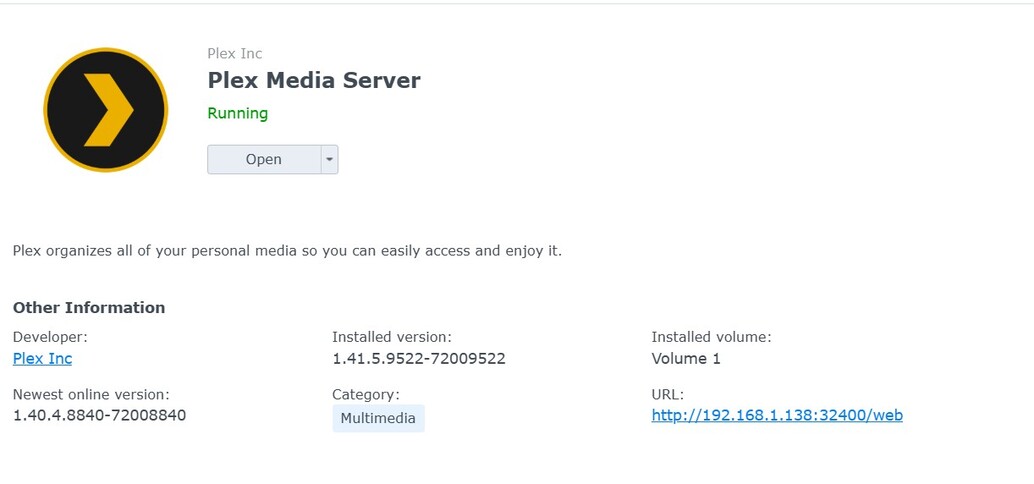
Now we are kinda cookin with gas!!!  Appreciate the help here. So I got the one NAS updated to 1.41.5 and can access via the new client. Before I go and do these same things on the other server, should I update to the 1.41.6.9685-d301f511a-x86_64_DSM72.spk. If yes, what web location should I be pointing wget to so I can go get that?
Really appreciate all the help by the way. Thankfully I am a relatively savvy user… no idea how someone not familiar with Linux would do this.
You can stay at 1.41.5 for a bit, there’s no hurry until the new transcoder Forum Preview comes out 
Someone not familiar with Linux would have to follow the Syno docs.
- Backup DSM config
- Reset / Reinstall DSM
- Reload saved config
- Reinstall all apps
We just cheated it with a big hammer
If it gives you other grief in the same way then you should probably plan for DSM reload
This could ALSO be something going on with how it was downloaded (corrupted during download)
Appreciated. Hopefully one of these days too Synology catches up with the newer packages. My guess is that they are getting a lot of questions about that… have a great evening!!!