AOS APP Subtitle size problem

Server Version#: 1.41.6.9685
Player Version#: 2025.15.0

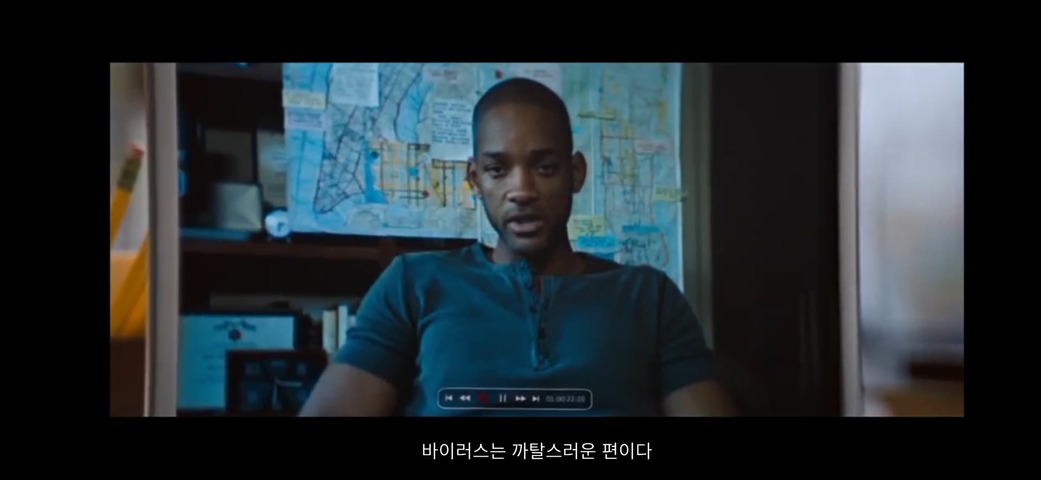
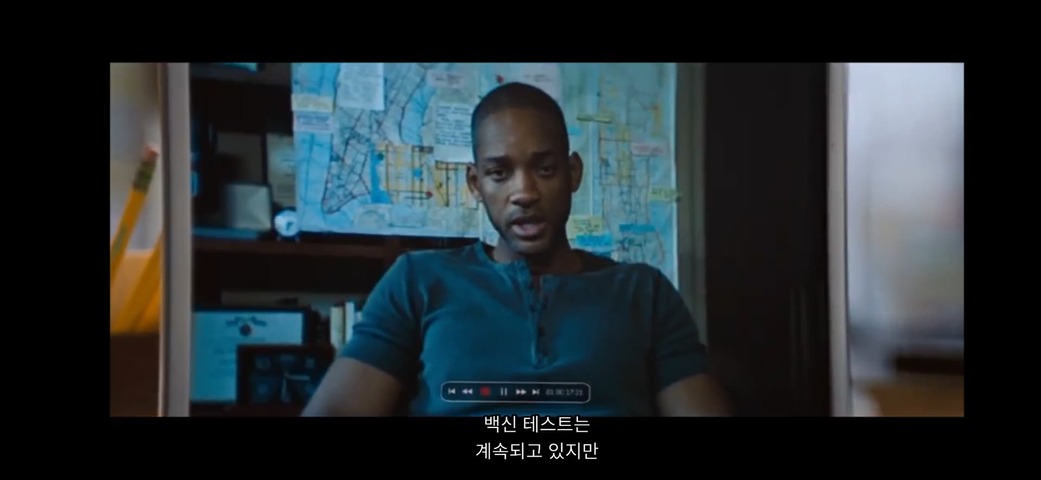
Even if the caption size is Huge, it is too small.

result

  1. Burn: Always is bigger
  2. Size: There is no difference between Huge and Large.
  3. But, It is displayed correctly in Web Player.

subtitle size: Huge vs Large (no difference)

  • Burn: Always
  1. Huge

  2. Large

subtitle size: Huge vs Large (no difference)

  • Burn: Never
  1. Huge

  2. Large

Web Player Huge Size (This size is right)

  1. which type (format) are the subitles?
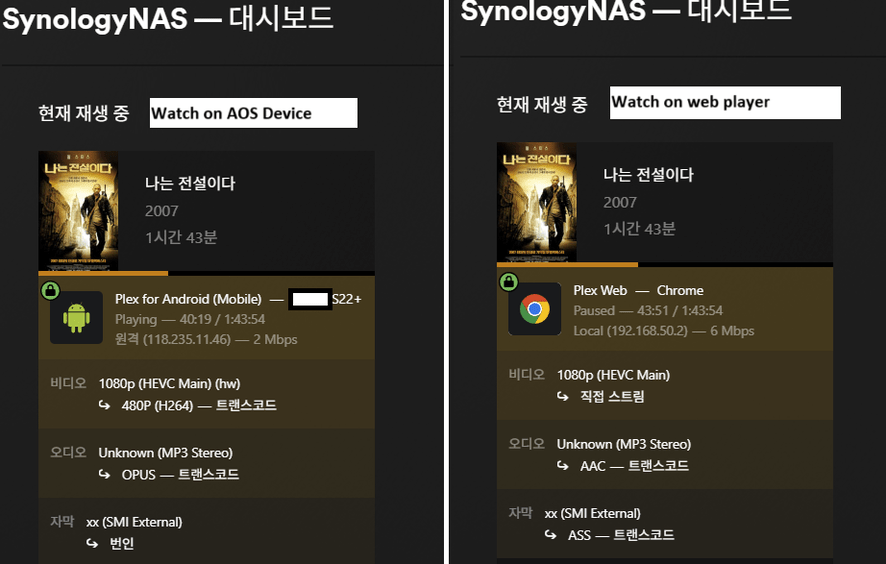
  2. are they getting “burned in” during playback? Because if they do, that means the server is involved, whereas if they are Direct Played, only the client is relevant. Check the server Dashboard during playback to see details https://support.plex.tv/articles/200871837-status-and-dashboard/

Are you watching on the screen of the mobile device?
Or are you “casting” to a device with larger screen?

  1. xx(SMI External)

  2. burned (aos subtitle setting is Burn: Always)

  • but, have same problem when aos subtitle setting change to Burn: Never

I am watching on the screen of the mobile device(Galaxy S22+).
also, everything is ok at 2 month ago.

this is details of dashboard when aos subtitle setting Burn : Never

A conclusion is

  1. When setting ‘Burn: Always’ in AOS, the server burns subtitles, but the subtitles seem too small in AOS APP.
  2. When setting ‘Burn: Never’ in AOS, the server is transcoding,
    Even if it is transcoding on the server, it looks normal on the Web Agent, but it looks too small on the AOS APP.

Looking at the result 2, I think it’s an AOS APP problem.

Post-update results
Server: 1.41.7.9799
AOS: 2025.17.0

Problem solved when ‘Burn:Never’.
Same problem when ‘Burn:Always’.

I originally used it as ‘Burn: Never’, so the problem has been solved.
Thank you!

This topic was automatically closed 90 days after the last reply. New replies are no longer allowed.