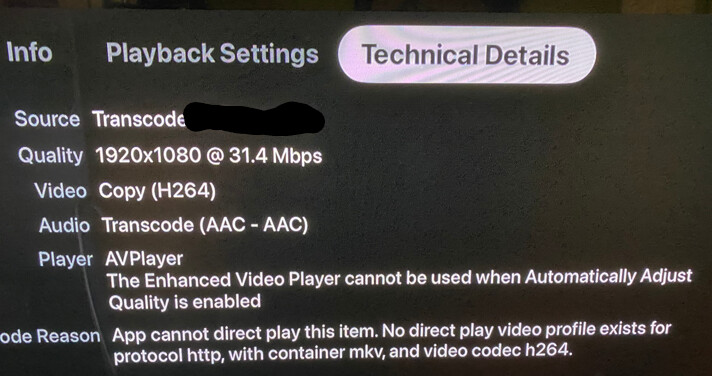
Tested playback through Infuse vs native Plex app, Apple TV 4K A2169, tvOS 16.0.
I used some audio-video sync test file, filmed it with my phone and checked sync in the editing software by viewing what frame was displayed at the beginning of audio waveform.
Apple TV was outputting audio through TV speakers, color space and frame rate matching disabled, direct playing.
Since he and the company don’t care about anything that’s not related to plexamp or money and personal information grab with other companies, I bet @elan would personally fly to your house, pet your dog, give you Hawain Knighthood and buy you a Tesla if this had been a plexamp issue.
This thread is years old now, move on, @elan and plex dont give a s*!t about it, you, me or anyone. But did you see the new pretty pixel we put in the third menu of plexamp?!?!?!?
I bet he’ll come in here and throw a hissy fit for me being critical of his and the company’s incompetence. lets see how many of you see this post before its gone. my next post will be praising plexamp, maybe.
Apple TV HD, audio play slightly ahead of video, unwatchable.
ALL other apps are perfectly in sync.
the video playback seems to be slightly ahead of the audio track, enough to be very annoying.
it affects seemingly every type of video file
I’ve tried turning match frame rate on and off
I’ve tried with and without transcoding
I’ve tried changing audio output in stereo and 5.1
I’ve tried switching to the old video player
I’ve tried all the different video and audio modes on my TV (long shot)
these are videos that play perfectly in sync when viewed on any other device. I know the Apple TV audio is normally in sync as other apps have synchronised audio.
buahahaha this is becoming the best plex rant channel ever I’m just waiting for a competing product to switch to, really disappointed by this apparently conscious/on-purpose ignoring of this issue. I recall some attempts by Plex staff to troubleshoot this at the beginning of this thread, but now it’s total silence
I think a lot of us gave up on the Plex client on Apple TV a while back, and switched to Infuse. Works better and supports high res audio, which the Plex client doesn’t.
-Alan
Infuse is the way to go but it’s disappointing paying for product that’s broken and the people who support, say they’ll fix it, blatantly lie and then in the end couldn’t give less of a ■■■■.
I’m really disappointed in the ■■■■ support and lack concern by Plex here. If you don’t get a flying ■■■■ about your customers just come out and say so. You got our money and that is clearly all you care about. Never will I recommend plex to anyone.
I’m also having audio sync issues on my Apple TV 4K (1st generation).
Reading this thread, there seem to be a few different situations that lead to these sync issues on the Apple TV. I’m in the following camp:
The issue started relatively recently (I would say in recent weeks).
In my case the video lags behind the audio (audio plays first and video is noticeably late).
All my files are 1080p. So for me this problem is not related to 4K/HDR.
Disabling “Match Frame Rate” in Apple TV settings reduces the severity of the lag but it’s still there.
Switching to the old video player doesn’t help.
Like many others I’ve tried different client apps and server/client combinations (Infuse, Air Video HD) and they play with perfect sync. I also own a Shield TV and Plex has no audio sync issues on that platform.
The one piece of possibly useful information that I can provide is this: the sync issue is present on all my media that is 23.976fps. My media at 25fps (rips of PAL DVDs) plays with perfect synchronization. Weird, but that’s the way it is. I don’t have media with other frame rates to test further.
For God’s sake guys, please fix this!!! I love Plex’s beautiful interface on the Apple TV and don’t want to have to use something else.
Same issue here with the Apple TV 4K. I switched to the iOS ecosystem a couple years ago which also meant giving up my Nvidia Shield for the Apple TV.
These sync issues have been driving me nuts on Plex. I just switched to Infuse and the audio and video are perfectly in sync. I’d much rather be using the native Plex app though instead of now having to pay for another app on top of my Plex Pass.
Count me in: Apple tv HD audio sync issues since the upgrade to tvOS 16. Sync issues are a recurring problem. Please switch to the Apple default video player or at least offer the option.
same issue here. just bought an Apple TV and Plex is the only app that has the audio out of sync. Netflix, Disney+, Prime video all work as expected. Match frame rate is turned OFF. It does get better when going from ON to OFF, but definitley not resolved. Still out of sync.
Using the old player does not help. And from my testing, I am unable to direct play when using the old player. Always trancodes the stream.
roku and chromecast with the same system have no issues with audio sync.
My system:
Streaming device (Apple TV) → AVR-X3500H → TCL R625 TV
surprised this isnt getting more attention from the plex team.
Apple TV 4k 1.gen
My sync issue: Sound is constantly a few frames ahead
When “automatic quality” in plex video settings is turned off then sound and picture is out of sync.
When “automatic quality” in plex video settings is turned on then sound and picture is in sync.
Which doesn’t make much sense as in both cases the video plays directly. My server is too weak to transcode.
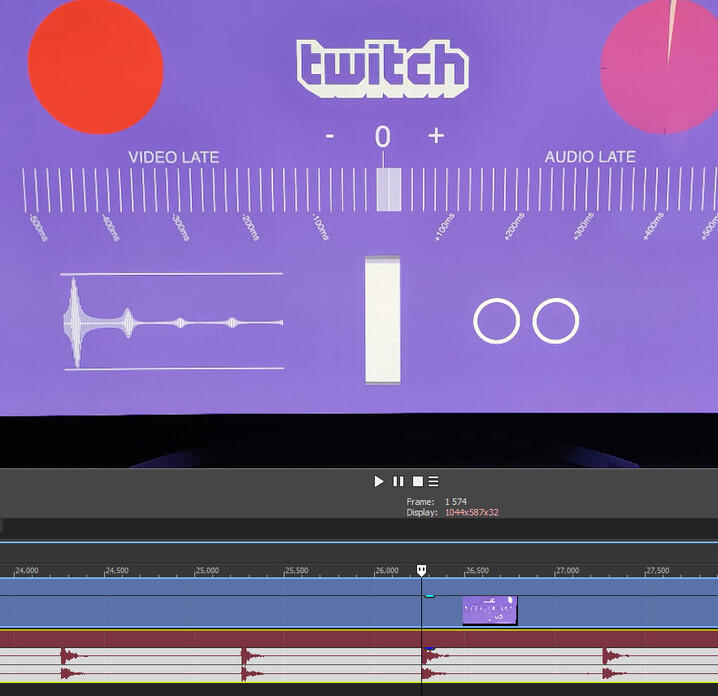
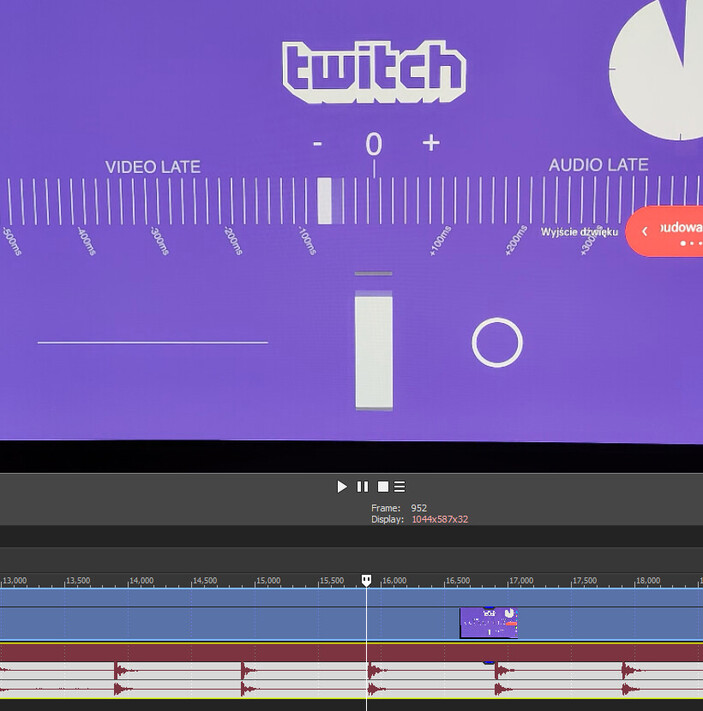
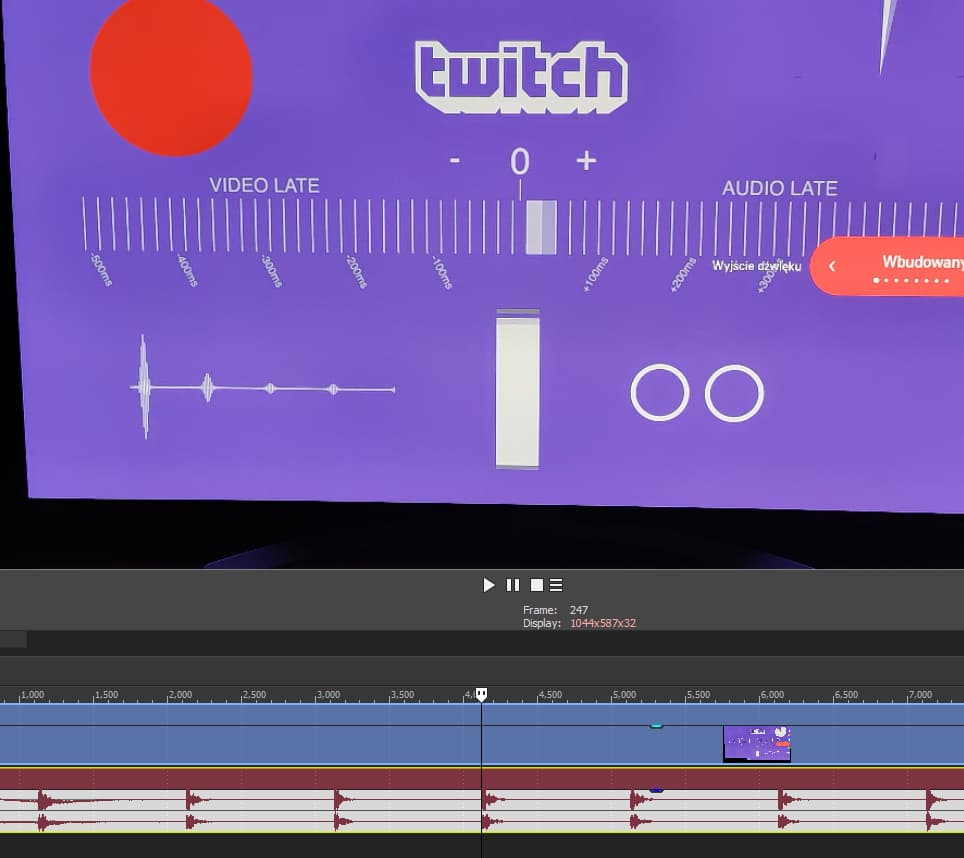

 I’m just waiting for a competing product to switch to, really disappointed by this apparently conscious/on-purpose ignoring of this issue. I recall some attempts by Plex staff to troubleshoot this at the beginning of this thread, but now it’s total silence