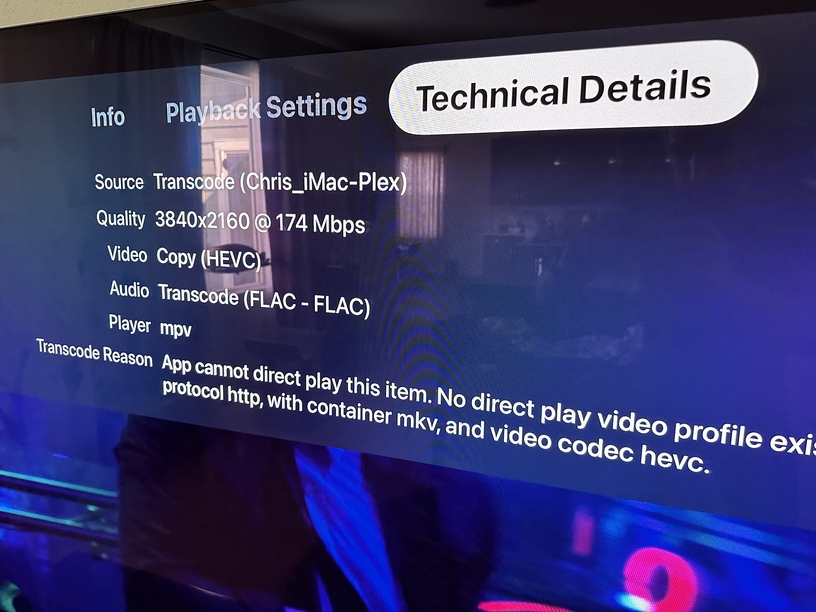
Thanks, but I’ve tried everything and no luck  What a shame I payed 100€ for it not to work right.
Will try Infuse then, but will need to pay for that as well 
Thanks, but I’ve tried everything and no luck What a shame I payed 100€ for it not to work right.
Will try Infuse then, but will need to pay for that as well
I just discovered this issue. I had thought I was watching some bad video files for a week, but then viewed some known good ones and the sync was terrible. Checked my other streaming apps and the sync was perfect. Tried a bunch of settings and nothing fixed it.
Then I went into Infuse, connected straight to my Plex server and played the exact same video. Perfect sync.
I see comments saying things are complicated and blaming people’s hardware, TVs, receivers, whatever. In my case at least the problem is clearly software. Given that playing video is the primary reason for this app to exist, what’s going on?
Same for many.
Plex app on tv: perfect.
Infuse on atv: perfect.
Plex app on atv: broken
Its software
I bought an apple tv last week end to enjoy system wide refresh rate switching. I was so happy until I launched a movie in plex (standard, 1080p) and immediately noticed the sync issue. Because it is the reason I bought the ATV I will not disable this feature (judder fest otherwise).
I read the thread, tried many things (old player, audio out to DD 5.1 etc…) to no avail.
I will be using infuse for now as it seems to be working but it’s such a pity.
Please keep working on it and make it work !
We’ve made some additional changes on our end for the A/V Sync, so for those who have been testing, if you could please restart your app and report your findings in this thread, that would be much appreciated 
Can you explain how this works, Dave - how is a restart able to change app behavior? Does the app download ~something at startup?
Thanks!
Tried on new version, here’s what I found:
Smooth as butter, no frame drops, A/V sync is perfect
Half the time the frame rate is lowered or frames drop, A/V sync good
A/V sync is off by maybe 50-100ms, frame rate good
I think scenario 1 occasionally shows a message “your network is not powerful enough, etc.” which is odd because it’s over Ethernet, local, on a top-spec M1 Mac Mini.
Plex public builds on both Mac and AppleTV. ATV → Denon 2800H → LG B2.
Playing this:
It’s just enabling code that was previously disabled, the same way that we turn on other new features.
We have no control over the old player, this only affects the new player.
Thanks, makes sense.
Appreciate the clarification. Will do more testing as I’m able.
It made no difference with the video samples that I submitted. Still the same issue, but I think there is more to those than just a audio sync issue, due to the stutter on playback which is resolved if you pause, rewind and then press play.
Here’s my Apple TV settings - latest tvOS and updated PLEX.
Resolution: 4K SDR
Match Dynamic Range - ON
Match Frame Rate - ON
Testing on a 4K HDR file. Unfortunately, there’s still a delay. Probably a few frames off. Sound lags behind picture.
Changing the Match Frame Rate option to OFF maybe helps a little bit but I still found running the video through the PS5 app a better solution.
Well, I have loaded the Infuse player today and linked it to my Plex library and, as expected, it resolves the problem immediately. My expectation is that this will be fixed in the Plex enhanced player in time BUT… I am so impressed with the control that the Infuse player gives me over the subtitles that I will be reluctant to return to the Plex player until if offers something similar. (Note: this refers to the player only. I don’t consider Infuse a Plex replacement by a long stretch. )
@DaveBinM I restarted the app and tried a recent movie I know I had sync issues with. This movie did look noticeably better than it did the other day. If the sync issue before today was a 6, (a 10 being perfectly in sync), it looks like the recent changes are about an 8. This movie was H264/AAC.
It could be placebo, but watching another movie I know has issues, all versions have EAC3 audio, the 1080 version (H264) looked like it was almost perfectly in sync, the 4K HDR version (HEVC) looked a bit worse, and the Dolby Vision version (HEVC) sync issues were very noticeable.
Using the newest Apple TV 4K, both match settings were on. All motion interpolation settings on the TV are always off.
Hope this helps!
Edited for clarification.
OK quick test. tvOS 16.3.2 and manually restarted Plex App. Match frame rate ON. Match Dynamic Range ON. Audio set to Auto with Atmos available. Default set to 4K SDR.
Used the 4K SDR HEVC video file I have that works great for testing as there’s a bunch of speech closeups in the first few minutes and it has DTS-HD 5.1, AC3 5.1, and AAC 5.1 tracks I can switch to.
Honestly AAC 5.1 is dramatically better and seems dead on. AC3 is also solid (could be just me but it seems just a hair off the AAC track). DTS-HD is better than it was before but is still off in a noticeable way.
Will test some more content and report back…
Has anyone tried changing their Chroma setting? I switched mine from 4K SDR 4:4:4 to 4:2:0 and it seems to have made a difference as well.
I leave mine on 4:2:0, that is all blurays are encoded at, any media is encoded at.
4:4:4 makes no sense and is only going to cause problems. I might test a video file there to test the transmission line through cables, but then swap back.
4:4:4 might be nice if you were going to use it for a desktop monitor and fine text, but then I’m sorry for your neck.
firecore team awhile back posted a set of test videos, I downloaded these and put them in an AV Test folder on my server. REALLY helpful.
I have audio lag playing every type of content through the Apple TV 4K and it doesn’t seem like any settings I change on the Plex side or Apple TV side help at all.
General Plex sounds (UI sounds) are perfectly in sync, but on video playback I have audio behind the picture.
On the Plex side I have tried:
On the Apple TV side I have tried:
There is no audio delay on any other video/streaming app on the Apple TV.
The only thing I have been able to do is manually adjust the Audio Delay for the input through my receiver, but this then introduces audio syncing problems to all other apps on my Apple TV and is very frustrating.
Maybe there are some combination of settings I can try but so far I have not been able to get anywhere.