I’m using a Plex server on an Asus NASS. When I try to add a new library, the language drop-down isn’t working, and the next button is disabled. I tried both the beta and the regular versions of Plex Media Server for ASUSTOR, but neither of them worked.
I’ve followed all the steps you told me to. I checked the NAS server to see if any VPN is running. I did not see any VPN running in the NAS or on my laptop. Can we let me know if I need to do anything else?
I’m not sure why the next button is disabled but the language option is expected. You can’t pick a language for the “other video” library type.
Are you able to access other libraries from your server or is this your first library?
Also, do you possibly have a double nat issue? Your screenshot of your router shows a bit of the ip. The third value looks to be a single digit, but in your screenshot of the warning from plex web, the this valid is 68.
Hi, I restarted the server and still i’m having the same issue. Can you please check the log and try to help me. Please let me know if you need more information.
Is that the entire zip file downloaded from settings → troubleshooting?
Asking because most of the log files are missing.
The files, Plex Media Server.log through Plex Media Server.5.log are not in the zip file. They are pretty much the starting point when looking for problems.
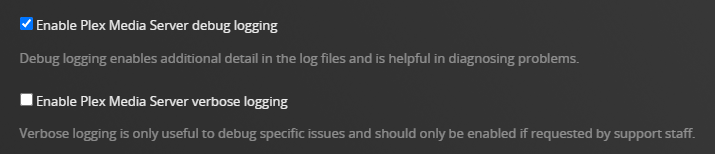
Also, check that verbose logging is disabled. It is usually not needed and can cause the log files to wrap quickly resulting in desirable information being lost.
Plex Settings → server_name → General + Show Advanced.
Stop/Start Plex Media Server if you change the setting.
Looks like the API call is failing due to CORS issues. I feel that because of this issue, I’m unable to select language options on the Add Library screen.
Those requests are not the relevant requests, you want to look for the requests to system/agents in the network dev tools and see that those requests are successful.