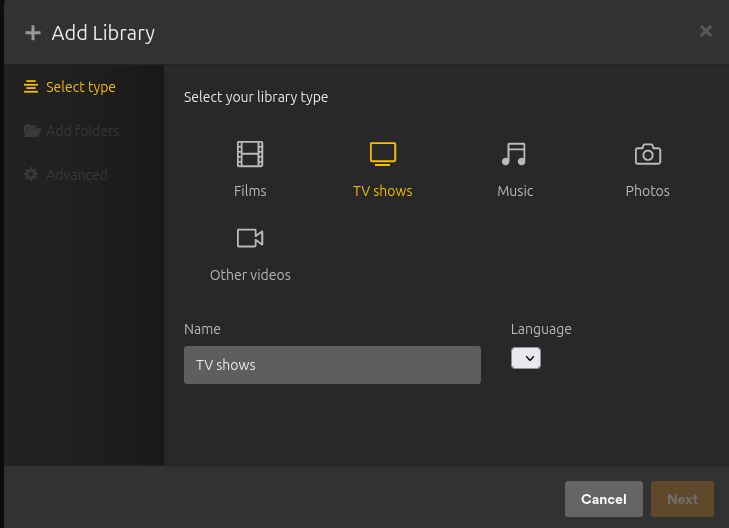
Server Version#: 1.32.5.7349
Player Version#: 4.108.0
When I try to add a library, there is nothing in the drop down box for Language to select and the Next button is disabled (screenshot attahed). I’ve added libraries in the past so I’m not sure if I made a change in the settings to cause this or it was recent Plex update.
I have tried adding the library in multiple browsers (FF, Chrome, Edge) and on multiple computers with the same problem.
Disable or bypass your VPN if you have one. I have had this issue and I can usually get around it just by refreshing my browser a few times or changing what library I’m in. That doesn’t appear to work for everybody
I have the exact same issue. So f’ing annoying. I got it to work a while ago when I rolled back to an older version, but now that I updated the app again to the latest version I got the same bug. This bug has been around for a while. Can´t remember which version I used now either that worked
I’m on Ubuntu 22.04.3 LTS, running Plex 1.32.8.7639
I have no VPN on this server. In fact this server is purely for Plex. I really don’t want to have to remove and reinstall plex again. Its setup just the way I like it.
I even tried to insert to my language dropdown but the next button is still greyed out. I then removed the “disabled” attribute but the button still no work
Please help me! I’m a plexpass member, is there a dedicated support net?