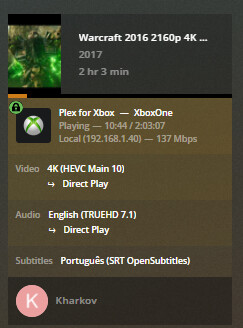
Figure out why it is transcoding.
Thanks for the link, I did read it over multiple time but I see no reason for my setup to not support TrueHD when using HEVC video in MKV container
Did you check the log for the info specified in how to find why something is transcoding?
Only the logs will help you figure it out.

Based on the log, It shows that there is no Direct Play for hevc. On another entry of the log, it also says that it being encoded to MP4 container which doesn’t support TrueHD. That explains why it got encoded to AAC instead. However the question now is, the xbox doesn’t support HEVC in MKV container or is this Plex issue
The update is available to all users. For the public release we’ve removed the passthrough setting, and it’s now automatically enabled if passthrough is available. Users who were on the Insider preview release should find themselves migrated back to the public release soon, if they haven’t been already.
It’s better to enable logging in the client to the server, as the client decisions will shed more light on what’s happening here. Are you using subtitles that require burning in? If so then the video stream will need to be transcoded, and TrueHD passthrough is currently only supported with Direct Play.
Got it, thanks! That explains it. 
No subtitle is used, what tag should I filter so I can send logs here? I think this might be just HEVC (MKV container) issue where Plex is unable to send TrueHD when video is HEVC (MKV container) and instead use MP4 container which doesn’t support TrueHD
Just enable logging within the app, play the problematic item, and grab the most recent server log file from the server you’re logging to.
when I play high quality remuxes with >70mbps (4k HDR + trueHD) the audio stutters very bad… on some releases its not stuttering as long I don’t ff or resume the movie.
xbox series x with ethernet connection 400mbit to a remote server(the issue is on multiple servers)
nvdia shield from 2015 plays the movies without issues
additionally I tested it on my Macbook over wifi and playing and fast forward is no issue … no stutter in sound
are you guys interested in some client logs @Moussa
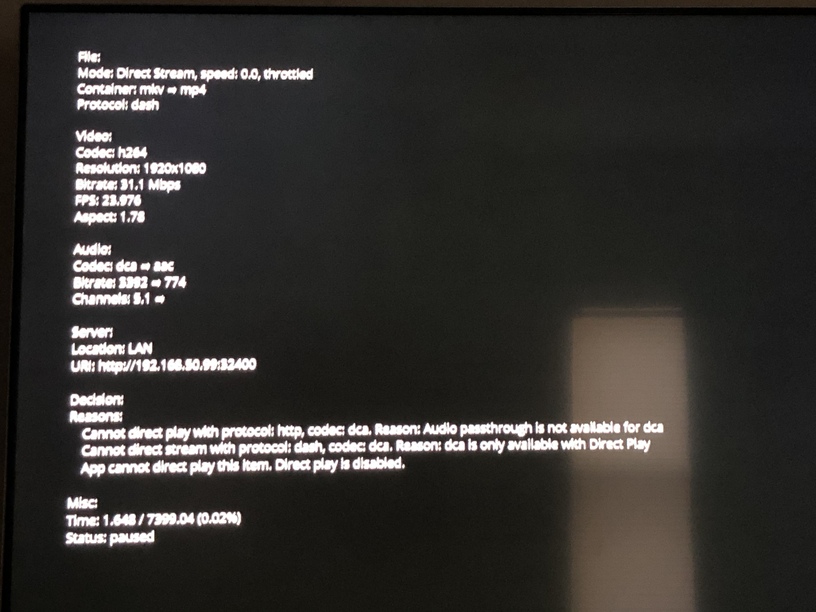
Do you have pgs subtitles enabled? If so turn them off or switch to srt.
Do you have Xbox plugged directly into a receiver or sound bar with dts/hd/ma support?
What does the plex server dashboard show?
Unless the video is direct playing, you won’t get pass through.
Determine why it’s not direct playing, fix it, then it should “just work”.
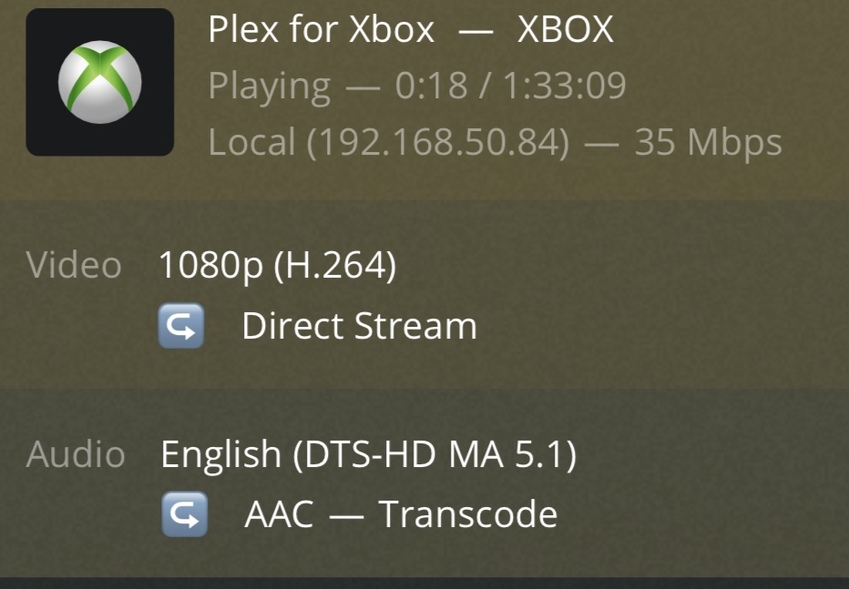
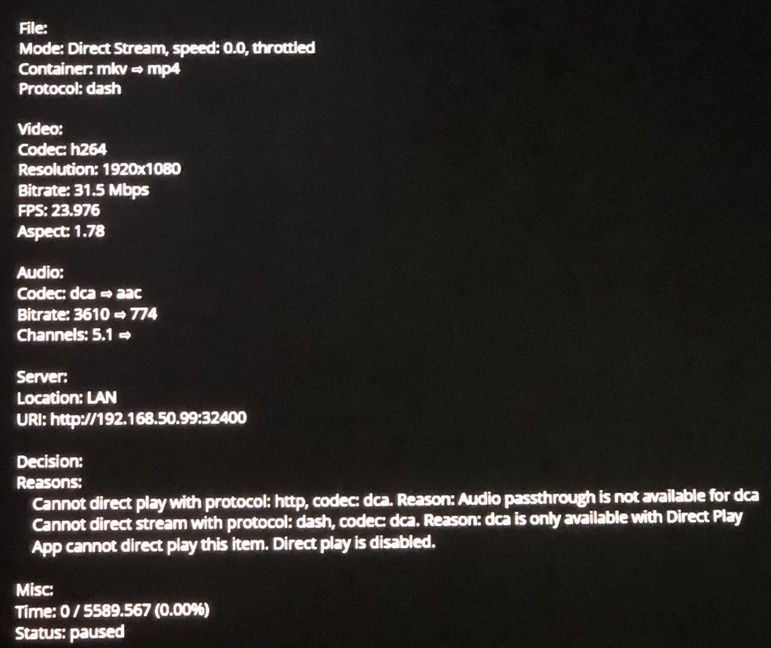
Xbox Pass through will only work with direct play.
You need to plug the Xbox into a receiver or sound bar that is compatible with dts hd ma.
Your tv does not support it.
No audio output or passthrough label on dashboard if video is HEVC stream and audio is TrueHD(Atmos) or DTS-HD MA (DTS:X)
File_xml.txt (28.4 KB)
logs_4KHDR_TrueHDAtmos.txt (120.2 KB)
Hello,
I’m running plex in a XBox One S, plugged into a Denon x2400h receiver and i’m watching 4K HDR movies pretty well without any transcoding server side.
But i don’t think the TRUEHD Audio is being correctly passed to the Receiver (I’ve passthrought enabled on xbox).
It says true HD is only available on directplay, but i have directplay enabled.
Also shows Dolby Atmos on the Receiver screen.

Have any idea what it is??
Other thing i’ve noticed, DTS-HD Audio does not output any sound, and EAC3 audio Codec caused transcoding server side, wich affects largely the fluidity of the movie.
If you can help me, i apreciate 
This feature is so damn good for an xbox. Im gonna buy a series s for this. It can double as a game pass / plex machine. Anyone know if it can play 4k hdr remuxes over 5ghz wifi? And what happens to dv mkv files does it play it as hdr 10? I hope that the plex team can also enable pgs subtitles if possible. And of course dolby vision support. Pretty much zero reason to get the shield then which ive tried. Nice device but man a series s is only a little more expensive than the shield.
Hello good afternoon,
I’ve made a post yesterday because i’m not being able to direct play TRUEHD Audio Codec.

In my audio settings does not appear TRUE HD or DTS. Do i need to install/configure annything?
In my XBox i’m not using bitstream out, i’ve configured 7.1 no compression.
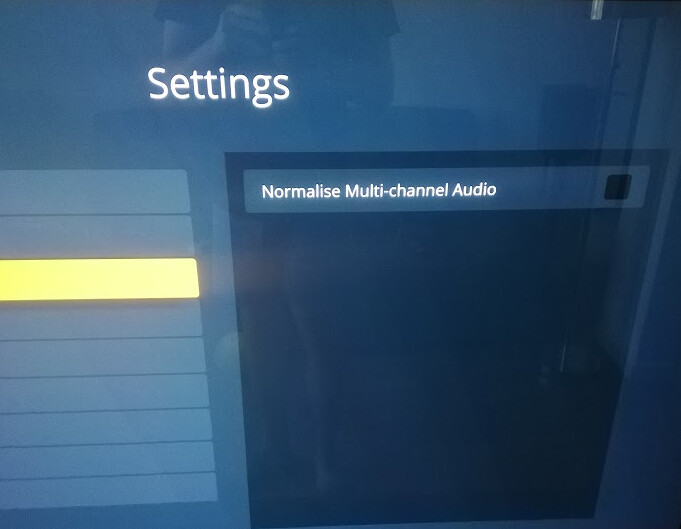
My Audio Settings:
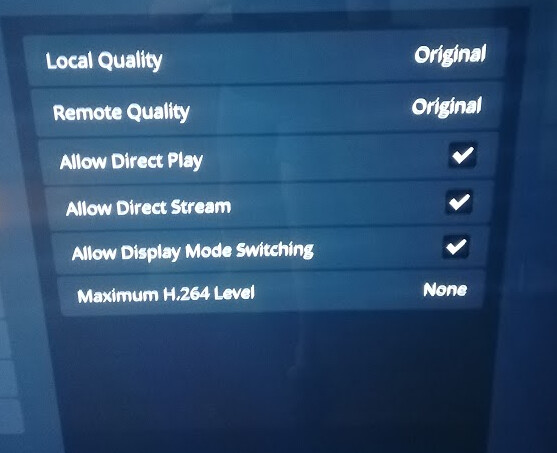
My Video Settings:
My XBox Audio Settings:

Do you have any ideas? Thank you for your time
the xbox hdmi audio should normally be set to bitstream.
7.1 uncompressed is decoded PCM.
that said, the ‘passthrough’ option is should work regardless of that drop down
but if bitstream does not work, this probably means something between your xbox and AVR is going on.
in any case, you need to look at the SERVER dashboard when playing a movie to get a better idea of what is going on.
this will tell you if the connection is local or remote, and if video or audio or both are transcoding.
it will also show if subtitles are enabled and what kind they are.
xbox does NOT support PGS subtitles, if they are turned on, then you will get transcoding, and you will NOT get pass through.
if the problem cannot be figured out by the dashboard, then we need SERVER LOGS.
make sure VERBOSE is OFF
make sure DEBUG is ON
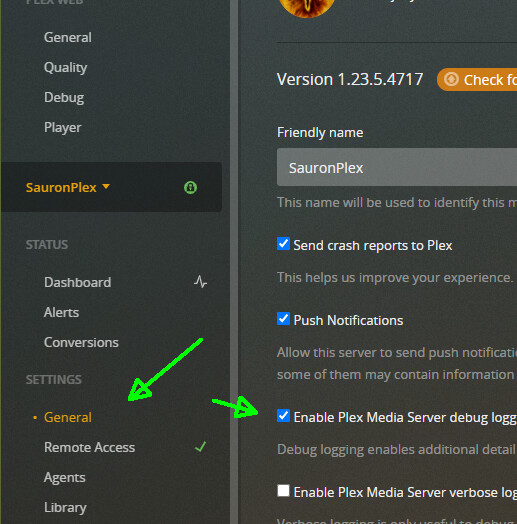
play a problem movie for a minute or 2 then stop it, wait 30 seconds, then go to
Plex Web > settings > troubleshooting > download logs > attach the whole zip file to a reply.
I allways use SRT for subtitles to avoid transcoding.
In the dashboard everything seems fine: