As someone who doesn’t have access to these beta changes, these reactions and changelogs sound really great. I can’t wait for this to hit the stable channel. The one last feature I haven’t seen mentioned that is all that after this I’d REALLY love to make plex my go to solution would be a sleep timer. I go to bed listening audiobooks and I’d love the ability to tell plex to automatically pause after an hour so it wouldn’t be playing the whole night. Could you please consider this while you guys are working on updating the app?
I’ve been testing casting music today. Encountered multiple crashes, and 1 minor issue (endless loading icon, persistent across all songs):
The crashes happened while skipping a song, that I was casting. What I think includes crash logs: plex-log-d2dyno.zip (495.6 KB)
1 Like
Further, tracks must be manually advanced while casting. At the end of a track, with more in the queue, nothing happens. That is, after the track finishes, it does not move to the next song in the queue.
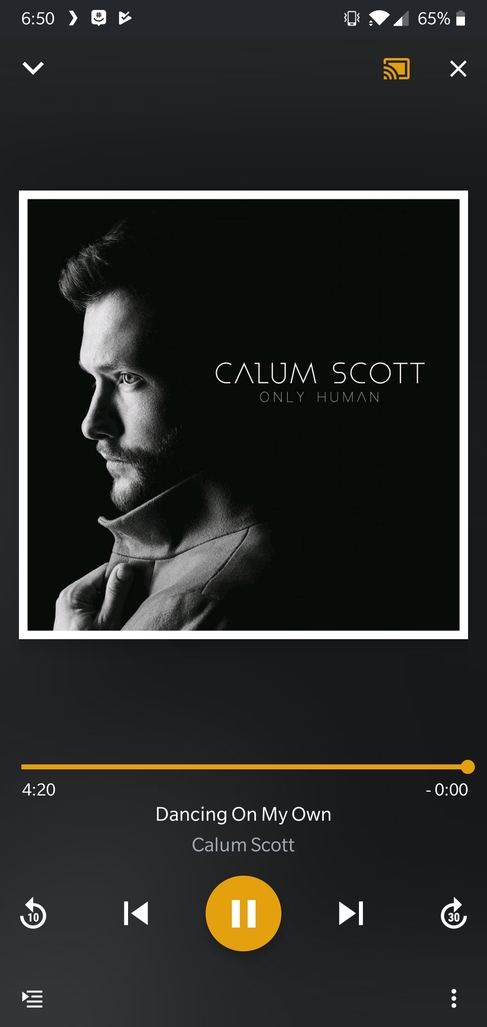
1 Like
Thanks to everyone for the awesome testing!
1 Like
I know I often come across as a demanding and less than favourable user, so I wanted to take some time and balance my reputation 
This beta has me excited about Plex again. I had been looking for any excuse I could to use the recent ‘Library Radio’ features, that was backported from Plexamp, but until recently I could only really Cast it to speakers and it work well. In my usage and testing, the Plex Radio features have by far trumped the radio abilities of Google Play Music, Amazon Music and Tidal. I have discovered things in my library I didn’t know existed, and I love that experience every-time.
Finally being able to use Plex for Android as my default music player, has made my entire week special. Everything from streaming over LTE, to skipping through songs that are just meh, has been a seamless experience now. The next track starts immediately in just about any network condition, and without gap. I have already started pushing my fellow Plexians to give Plex Music another try 
Now to become Last.FM’s problem (poor metadata)… 
4 Likes
Hey, thanks so much, that means a lot to us! Much appreciated 
2 Likes
@Daimyo - Thanks for reporting the issue. I’ve been trying to reproduce this and although i’ve found a number of other minor issues (including the endless spinner when casting - these are fixed and now waiting for review), i’ve not been able to reproduce this. I’ve tested an Android mobile device connected to an Android TV via both “Cast” as well as our own (separate) protocol (Plex Companion). When I allow the track to reach its natural end, the remote player moves onto the next track and the mobile (controller) updates correctly.
What device are you “Casting” too? Also, is it via “Cast” (the standard Google TV icon) or via “Plex Companion” (the square box with a Plex sign).
Thanks in advance
1 Like
First day of flac streaming has worked flawlessly - My lockscreen controls seem to be working fine as well
LG G5 - android 8.0
1 Like
I was casting to the standalone ‘Google Home’ device, I should have included that earlier.
I will also try testing on more Google cast devices.
I would like to second @Daimyo 's sentiments concerning the new music player… It has been a very special week, getting to use Plex for my music, and having it work so darned well!
Great job all! Excited for more to come!
2 Likes
I think this is licked/squished, whatever verb you prefer.
Can’t repro either of these (but I’m not the original reporter of either, either, so take that as you will).
Is one of these related to Plex Web not showing the currently playing track, or showing the wrong one? Are they both related, but it’s actually two separate issues?
I’m hoping that gets sorted soon, because as I understand it the built-in Last.fm scrobbling works off of the server’s view of music activity — meaning my scrobbles will be missing or wrong.
We’ve been able to reproduce this issue and investigating how to fix. There’s a race condition that can lead to the Android player not reporting back to the server what it’s playing. It’s not by design and should be resolved soon - since it’s late Friday though, may not be done until Monday.
EDIT - I think i’ve fixed the issue, and sent it in for review. Still unlikely to get released over the weekend, but hopefully early next week.
3 Likes
Sounds promising. Thanks for the quick update, and I look forward to testing the next beta build!
I think I’ve encountered another issue, but since it deals with connectivity, I’d like someone else to try and reproduce it:
- connect to Wi-Fi
- open plex, start streaming music.
- disconnect from Wi-Fi (and use LTE)
- skip tracks until you each the end of cached tracks.
- future tracks will either not buffer, or take quite some time to begin buffering.
- force quitting the app, and re-launching resolves the issue.
In essence, when you switch networks, it seems the music stream is cut off and not gracefully reconnected. I’ve personally had this everytime I leave my house while I’m playing music. Logs: plex-log-d2dyno.zip (455.2 KB)
@dgw care to test?
Love seeing some Andrew Peterson!
I recorded the LTE bug, which ironically happened to include the resume bug from here:
I wasn’t able to reproduce any failure to buffer. When switching from Wi-Fi to LTE I did observe some delay in buffering the next track, but that’s probably from relatively low LTE signal at my desk making the connection slow. Starting to stream on LTE and then connecting Wi-Fi (same LAN as the server), I really didn’t notice any delay at all. Just noticed the buffer start filling faster after a moment.
Not sure what to make of that. I guess there could be some connection-switching routine that differs between device firmware builds from different OEMs? Or maybe I’m just lucky, or maybe I’m switching too quickly and not giving the app a chance to build up enough of a buffer that it will fall into the trap.
Maybe I need to actually start streaming on Wi-Fi when I leave the house tomorrow and see what happens after it switches to LTE… meaning, a more “real-world” test than starting a queue, switching network connections, and skipping the buffered portion of the play queue.
Casting an in-progress/playing song crashes:
EDIT: Crash happens in both directions (casting, or stop casting and play on device)
plex-log-d2dyno.zip (463.0 KB)
@IanDBird when you get back from the weekend, I videod track not progressing, this time casting to Chromecast Audio:
There may be a bug here, but in general that’s sort of a worst case scenario  You’re switching to slower network and forcing a stall by getting ahead of cached tracks. The app has to detect the network switch, do connection testing in order to figure out how to get the media, and then start buffering it.
Your log does have some slightly odd stuff in there, trying to figure out how to get debug-level logs.
1 Like
