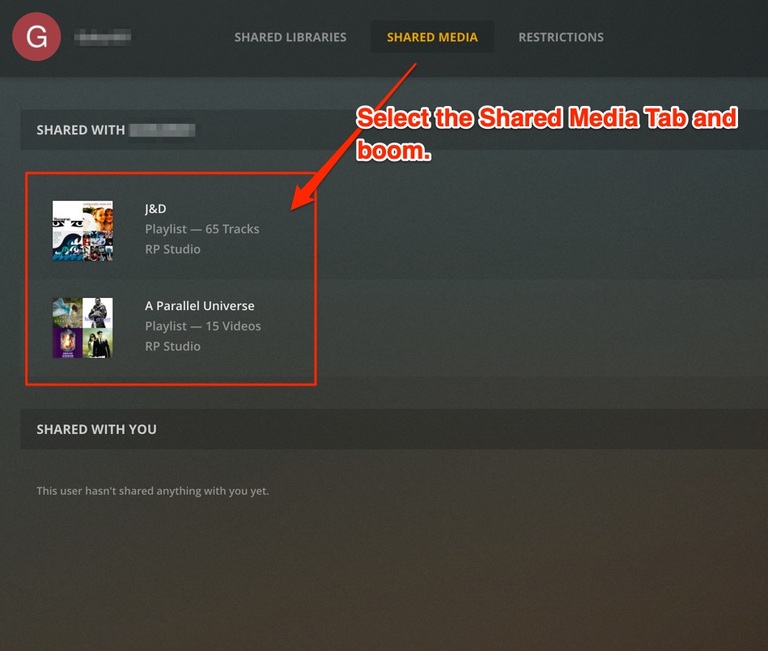
Ask your friend to verify they can play the songs and see the playlist. It might take a minute until the server updates.
Please Note: This will not apply to Tidal songs (they won’t be shared). Also I would allow your friend to sync so they can play when they want on their device.
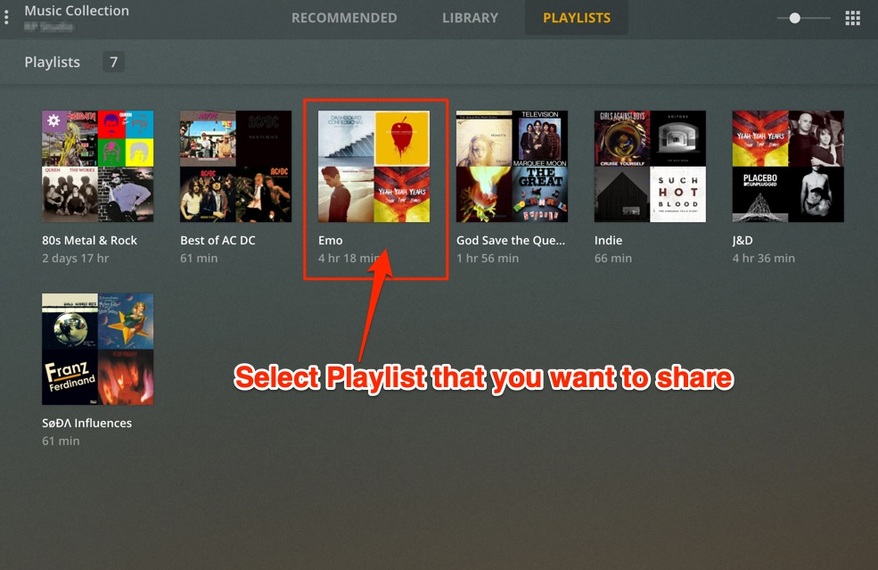
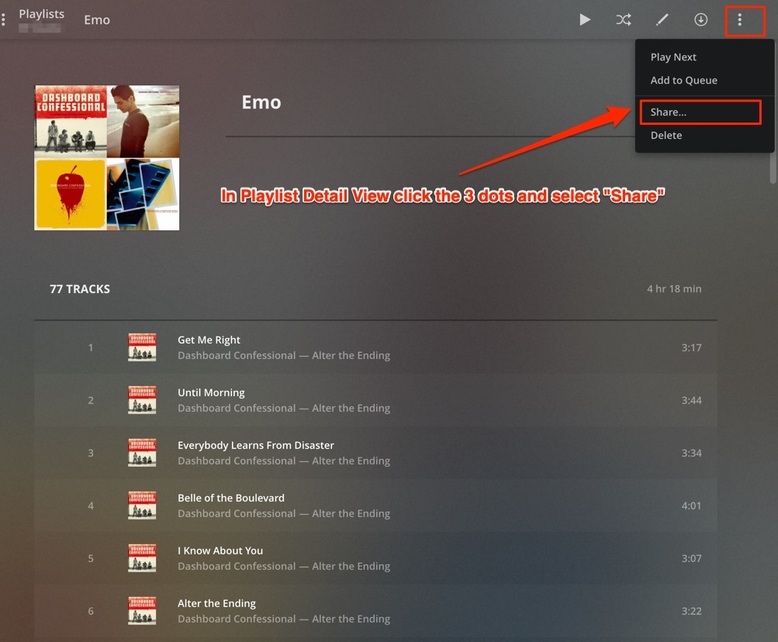
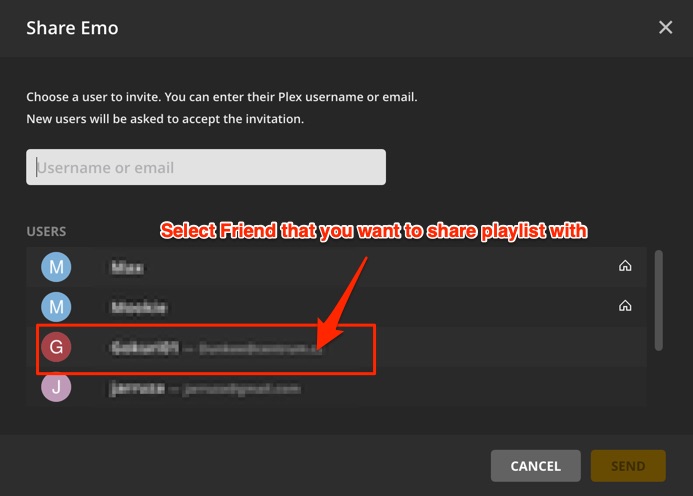
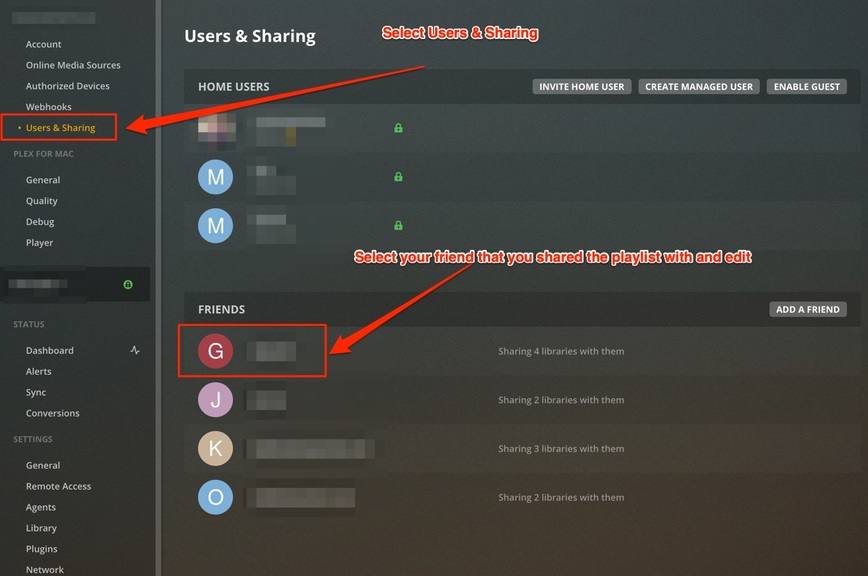
Bro, stop with the conspiracy theory. Plex is not in bed with the movie studios. You can share movie and music playlists. It has been a while now. I share with my friends and family and we all love it. If you want to better understand how to do it, here is a tutorial for music playlists. Movie playlists is the exact same workflow except for movies:
They’re actually pretty good about listening to feedback from my experience. Development at this level of app complexity takes enormous planning, patience, and skilled people. As small as they are compared to say Apple (which completely f**d up their music solution) they compete better than the big boys in adapting and adding new patches. if you get frustrated keep asking questions and searching for answers. I wanted something to work until I found out how to do it not realizing the feature already existed.
So it’s probably been added to Plex Web after the release of version 4.30.2 (the hosted/online/plex.tv version is 4.36.1). I can see the same Share menu item in Plex for Mac/Windows which also contains a newer version of Plex Web.
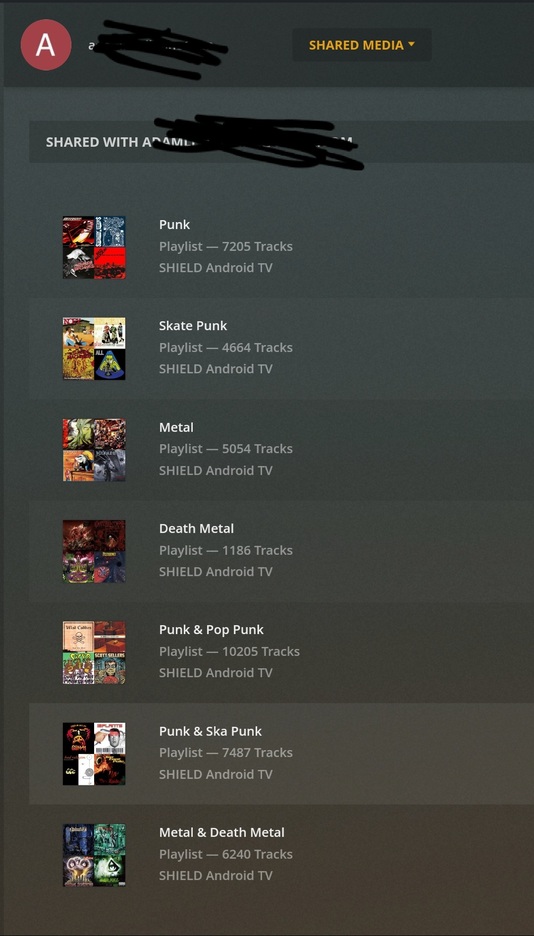
I originally couldn’t find it. So I’m glad to know it’s recent and I’m not dumb. The playlists themselves don’t seem to be showing up on the other end though. I did share, and the playlists show up under shared media on my end but nothing changes on their end. Not sure what step is missing, no emails and we checked different Plex players.
So listening via our Roku on the good entertainment system, only playlists in the account the Roku has logged into Plex can be used. I would have to log into his Plex account to build the playlist (again) for it to show up in the living room. Or constantly log the Roku in/out of accounts (ug).
That’s correct. Only the server owner can share content with others.
I suppose the key idea is that users cannot keep sharing content that has been shared with them by somebody else.
I followed all of the steps to share my Smart Playlists with someone on my sharing list and even after an hour it isn’t showing up on their end. Is there something else I am missing?
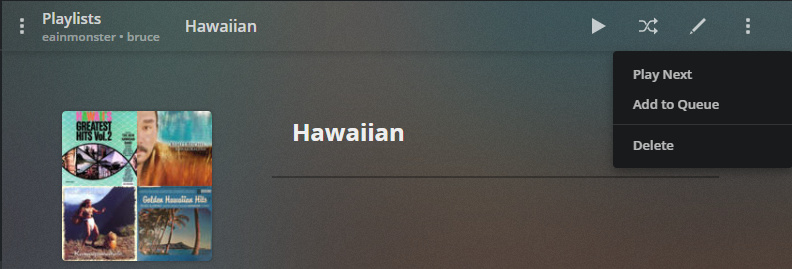
I created the Playlist, went into it and used the ellipsis or hamburger button or whatever to select “Share” and selected that persons user name. Then when I click on Sharing, it appears that I’m sharing multiple playlists with them. They have refreshed the app, logged out and logged back into it, checked their email in case their was a link they had to accept. But still nothing? Does this take a while for the server when there is a lot of music in the playlist?
That’s the steps… they should see those playlists in the Shared section under your server name – they might need to click More in their main navigation if they haven’t yet pinned that section of your server.