Server Version#: 1.43.0.10492
Player Version#: 2021/22 Philips UHD Android TV (latest version, can’t find anything more precise on the “about” section of the app)
Hi, since a recent update (less than two months), files that happen to be interlaced (in a native TV broadcast format) appear with a very odd black line at the bottom of the screen on my Philips PML9507 (2022, latest Android TV update installed, Plex app up to date too). To be totally sure the issue did not come from me, as soon as I noticed it, I tried with files I have since a long time and that the very same Plex app (just a previous version, before the latest update) on that very same TV was able to play perfectly without such issue. Also, to be sure the issue did not come from my TV but definitely from a recent update of the Plex app, I tried to read the very files affected by the issue through the native built-in player of my TV (requiring me to connect a SSD on my TV that is wall-mounted, so not something I’d like to do all the time), and it was not affected by the aforementioned issue. I really beg you to correct this, please, my favorite TV show that is only available in a TV format just came back, haha! I attached some pictures to let you see it for yourself.
The first picture depicts the built-in player of my TV reading the file: no issue!
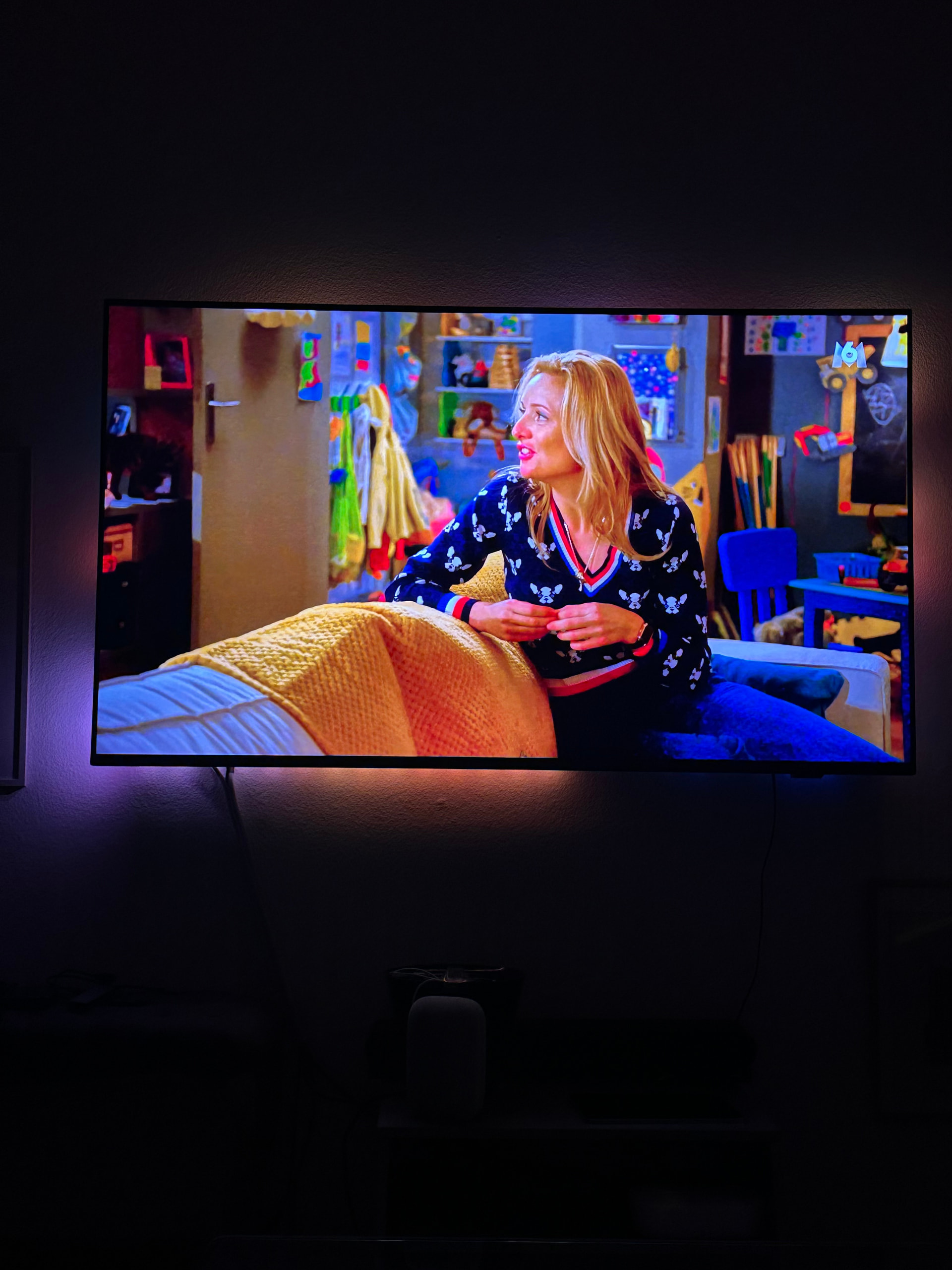
The second picture is the Plex app reading the same file: you will notice that very distrusting black line at the bottom of the screen
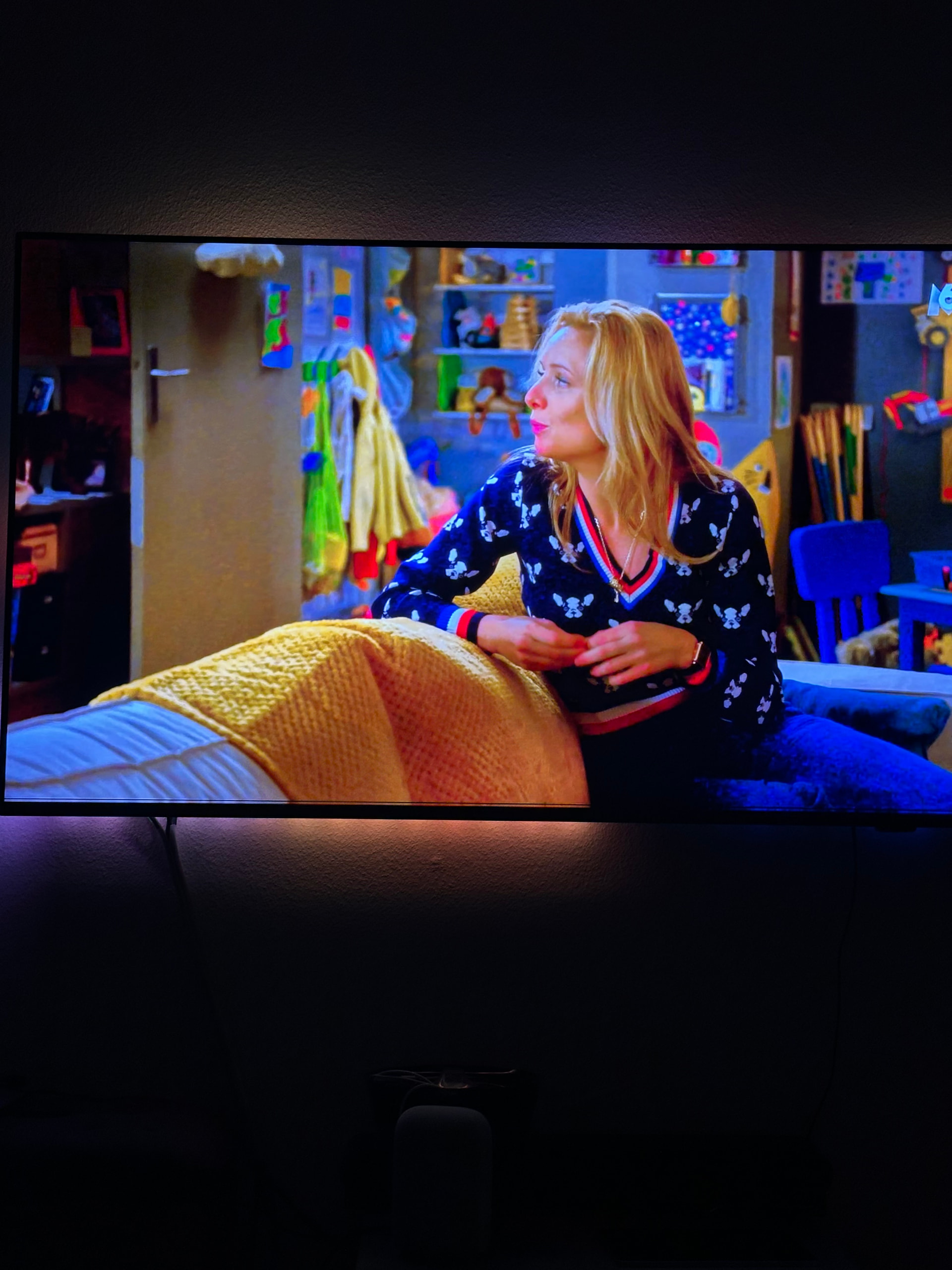
And here is a zoom on the disgraceful black line! Yup, definitely noticeable.

Edit: I just tried with the DLNA Plex server which also uses the built-in player of my TV and the black line does not appear, which really means it comes from that very particular player. You must have changed a setting for interlaced files recently as it did not happen before. Also tried with Kodi and VLC and the file is played without the black line, so it does not come from the Android apps interface either, but only from Plex.
