Server Version#: 1.24.5.5173 (Ubuntu)
Player Version#: 1.38.0.2734-ec4489fe
Plex for Windows does something that seems wrong to me, but if this is actually awesome and I don’t understand why, someone please explain it to me.
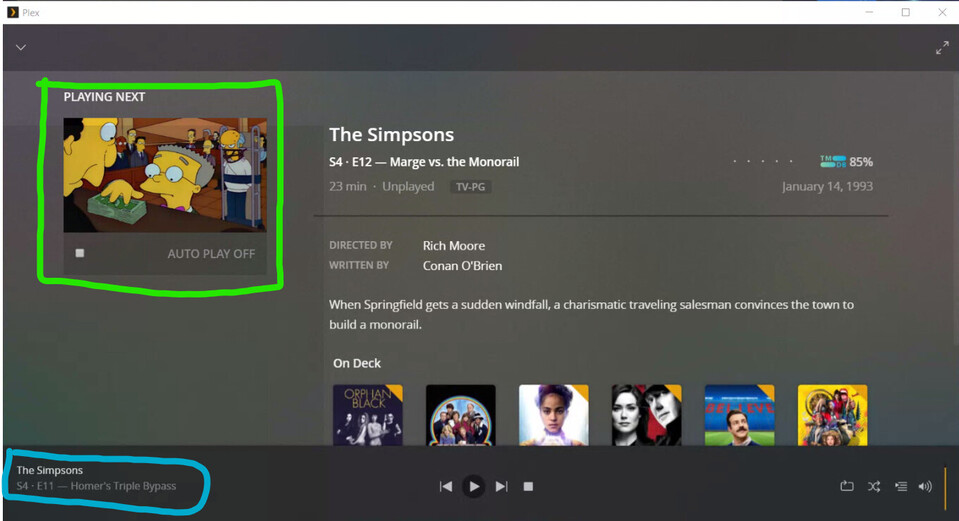
Problem 1: If a file plays completely and ends, the player controls for that file remain active on the bottom of the Plex GUI.
In this image, the episode circled in blue is done playing and the green title is correctly identified as being up next. With playing complete, why is the the finished episode still showing playback controls? If playback ends I would expect the bottom strip to disappear as if I clicked the “X” button. (Which for me has been a plain white box, not an X, for a long time.  )
)
The playback control staying up isn’t terrible on its own but it leads to an extremely annoying situation when Plex is restarted…
Problem 2: If I quit Plex with the mini player still showing (as it will unless I manually dismiss it with “X”!) and fire it up later, the episode which has finished playing STILL shows up in the bottom player control. (Again, green is the next ep, blue is the previous completely played ep.)
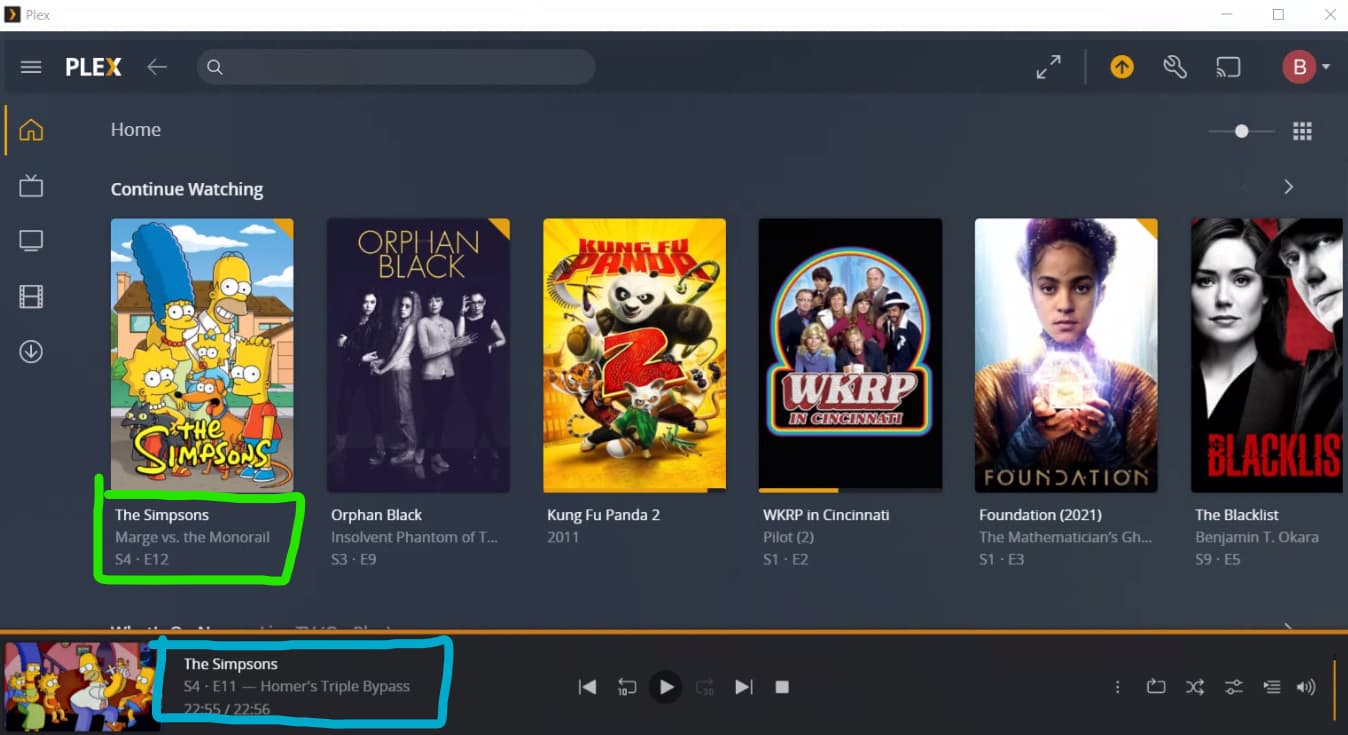
If I click the Play button in the green Continue Watching episode in this state, it begins playing in the bottom mini player. I then have to click the embiggen button to make it full screen. This is the thing that makes me nuts: every time I start Plex and play the next thing on deck, I have to remember to dismiss yesterday’s completed playback FIRST, or manually embiggen the video after I start playing it.
It seems nuts to me to offer a Continue Watching selection and have it default to playing back in the mini player. But if that is the right move, why doesn’t it happen before I restarted the client?The behavior of playing back a new file when the mini player is visible is inconsistent.
I think everything would be better if Plex just automatically closed the playback controls when a file runs out and stops playing. That would dodge this entire issue.
Is there a way to disable the mini player? Is there a way to force Plex to always go fullscreen when you click Play? Either would let me dodge this issue.
