What version of the Plex client are you using? It should be displayed in the app settings “About” screen. You should be running a recent release. Current version is 4.21.1.
Are you using TV speakers or passing audio to another system via optical/HDMI-ARC? It can affect how the system responds. For example, if the audio system does not support dts, but the LG is configured to pass dts, you may not hear any audio for dts tracks.
What happens when you play a AC3 audio track? Direct play / direct stream? This is just a “sanity check” to see how things are working. Pretty much all current devices support AC3 audio.
Enable both Direct Play and Direct Stream in the Plex LG app. Also, make sure the Video quality settings are set to Original/Maximum for local playback (or remote, if you’re remote from the server)..
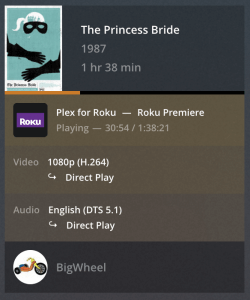
During playback, check status using Plex Dashboard. Plex Web → Activity → Dashboard. If needed, click the gold rectangular icon on the right to expand the view. This should show if the video and audio are transcoding, direct streaming, etc.
To pull up the info screen on the Plex LG client, look for an “i” in a circle when you pull up the controls. Screenshot below from my LG B7. I believe yours will be the same.
Also, be aware of the limitations of the Plex LG client:
- Enabling PGS or VOBSUB subtitles forces a video transcode.
- If the audio is transcoding, enabling SRT subtitles will force a video transcode.