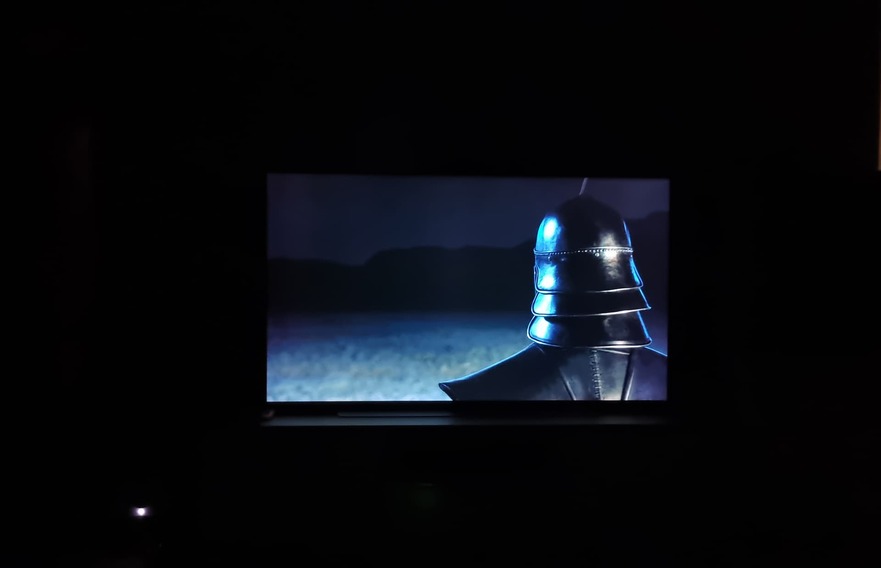
when I play my Dolby Vision MP4 on my LG C1 (native Plex app), the whole picture is extremely dark (black crush??)! I have now connected to the same TV my Nvidia Shield and started there via Plex the same Dolby Vision mp4, here everything is exactly as it should be…
In both cases, the mp4 file is correctly detected as Dolby Vision.
seems that here is a bug in the WebOS version of Plex…
Can you take a look at this please? Maybe others have the same problem or maybe a tip?
I have the C1 as well. Have you made sure the TV picture settings are identical on both the native app and the shield input? The TV has separate picture settings per input (native TV apps are lumped under a separate input from physical inputs) and per HDR mode (SDR/HDR10/Dolby Vision all have separate settings) so you need to watch out for that. Also, the Dolby Home Cinema picture mode uses the TV’s brightness sensor to adjust the tonemapping curve so you need to keep that in mind as well.
Both the Shield and native have the same settings (Cinema Home). Netflix on the TV (native) also has no problem with DV.
I’ll try to take two pictures later and upload them.
The picture from Plex (native) is much darker than with Plex from the Shield, many details disappear completely in black.
Oh yikes, that’s pretty damn bad. Have you tried using an M2TS container instead? I’ve never tried MP4s before but M2TS files look similar for me direct playing the same file on the native Plex app (Dolby Vision) compared to the Apple TV 4K (HDR10).
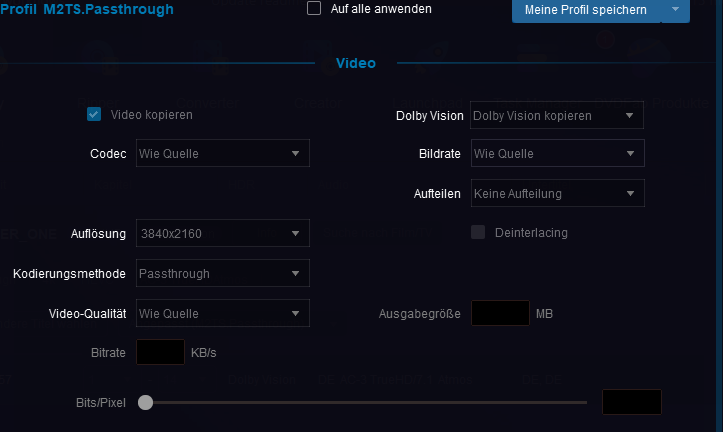
I have now created the episode with DVDFab instead of MP4+DV in M2TS+DV. Now the TV with native PLEX does not recognize DV at all but only HDR. But there are differences from DV to normal HDR which is why it is important to me that DV is output.
There must be a BUG here, because on the Shield DV is recognized and displayed correctly. Only the native PLEX version on the TV has problems.
As I said before, the MP4 is recognized as DV on all devices.
I hope one of the staff will pay attention and can support or something
To create a m2ts file with working DV from a blu-ray (profile 7), you have to demux the base layer (BL) and enhancement layer (EL) from the blu-ray, then use quietvoid/dovi_tool to rip the RPU from the (EL), convert the RPU to be profile 8.1 compatible, then inject the RPU into the BL. Then you can mux in the new profile 8.1 video track you just made into m2ts using justdan96/tsMuxer.
You need XPlay to force the Direct Play cuz the official native Plex app is retarded. Alternatively, you can enable DTS audio in the official plex client’s options, ensure subtitles are disabled, and select the DTS track. This will cause Plex to direct play but with no audio cuz the TV can’t decode DTS cuz LG are cheapskates.