So people don’t have to go back to the original thread for the information (though feel free if you have a Firestick and can confirm that issue @dpeeps74 is experiencing) I’ll put the issue here.
Basically, with the new video player enabled when you get to the autoplay screen (with the option to autoplay the next episode on or off) the Plex Dashboard (and Tautulli if you use that also) shows that the next episode starting playing. In the case of having autoplay next episode set to off, the next episode shows as paused instead of playing but in both cases the server is seeing the next episode as having started even though it was never started. Also, if you stop the countdown (pressing the left button for instance) the video will continue showing played or paused in the dashboard until you back out of the autoplay screen.
To verify this, I disabled the new video player and used the old player and did not experience this issue. When it hit the post play screen, while the countdown was going, Plex was not showing in the dashboard that the next video was playing or paused (tested with autoplay next video both on and off). If I stopped the countdown, and just stayed on that screen, Plex continued to not report anything playing (as one would expect the behavior to be).
I think there is just an issue in general with the auto play feature as of late whether it’s set to on or off. I’m using the SHIELD TV with the latest player.
I have mine set to on and the dashboard makes it look like the next episode started even when the countdown is still going. I can also stop the countdown by pressing left on my remote (to select the previous episode) and the dashboard still continues to show the episode as playing.
Once I back out of the play next screen, it disappears from the dashboard.
I sort of feel like this happened when the new player came out and started being used because I don’t remember seeing this until after I enabled the new player.
I don’t normally like to double post but since nobody has replied I just wanted to say that I switched back to the old video player and the issue I was experiencing is no longer happening. I checked and and re-enabled the new video player and set automatically play next video to off and the issue I experienced happened (I didn’t leave it long enough for the the 10 seconds to have passed and to see if audio played). I tested again with the play next video setting to off and the old video player enabled and I waited for 15-20 seconds but I did not experience hearing the audio in the background. However, there is definitely an issue with the new player in regards to the way it reporting the next video with the auto play next video option on or off because the Plex dashboard is showing the video as either started (when it’s set to on) or as having started and then being immediately paused (when set to off).
@ChuckPa or @anon18523487 maybe one of you guys can test and (it is easily reproducible from what I can see) and let the devs know so it can be fixed at some point?
Side note: The play next screen was much nicer with the old player than the new player, not sure if that was an intended consequence or not. The old player had the background art and the thumbnails and descriptions at the bottom of the screen. The new player has a heavily blurred background (not even sure if it’s using the background image) and the thumbnails and descriptions are at the top.
I just tested this and cannot reproduce.
I did notice, upon installing, autoplay was enabled.
I disabled and played a short animation.
As it should, it stopped.
I can’t speak to the Fire-TV but can speak to the Shield.
Hmm. I think I have a 2017 Shield (I’ll check the model when I’m finished watching a movie).
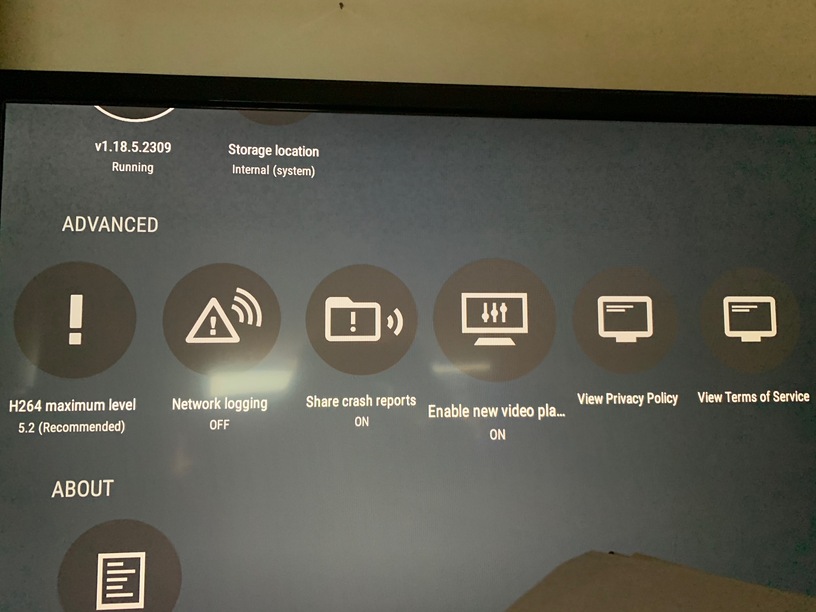
Can you confirm that you have the new video player enabled (not doubting you just want to check since you didn’t mention it, I’m sure you can understand since you give support ). That is the only time I actually see the issue on the Shield (can’t speak for the Fire Stick, though I do have one but it’s not hooked up and basically never used).
Thanks for the “screenshots”! And one more thing to clarify. Is it @dpeeps74 issue that you cannot reproduce, my issue or both? Verifying only because my issue you wouldn’t notice unless you looked at the Plex Dashboard (or Tautulli if you are using that also). I couldn’t reproduce @dpeeps74 issue though, so that could possibly be a Firestick only issue.
Makes sense. I’ll make a post for a Shield TV thread for the issue I brought up to be looked at/verified by others. Sorry for semi hi-jacking this thread by bringing the Shield into.
Was thinking about it and I think there is a misunderstanding in the issue that I am seeing and what you are reporting back.
I am not saying that the episode actually starts playing on the screen.
What I am reporting is that if you go to the Dashboard (click the activity icon and then Dashboard in Plex Web), Plex will report/show that the next episode has started even though it has not.
From the end user perspective, it does not look like episode is playing.
This is from the backend experience (aka the admin) where Plex is incorrectly reporting activity on the server.
Hopefully that is clearer.
As an aside, I setup the Firestick I have and I noticed the same behavior there as well as what I am reporting here.
Hey @ChuckPa, just wanted to follow up and see if you had a chance to verify my clarification in my last reply.
To repeat, the behavior is seen in the dashboard by the admin where it looks like the next episode started playing but it’s not actually playing on the client.
 ). That is the only time I actually see the issue on the Shield (can’t speak for the Fire Stick, though I do have one but it’s not hooked up and basically never used).

 .
.