Server Version#: 1.19.5.3112 (current public release)
Player Version#: 4.40.1 (app.plex.tv)
I just clicked “Refresh All Metadata” on my movie library. Since I could see, the movie edit modal contained one IMDB rating (of 8.9) and the movie pre-play screen showed a different one (of 8.1).
Now I suddenly have movies with a wrong titles (which was correct before). Anything wrong with the metadata server?
Are they MP4 files? It is likely picking up embedded metadata that whatever ripped the files put in them.
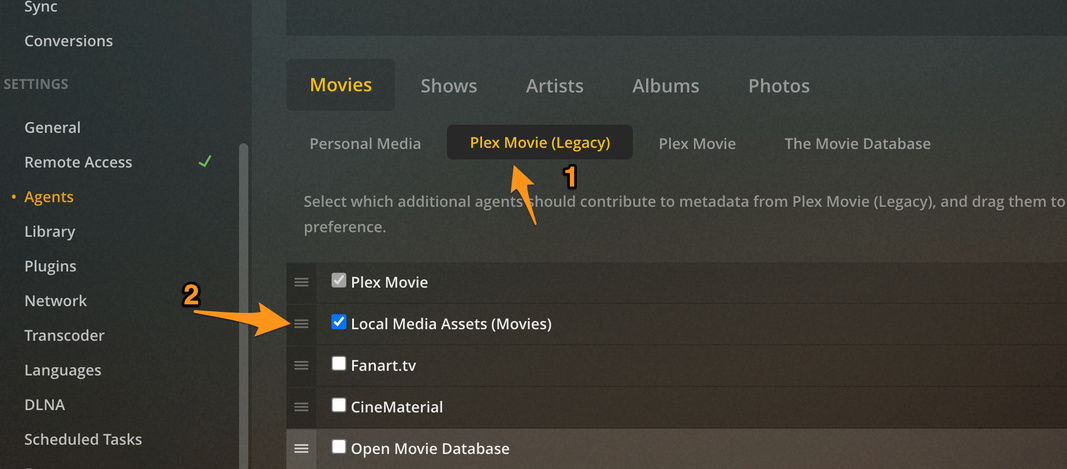
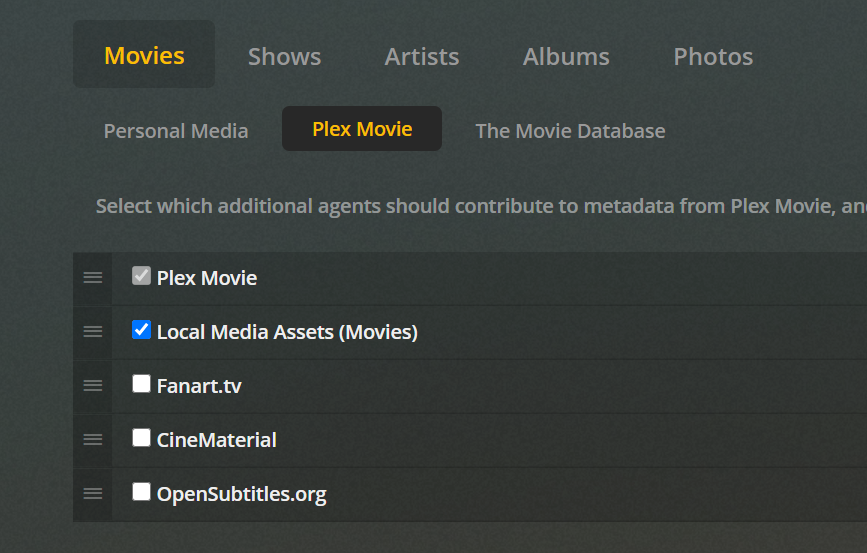
Go to the Agent settings of your server. select Where is says Plex Movie. (I know mine says “Legacy” but yours won’t). Grab the three lines on left of “Local Media Assets” and drag it below Plex Movie like in my screenshot. (leave it enabled)
Then go back to the library and refresh all metadata or just to those individual movies that have the issue
One note I have to make tho. I have had the current beta installed and downgraded after some time. Since the Camera upload isn’t working in the current beta (more info here) .
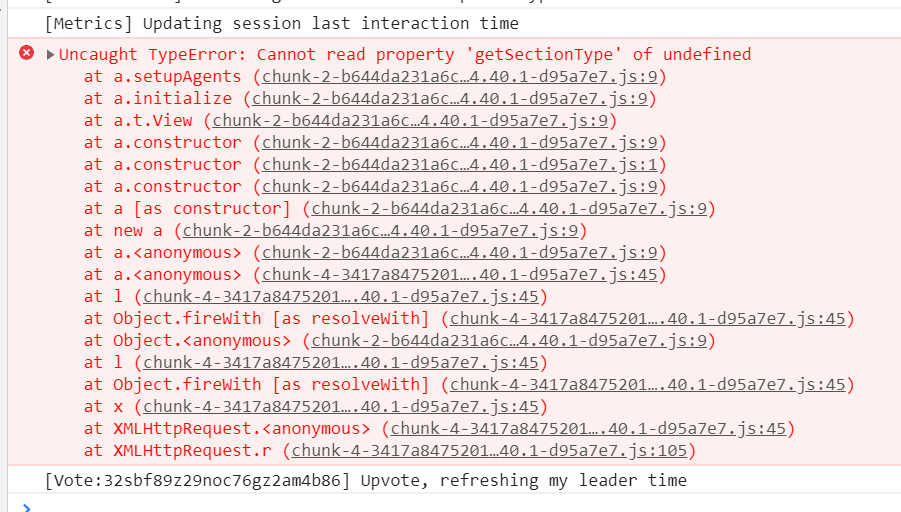
I Unmatched the movies with incorrect titles. Now I can’t Match the titles again, since PlexWeb (hosted) gives a JS error in the devtools, when clicking Match in the context-menu. Maybe it is time to restore the Plex SQLite3 database from backup. Any suggestions?