I have no idea how to point media to my share. I know how to do it but I can not browse to my path, nor type it in
Server Version#:
Player Version#:
I have no idea how to point media to my share. I know how to do it but I can not browse to my path, nor type it in
Server Version#:
Player Version#:
Sounds like a permission issue then…
Have you checked those?
as far as i know they are correct, I believe it has to do with linking the media folder to plex.
Plex not showing the media folder for you to select implies it cannot see those folders. Keep in mind that on Linux based systems there’s a dedicated local user (named plex) that needs to be able to see those folders. It’s not just about yourself being able to see them)
Check this page out:
2 steps, first make sure you have added the plex user from the plugin (user is 972) to the ACL of the dataset that you’re trying to add to plex as a mount point. Second, shut down the plugin/jail and add the mount points to the jail:
https://www.ixsystems.com/documentation/freenas/11.3-U2/jails.html#additional-storage
I can’t change the plex user to 972 it will not let me
I have a mount point created and i can even see it when i go to add media, but I can not select it.
You shouldn’t be changing the plex user, just entering “972” in the user field for adding the ACL.
Here’s a screenshot from the Plex Permissions in FreeNAS link above:
For the mount point and add media, can you share a screenshot of the mount points from the freenas jail, and the library selection screen from plex?
Here’s one of my mount points:

And the Library add screen:
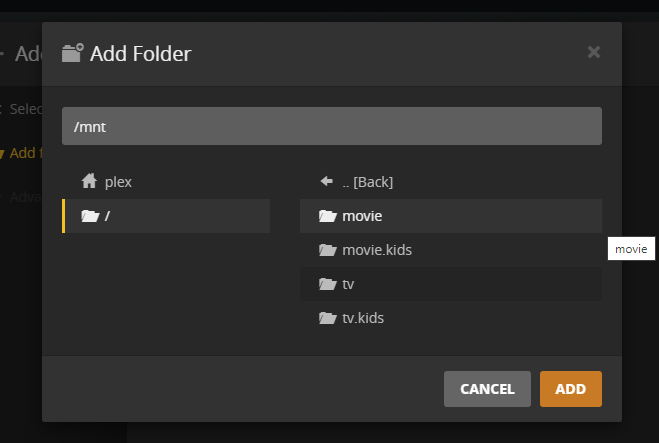
Note that the mounted folders will be under /mnt/ on Plex side of things!
This seems so stupid, but maybe its because I’m a stupid widows baby. All working now it seems. 
This topic was automatically closed 90 days after the last reply. New replies are no longer allowed.

