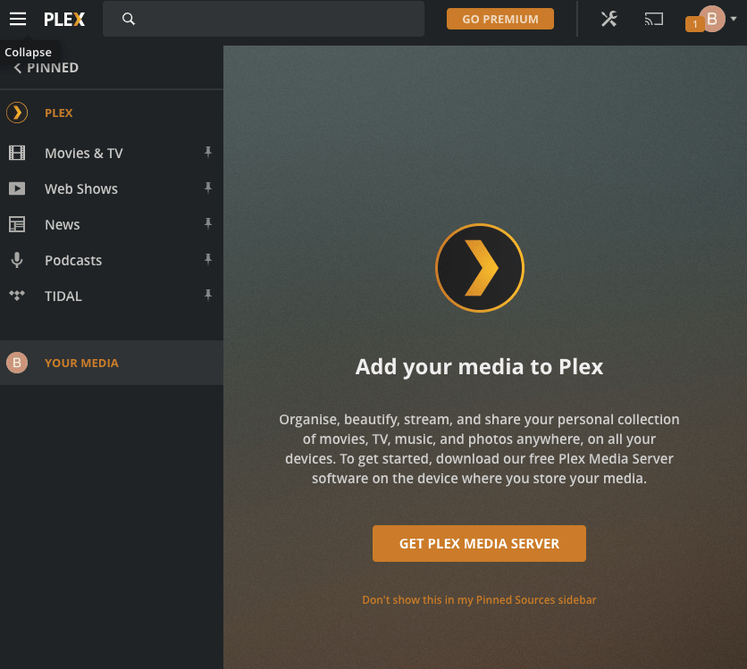
When I click on ‘your media’ it says I need to install the Plex Server app, even though it’s already installed and running. I’ve signed out on both web and the server on my machione and the same keeps happening. Very stressful now, having reinstalled the whole thing from scratch and signed up with a new address again and everything. Useless FAQ section.
- What OS is your Plex Media Server (PMS) running?
- What OS is your workstation running?
- Are the PMS Server and the Workstation in the same IP-Net?
- Is the IP-Net for both in Private Address Space?
- Are you using IP V4 or IP V6?
- Does the browser you use have any plugins, that might block something?
- Did you try with another browser?
MacOS Catalina. All on the same LAN. That’s all I know. Never needed to know the rest.
But I do, in order to help you, and you only answered the first two questions!
I don’t know the answers to those things and don’t wish to put my IP address on the web. Why can’t I get past that screen? Normally I can browse and add folders but this just offers to let me download the app again even though it’s installed. Has anybody else ever had this?
I’d be happy just to completely start again from scratch so how do I restore everything to it’s original settings? I’ll install it again and clear any local temporary files etc. Not sure where to find them on an iMac.
I’m using a brand new Chrome browser with no plugins or extensions.
I never asked you to do so!
I asked you to confirm, if your IP Address was in private address Space, meaning starting with one on the following:
- 192.168.x.x
- 172.16.x.x → 172.32.x.x
- 10.x.x.x
This topic was automatically closed 90 days after the last reply. New replies are no longer allowed.
