I am having this issue when loading Plex on my TV and apple computer. All of my software is up to date and there is nothing that I can think of that would be causing this to happen. I am lost and I have paid for the lifetime subscription for Plex already.

Let’s start with some basics.
Where is Plex Media Server installed? On a Mac, Windows PC, Linux system, etc.
What is the operating system version?
What version of Plex Media Server did you install?
Is Plex Media Server running?
Could you call me and walk me through it ?
It is better to use the forum. Others can contribute and it also helps those with the same problem.
What do you want to do with Plex? Watch your own movies/shows? Watch the free, ad supported movies/shows from plex.tv? Something else?
What Plex software did you install and where?
I installed the plex software on my Apple/Mac desktop computer. I also have the Plex app which is up-to-date, on my iPhone 13 running the most up-to-date software version. I am trying to watch my own movies/shows on the Plex platform. I want to be able to access the movies while on the go from my iPhone 13 and be able to use it for watching movies at home.
Need to make sure local streaming works before addressing remote access.
Make sure Plex Media Server is running. You should see the Plex icon in the menu bar.
Can you access it from the Mac?
You can click on the Plex icon and choose Open Plex or point a browser at: http://127.0.0.1:32400/web.
The web address you provided doesn’t work on my phone or my Mac desktop.
I get the same error message as shown above.
the link you provided (when clicking on it), leads me to the web address of http://127.0.0.1:32400/web/index.html#!/
Is Plex Media Server running on the Mac desktop?
Do you see the Plex icon in the Mac menubar?
If so, what happens when you choose Open Plex?


@Forguy61 wellI think I have partially resolved this matter. I deleted chrome and cyberghost off of. my computer and it allowed safari to open Alex. it is no w asking me to download the flex server for more access. NONE of my media is showing as available though.
im gonna try downloading there server and see if this resolves anything…
Thanks for the confirmation that Plex Media Server is running.
I do not know why you see that error message.
This is first time installation, correct? You’ve no play history, customizations, etc. to save.
If so, I suggest uninstalling and reinstalling Plex Media Server on your Mac.
-
Follow all the steps in Uninstall Plex Media Server
-
Reboot the Mac.
-
Follow the steps in Installation.
The Mac must be connected to the Internet during installation and claiming. If it is not, the process will not work.
You might also review Plex Docs → Quick Start Info and Installation & Basic Setup. In addition to installation, they will help with media organization.
@forguy61 please re-read my response now
Thanks for the updates.
Do not use a VPN with Plex, at least for initial setup. They do not always play nice together. You can have a VPN on your system, but it cannot be running.
Chrome should work just fine. Not sure what the problem is there. Make sure you’ve no ad blockers, cookie cutters, etc. and they can cause problems (Plex Web uses cookies). You can use a private/incognito window to bypass them (or go into their settings and whitelist Plex).
I still suggest you follow the full uninstall / reboot / re-install process.
@forguy61should I be “deleting” the whole server where all of the movies I want are?
Do not delete you media files, only the Plex Media Server software.
Follow the steps in the Uninstall document linked above.
@fordguy61 Here is what I have accessible through the Plex app/profile. It shows my watch history, it shows the movies that I have loaded onto my server, but yet none of them are accessible to me, whether on my phone or through my TV. The same issue is happening on my Mac as well. I would like some help to get this resolved as soon as possible. If I am getting the error that says Plex is not reachable, that leaves me to believe that this problem is a Plex related problem not a related problem. Is there anything that can be done to better resolve this?


Please do the following:
- Reboot the Mac running Plex Media Server.
- Make sure the Mac is online and can communicate to the Internet.
- Make sure Plex Media Server is running (the icon appears in the menu bar).
- On the Mac, go to http://127.0.0.1:32400/identity.
You should see a web page with two or three lines of text. One of the lines should contain “claimed = 0” or “claimed = 1.”
What appears onscreen?
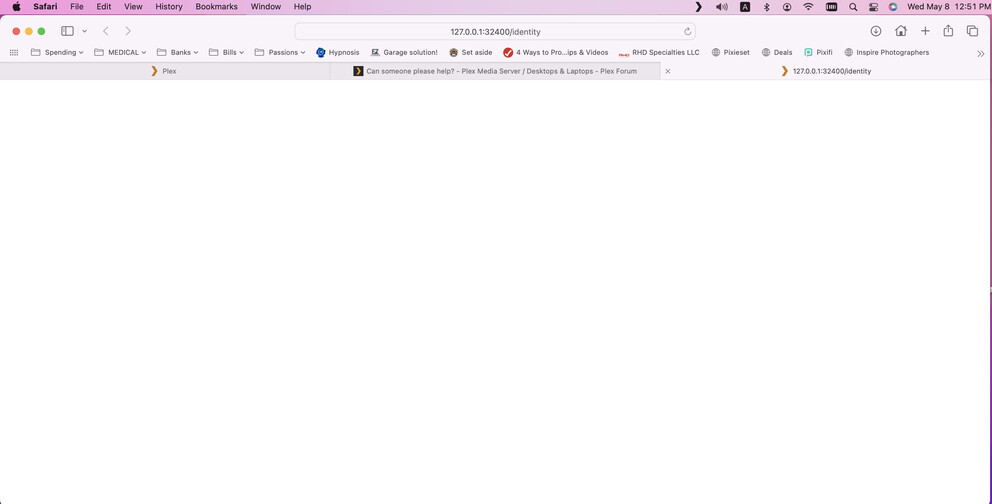
That’s not good. Let’s see if the server log files have any useful information.
Stop Plex Media Server.
Navigate to the Plex Data Folder.
There should be a Logs directory with a lot of text files.
Compress the directory to Logs.zip and upload it to the thread.
@FordGuy61 how do I compress the file? it opens up a text file named “update-log.txt”
