Server Version#: 1.29.2.6364-7000
Player Version#: Web app
I was having some issues with my modem and router so “upgraded” them and spent all day troubleshooting that. Back and forth with the ISP on issues, etc. Eventually got everything “working” well enough that we at least had internet.
After a long day, didn’t even think about my Synology DS1621+ having a new IP. None of my Plex players (Roku, Android) could find it, so I probably made a poor choice in my exasperated state and uninstalled/reinstalled Plex Media Server on the NAS. Well, now I can’t claim the server to get my libraries loaded.
Plex had been working wonderfully for years on my previous NAS and for the last several months on this NAS. I’m certain I screwed something up, but not sure where to go from here.
I’ve checked the old router and new to make sure the settings are as similar as can be. Any guidance from the experts in the group? I’m happy to provide any logs, etc.
Wow! Thanks for pointing me in the right direction! Looking at the details for eth0 I didn’t see anything out of the ordinary, but in the Network-General view, I noticed that I had a manually defined DNS with the old IP. So that problem is fixed!
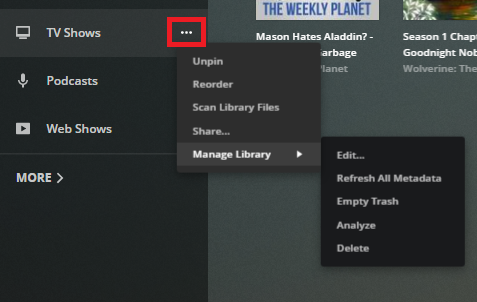
Next question: The videos play and I can see the titles in my libraries, but none of the details and cover art are loading. They do update if I chose “match” and then pick the title for each one, but I don’t think I want to do that for hundreds of titles.