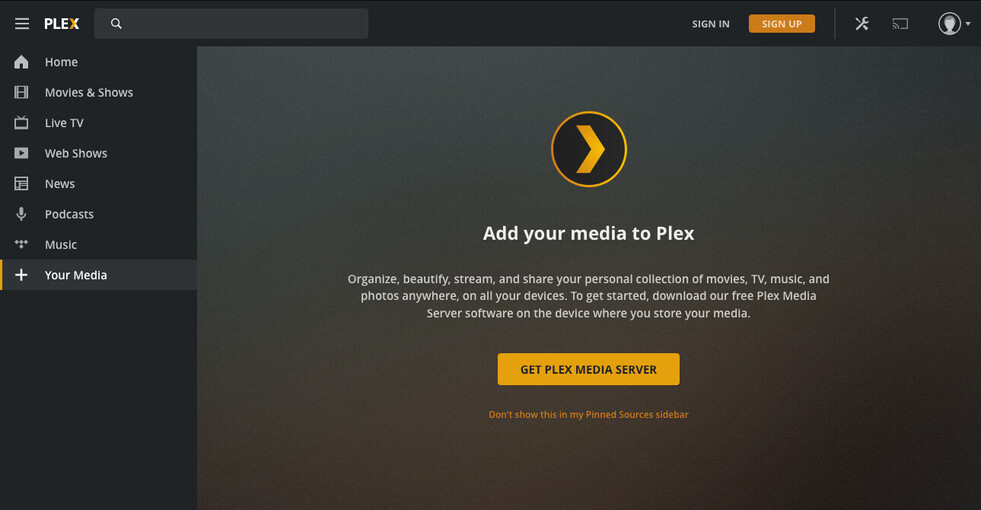
Open Plex, which takes me to http://:32400/web/index.html
What I expect to happen:
I’m expecting to see the “let’s get started” setup wizard, as described in the documentation and what I’ve experienced when I’ve installed Plex in the past.
What actually happens:
I see the Plex Web homepage with Plex media sources. On the left I see a “+ Your Media” button under the Tidal source. When I click that, it takes me to a page (/web/index.html#!/get-plex-media-server) asking me to install Plex Media Server, which links all the way back to step 1 in “what I am doing” above.
I’m stuck in an infinite loop! How can I get to the setup wizard and add my media?
Edit: If I sign in, then the NAS version acts as a Plex Web Player for my existing server, but does not let me configure the NAS version as a Plex Media Server.
when you say Open Plex, which takes me to http://:32400/web/index.html
How are you getting there and which IP address are you using?
I ask because that exact syntax isn’t a valid form.
IP addressing is important here for the initial setup stage.
You and the server must be on the same RFC-1918 complaint home LAN subnet.
If you have multiple servers anywhere, best results are had by first signing out of Plex/web (upper right corner) before attempting to open the new one.
Can you provide more details please? It’s 100% safe to share your home lan addresses because RFC-1918 addresses are not routable via the open internet (why they did it that way).
As a side note: I’ve addressed these type issues in the upcoming DSM 7 package (that doesn’t mean you should jump and upgrade now – it’s only in Developer Preview stage – aka: Not Yet Beta test)
Sorry, markdown stripped the hostname because I put it in angle brackets. It’s taking me to a valid URL, http://my-nas-hostname:32400/web/index.html and that URL is responding to requests. I’m accessing my NAS through a publicly available hostname, which is why I redacted it.
Is it possible that I somehow got a Plex Web Player app and not the Plex Media Server?
Now, with it signed into your account, anything works.
When DSM 7 comes out, you’ll be able to use the Plex Claim Token mechanism.
It makes these type situations easier.
Anything “Public” is WAN (internet) and Plex’s default security doesn’t let it be claimed/setup from the public side. (to protect your server from being hacked)