I am trying to connect my HDHomerun to Plex, using an Nvidia Shield.
I have tried to go to Settings > DVR > Set up Plex DVR. Unfortunately, when I go to settings, I have no “DVR” option. My screen looks very different from the screens I am seeing in other posts. I don’t know if it is because I have my Nvidia hooked up to a TV. I also wonder if Plex isn’t showing that I have a paid membership. I know I have the current version of HDHomerun and Plex. Attached are pics of the setting options.
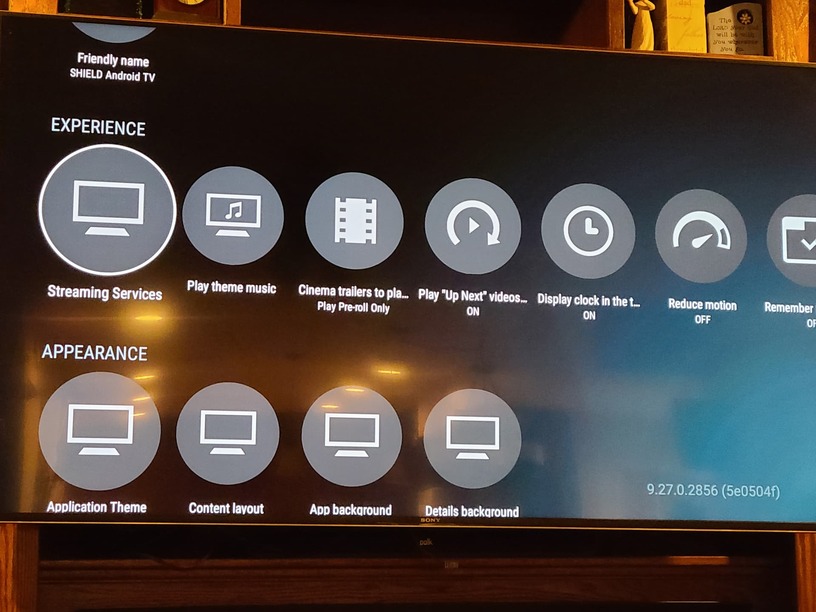

@stevesantoro You need to be running the Plex media server on a device rather than just using the client player.
On a device other than the nvidia shield? What other type of device would I need to run the plex media server on?
@stevesantoro You can run it on the shield, but the screenshots you have posted aren’t of the media server, only the client player. Have you not installed the media server as well as the client?
You need to use the web app to access your server and set up the DVR feature.
The Android TV app which is running on the Shield is not suited for this.
I recommend a regular computer and a web browser.
http://192.168.1.34:32400/web
replace the above IP address with the actual local IP of your Shield (but retain the port number 32400).
https://support.plex.tv/articles/200288666-opening-plex-web-app/
The interface of your router should be able to tell you which IP it currently has.
You can glean the IP address also from inside the Android TV client that is running on your Shield, when you enable the client network logging.
I actually am running the Plex Media Server. I still get the same options. I am trying to set up using a computer and will update the post.
I was able to connect the DVR so that it now shows up through Plex on my TV. However, I am unable to tune to any of the channels.
Did you set up the tuner and performed a scan for transmitters?
https://support.plex.tv/articles/225877347-live-tv-dvr/
Can you tune into a station using the web app?
I am able to watch the channels on my computer, but not on my TV
Here is another twist. I was able to record a TV Show through the computer. I was then able to watch the recorded show on my TV. Unfortunately, I could not hear the dialogue. I could only watch.
@stevesantoro Did you select the correct audio stream during playback on your TV? Is it direct play or transcoded?
Some logs would be helpful. When you say you can’t watch TV on your shield, what does that mean? does the channel list show up with guide information, but it won’t play? Does it just buffer (black screen with or without icon in the center) forever, do you get an error, or what?
Logs: https://support.plex.tv/articles/200250417-plex-media-server-log-files/
We don’t really have enough information to do anything but give you vague “did you set this up right?” responses.
Running a server for yourself on a Shield is fine, but for most setup you’re going to want to do it through a web browser, not through the shield itself.
I was able to get volume. Thanks.
Thanks to all for the help. I think everything is now working. It took awhile for the TV to catch up with the changes made through my computer. I now have some buffering issues, but I am hoping a faster internet speed will resolve the issue.
