deleting or changing everything in the Plex directory or just the Preferences.xml file
logging into plex.tv and removing all devices other than my local session
tried connecting from both linux and windows devices
I always connect to my local IP: 192.168.1.220. I have an external static ip for the system.
I have tried the following URLs:
192.168.1.220:32400/web
192.168.1.220:32400/web/index.html
192.168.1.220:32400/web/index.html#!setup
The first two either have the ‘no soup…’ message or else show me Plex with no access to devices. When I click the login button it immediately takes me to the app.plex.tv login - not the local one.
Then I try the 3rd URL it says ‘Media Server not found’ which is strange because the media server is what sends back that message.
Any ideas before I give up on this software and try something else.
Thanks for your quick reply. I just tried that again with no luck. I am on the same network connected to the same router as the NAS running plex so no VPN’s or tunnels are involved. Changed my password. Restarted the service. Still get the No Soup message when trying the local IP… If I try the setup URL directly I can no media server found. I also tried stopping the service and then signing out of everything with a password change. No luck. I do see some other devices when I sign into plex.tv now - a plex auth app firefox from a few hours ago and a totally blank app. Any other ideas?
Did you check this box while the server was running?
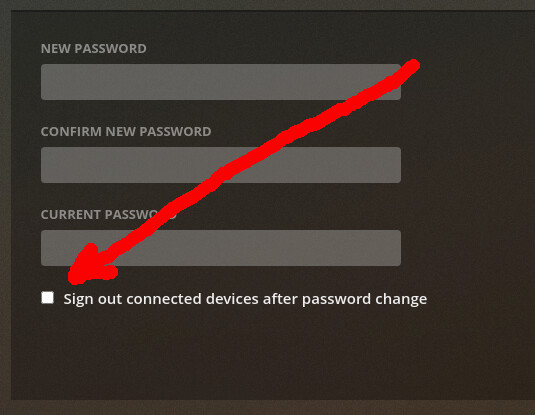
Changing the password, without “Sign out all connected devices after password change” will create this problem every time.
At this point. you must remove all the account info from the server , without removing its identity, so you can “re-claim” it.
The sequence is:
Stop Plex
On the Synology - Install the Synology Text Editor app if not installed.
Open File Station
Navigate to: Plex → Library → Application Support → Plex Media Server
Right-click on Preferences.xml and “Open in Text Editor”
Very carefully remove the following Keyword="Value" pairs.
a. PlexOnlineMail
b. PlexOnlineUsername
c. PlexOnlineToken
d. PlexOnlineHome
e. AcceptedEULA
So my Preferences.xml file without me editing it is:
<?xml version="1.0" encoding="utf-8"?>
so it has never managed to connect to anything yet and the server has never shown up on my account. The problem is that the server will not run the setup process where it does connect to my account - instead I just get the error ‘Media Server not found’. So I tried the process you listed. I was able to do the following:
Steps 1 - 5: ok
Step 6: no as there was nothing to remove in the file
Steps 7 - 9: ok
Step 10: no as there was not device.
Steps 11 - 13: ok
Step 14 - 19: no as it never did the setup process. Just got the ‘No soup…’ message.
I am really confused as I have removed and reinstalled the system several times. I even went in via ssh and tried to remove everything associated with plex between after I deleted it, but it still refuses to run the setup process.