Server Version#: 1.16.5.1554
Player Version#: N/A
I followed instructions in this Support Article:-
https://support.plex.tv/articles/moving-server-data-storage-location-on-nvidia-shield/
I attempted this to migrate from “Internal Storage (system)” to “Internal Storage (user accessible storage location)” with the aim being to make my Plex databases “accessible” so that I can back them up.
I have a Shield TV Pro and a medium large Plex library with database files of around 140-150GB of data best I can tell. When I started there was 300GB free on the internal drive out of around 450GB.
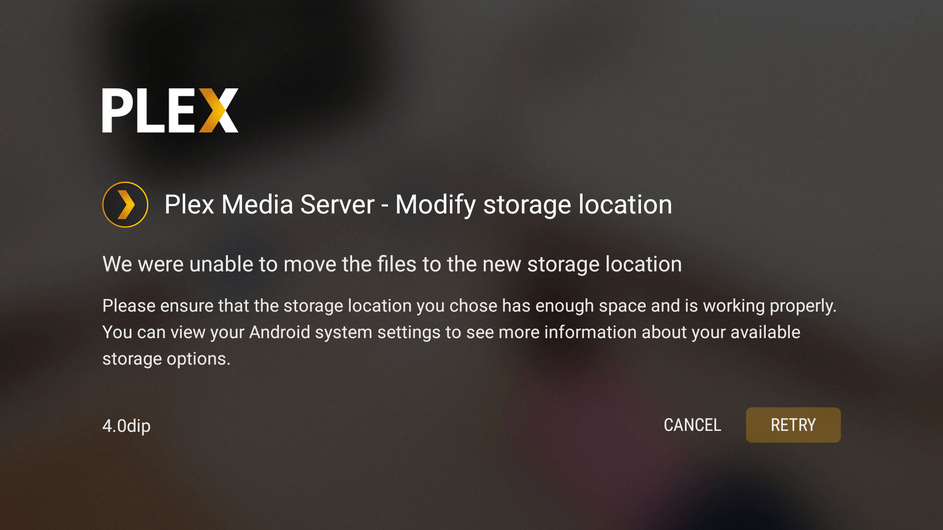
I started the “move” process and it churned away for around 2 hours before coming back with a message “Cannot move storage (blah blah blah) and so on Retry or Cancel?” I then “Retried” again with same result after another 2 hours.
I cancelled this time, and at that point my free space on internal drive had reduced to around 150GB, so it had copied all the data it seems but could not utilise the data in the new location so had not deleted the original data.
I then went in via ADB Console and deleted the “new” copy at:-
rm -rf /sdcard/Android/data/com.plexapp.mediaserver.smb/Plex Media Server
This then freed up the space again so I was back to 300GB free.
I rebooted the Shield TV to confirm all was well and I was still on the old (hidden) copy of the data at the internal (system) location. All was still well (phew!). For a minute there I thought I may be facing having to start from scratch …
For reference, the only thing non-standard about my setup is that prior to trying this I recently cloned/replaced my original internal “spinning rust” 500GB SSHD with an actual pure 500GB SSD (Samsung 850 EVO) , but I can’t see this would have any bearing on the issue - everything else works as before, just faster and better.
I’d really like to be able to migrate so I can do backups, but at the moment can’t get there as I can’t seem to make my data accessible.
Any suggestions as to why the data migrate would be failing? As I said there is definitely enough free space, and the error message is uninformative as to why it is failing …
Any logs I can capture/send if I give it another go?
StephenH