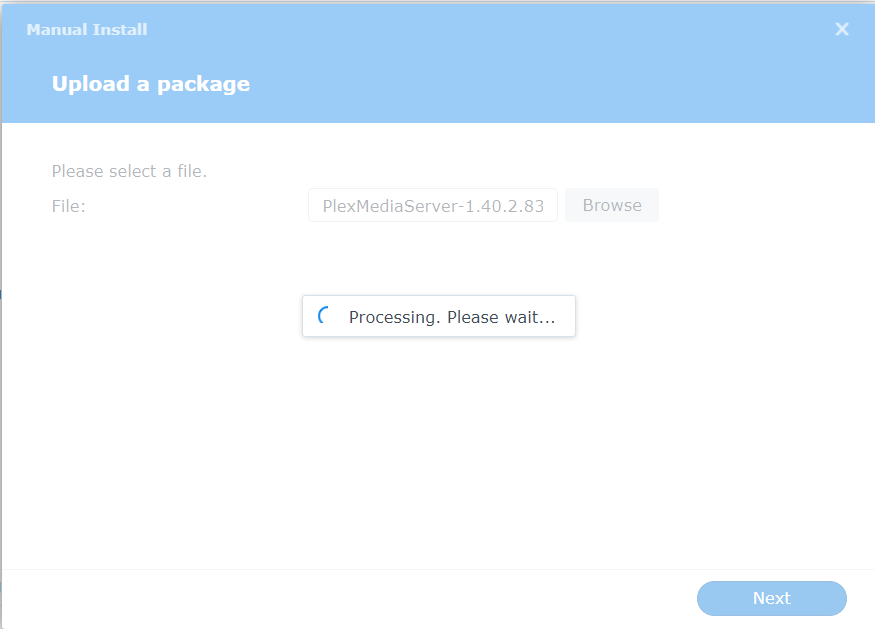
For some reason, I can no longer update Plex on my DS920+. I use package center to Stop the current version… Then I manually try to update (after downloading the current version), and the interface seems to just hang… no messages in the syslog, nothing. It just stays on this screen.
Hmmm… my current version of Plex is 1.40.1.8227 so I’m already on the 1.40x scheme and I’ve been updating plex with every new release for well over 2 years. I even tried rebooting my NAS. My library is only 4TB with only 356 movie titles…
Anything specific I can try to at least generate an error or something?
Just to add a bit here… The problem seems to be the “upload”… I select the package file I download from plex.tv/downloads and it just hangs… for some reason I suspect that upload processing of the Synology Package Center isn’t working?
Tested with EDGE and Chrome from Windows 11… Perhaps someone can tell me how to use SSH to perform the upload directly from the cli?
Using FileStation, upload the file to a shared folder
Control Panel - Terminal - SNMP – make certain SSH is enabled.
Using Putty, SSH into the LAN IP of the Syno
– Use your Syno username (CaSe SenSiTive)
– Type your password (Nothing will be echoed back so be careful)
– If you get it right, you’ll go to the prompt
– if you get it wrong, it will hang for about 10 seconds then ask to retry
Once signed in, cd "/volumeX/Shared_Folder_name" (use quotes as required)
sudo synopkg install PlexMediaServer.x.x.x.spk (exact file name upper/lower)
OK we’re onto something. Using FileStation, the upload process just spins… The up-arrow icon of FileStation indicates an upload is happening, but it’s been like that for 5+ minutes… I have GB connection to the NAS… so then I figured I’ll just move the file to a public folder using a mapped drive from my Windows 11 computer and it copies in seconds.
I ran the manual package install and I’m not sure it worked (will start it up and check):
I’ll do one better… I just got a brand new computer. and set it up from scratch… So that should cover the logging back in as I did have to do that. I can confirm this problem exists on BOTH the old computer and the new one. It must be something odd on the Syno…
YUCK but OK.
Sounds like Package Center (@appstore) went out to lunch
Go into the Syno Control Panel → Backup and Restore
Backup your config (save on computer)
Make a list of your apps (so you know what to reinstall – the data will be there)
Now RESET DSM (which makes it reinstall) – MODE 2
It will reinstall DSM on the DSM partition (1). Your data will be safe on partition 3.
(provided you don’t hold the button too long and wipe the volume – read about that)
When it’s back up. Reload your config if it hasn’t figured it out


 from the browser