I’ll try again, but I am positive I didn’t get a prompt.
1 Like
 I misread, d’oh. The prompt displays on Windows only. I see now you’re on Mac. Sorry
  . I’m trying something out right quick.
2 Likes
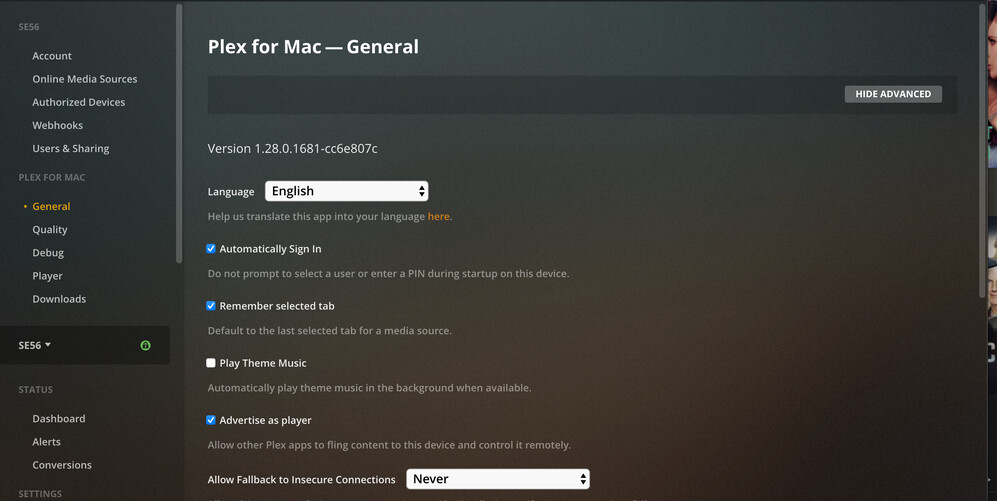
I’ve got separate macOS accounts for the system admin and my typical users. This causes our updater to request admin permissions to write to /Applications. Declining to give permission skips update installation. I don’t recall if this is a typical macOS setup.
Downloaded updates are stored in ~/Library/Caches/Plex/updates. You can delete that directory before running Plex for Mac.
Or, you can go nuclear on it and lock write permissions. Just need to remember to later unlock write permissions.
Lock:
chmod -w ~/Library/Caches/Plex/updates
Unlock
chmod +w ~/Library/Caches/Plex/updates
Hurts me to type the chmod commands maybe as much as it hurts to read’em. A checkbox in the UI to enable/disable auto updates would be a much more convenient option.
2 Likes
Yes it would be a better option
Thanks. A check box would be great, but I’ll chmod for now 
Same problem here. I have to restart Plex for Windows after it starts trying to load and load.
Just when they finally fixed the Live TV seeking issues, now this :-(.
you would need to do this every time you want to run Plex for Mac as just just re-downloads the update. So CHMOD is the only way right now.
[edit] @deactivated is there something I could do with Pi-Hole (what address does Plex for Mac call for the updates)?
@JCHH the updater uses a https://plex.tv endpoint. Pi-holing all plex.tv traffic would work but it’d interfere with other app operations.
Got it - I’ll stick with the CHMOD then - cheers.
I’ve been working with a group of users over in Plex Player not loading show data · Issue #1014 · plexinc/plex-media-player · GitHub. @JCHH, and anyone else, there’s a new alpha build for testing. This alpha build represents an early build of our next release. We’re trying to sort out this issue before this build is released.
Thanks for your patience + any help.
1.29.0.1861-f78777aa alpha for Mac appears to work for me (after only a minute of checking this specific issue).
1861 alpha build seems to be working for me in windows. it has been more than an hour now and the metadata is still loading if I look at an artist. My issue was not with TV, but Music libraries. I’ll leave the app open and see if it remains this way.
also if we wish to switch from the alpha back to the normal update branch, do we need to uninstall and then reinstall a ‘normal’ release or can we switch a setting to pick up the updates from the normal release branch?
The changes included in 1861 alpha have been released in our public 1.29.0 (1.29.0.1885-67668ec3) release.
The alpha build will automatically update from 1861 to 1885.
If you’ve locked your updates directory on macOS please remember to unlock it.
chmod +w ~/Library/Caches/Plex/updates
1 Like
I don’t know about anyone else, but version 1.29 did NOT resolve the issue for me. Is any one else seeing this issue with version 1.29?
Please describe your steps to reproduce and include Plex.log.
It works fine fine for me:
- macOS v11.2.3
- PMS v1.21.2.3943
- Player v1.29.0.1885-67668ec3
I am seeing a different issue though: I can no longer change recording priority in Plex for Mac v 1.29 (works fine in Plex web etc).
I believe we’re experiencing a generic drag and drop regression: Can't drag and drop to re-order playlists - #5 by mattseeley
Investigating, will fixup this weekend if can.
1 Like
Addressed in 1.29.1.1974-a65b3ef3.
1 Like
