Server Version#: 1.28.26106-7000
Player Version#: 1.43.4.2971-aa2133cc
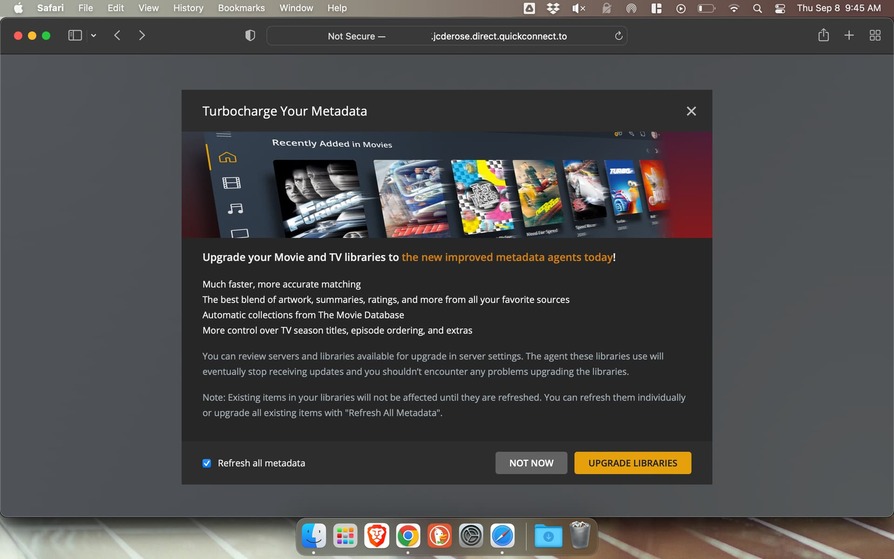
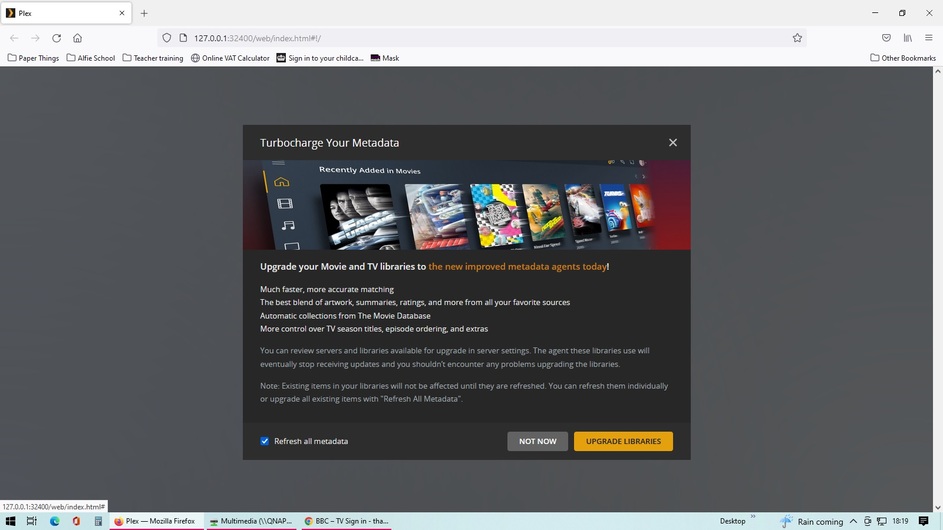
I recently upgraded my Plex server on my Synology DMS (running DSM 7.1-42661 Update 4). When I login to the Plex server control panel (e.g. localhost:32400) I immediately receive a pop-up with a sync icon, and then before I can read it, it’s covered by a pop-up asking if I want to upgrade my libraries to the new metadata:
However, none of the buttons are clickable so I can’t get past this screen in any way (either by clicking “Upgrade Libraries”, “Not Now”, or the “X” button).
I’m able to access and play media from this server on my player devices but I can’t get into the control panel.
I looked through all of Plex’s Support Docs and couldn’t find anything on this.
We are having exactly the same issue, I cant get into the server to view my libraries after I pass login in, not able to select any of the buttons on the pop up screen. I have tried different browsers, Chrome and Firefox. Plex need to fix this issue.
I can confirm the issue happens in Chrome Incognito, and when navigating directly to the NAS’ IP address (in the latest versions of Safari and Chrome).
Update: Plex is aware and investigating. I’ll update the thread if/when I hear anything. You might monitor the thread mentioned below as well. Scroll to the bottom, change Normal to Watching. You’ll be notified of any new posts.
Okay, I’ve got logs from both the server and the desktop app (see attached).
Interesting update: I think the “do you want to sync your place?” pop-up showing up at the same time as the “upgrade your libraries” pop-up was the culprit of this issue.
Here’s why I think that:
I collected the logs from the server first, per your instructions. When I opened the desktop app, it said I had to restart Plex (since I had stopped it to collect logs). When I started Plex, the desktop app prompted me with the “do you want to sync your place?” pop-up that had kept showing up behind the “upgrade your libraries” pop-up in the original issue. I clicked “Yes” and that pop-up went away.
When I went back into the server to recreate the issue (while the desktop app was in debug mode), I received the “upgrade your libraries” pop-up but was able to click on the buttons this time. I clicked the “Upgrade Libraries” button and the pop-up went away and started upgrading my libraries.
Like I mentioned, I still collected logs from the server and the desktop app per your request but I think the issue has resolved itself for me.
Quick update: I can’t upload the server logs because the ZIP file is too big (48.5 MB). If there are specific subsets of the logs I should add, I’m happy to attach those. I’m still including the desktop app logs.

 they can fix it quickly