Server Version#: 1.24.5.5173
Player Version#: 3.8.0
On android, I can connect to plex via the mobile app on external networks, but not plexamp. Plexamp still works on wifi.
Plexamp.log (69.5 KB)
Server Version#: 1.24.5.5173
Player Version#: 3.8.0
On android, I can connect to plex via the mobile app on external networks, but not plexamp. Plexamp still works on wifi.
Plexamp.log (69.5 KB)
These are the connections it’s trying:
Nov 04, 2021 20:26:54.440 [Javascript] WARNING - DEVICE: Server connection https://192-168-1-225.e642b00560c64c88832beca56f3bbf41.plex.direct:32400 didn't work for Plex Server: HTTP status -7
Nov 04, 2021 20:26:54.441 [Javascript] WARNING - DEVICE: Server connection https://10-42-18-3.e642b00560c64c88832beca56f3bbf41.plex.direct:32400 didn't work for Plex Server: HTTP status -7
Nov 04, 2021 20:26:54.443 [Javascript] WARNING - DEVICE: Server connection https://100-36-116-142.e642b00560c64c88832beca56f3bbf41.plex.direct:32400 didn't work for Plex Server: HTTP status -7
Should any of them work? That error implies a hard connection failure: CURLE_COULDNT_CONNECT (7)
100-36-116-142 should be the correct address for external networks, its my server’s ipv4 address and it’s using the right port.
And again, the connection was working in the regular plex app, just not plexamp.
Weirdly enough, I try again today and it works even though I did nothing.
Your server might have downloaded a new cert. We fixed a bug in the cloud.
Checking today and it doesn’t work again.
Noticed something unusual while troubleshooting.
When I signed out on plexamp I was unable to sign in on my mobile network, and could only sign in on my wifi.
Try quitting your server and deleting the cert file (e.g. ~/Library/Caches/PlexMediaServer/cert-v2.p12 on macOS) and then restarting it.
Tried that, to no avail.
I tried it on another phone with different carrier and it worked fine, so I’m guessing it’s something wrong with my carrier network.
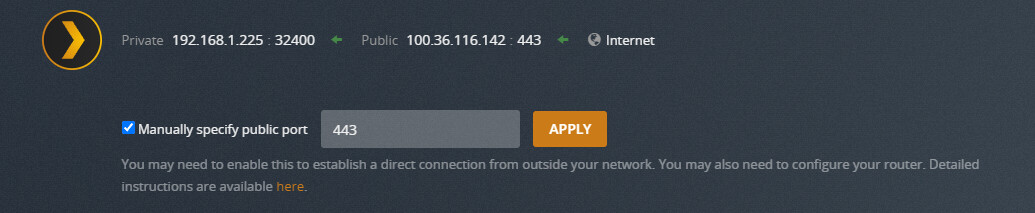
Try mapping your external port as 443 or 8443. Carriers are more likely to leave encrypted traffic on these ports alone.
Ah, bummer. They must be doing something else evil like blocking connections to known ranges of residential IPs or something.
ntb change the “protocol” to TCP only.
Well this is embarrassing but I finally figured it out.
My apn setting was set to ipv6 only, which in hindsight obviously cannot connect to my ipv4 server.
Setting my apn to ipv6/ipv4 fixes the issue.
No malicious blocking, just me setting up my apn incorrectly.