Server Version#: Version 1.19.5.3112
Player Version#: Version 4.39.1
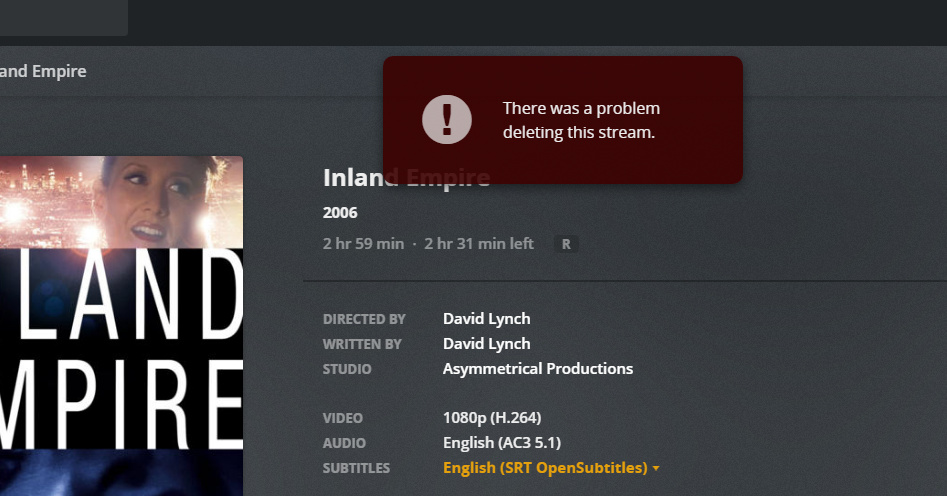
I have Opensubtitles set to grab subs for films and tv shows, but every now and then, it grabs subs that don’t match. However, when I try and delete the sub files that don’t match, I get this warning from Plex and it won’t delete the file? What am I doing wrong here?
You can’t delete them if they’re selected.
Select None - then you can delete 'em.
In fact, when/if you select another sub - they disappear.
At least that’s the way it works at my house.
I guess that’s a bad example because the sub file I am trying to delete is a different one, but even after selecting none and trying to delete the wrong one, it still gives me the same error. I’ve tried exiting out and restarting, I’ve tried having none selected and then deleting, I’ve tried deleting from multiple clients, refreshing metadata and analyzing, I’ve tried just about everything I can think of except deleting the file and adding it back without Opensubs being turned on
That’s odd - I can never have more than one downloaded sub and if I select a local one - they disappear instantly.
I’ll bet @trumpy81 has an idea… if not, let’s wake him up anyway…lol
To make things even more interesting, the subtitle file that is correct that I’m trying to keep will disappear if I select “none” on the subs menu to try and delete the incorrect one. So it’s deleting the subtitle file I want and won’t delete the subtitle file that isn’t accurate.
@trumpy81 Thanks, I’ll look into this.
@trumpy81
Plex has custom permissions set and when checking file station, it has full control and every box is checked.
I really appreciate your help, at this point I do not know if I’m making things better or worse. I do know that my situation has yet to change. I am 100% positive the subtitles I’m trying to delete where downloaded by Plex through Open subtitles, and unlike the subtitle files that are embedded, they have an X next to them.
I have made sure that Plex has custom permissions set, I enabled the “Apply to this folder, sub-folders, and files” in file station, and it went through an update, but that box doesn’t stay checked afterward, I don’t know where it should or shouldn’t.
I also tried to repair the database and even went so far as to turn off the server and delete com.plexapp.plugins.library.db from the retore database steps and I still get the same error when trying to delete any subs downloaded from Open Subtitles automatically.
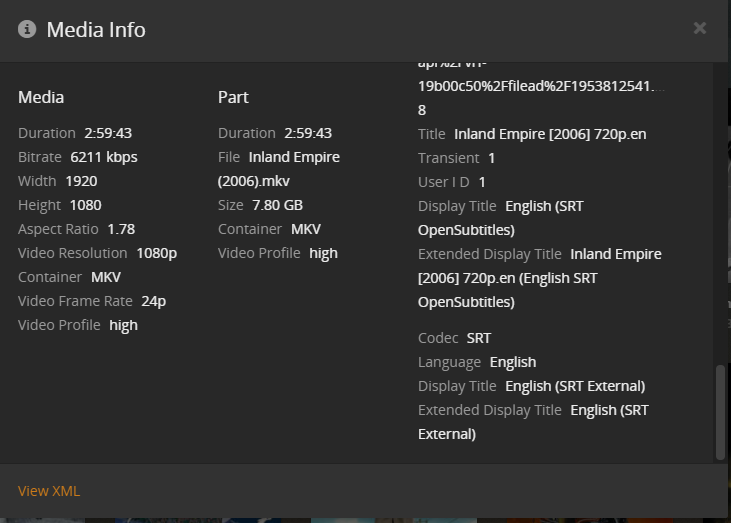
I’m looking at the Media Info and it shows three subtitle files. One is 100% embedded in the video, one I downloaded through plex manually, and one that I believe was downloaded through the Open Subtitles plugin agent.
The embedded srt file doesn’t have an option to be deleted (no X)
The file I downloaded manually shows a source location and says it’s from Open Subtitles
The third one, looking at the Media Info, looks like exactly like the embedded one info wise. The only exceptions being that the display title says it’s external, and it does have an X, as if I could delete the file, even though I’m not being allowed to do so.
I also know for a fact that the second and third subtitles are from Open Subtitles because there is a big advertisement for Open Subtitles right at the start.