Server Version#: 1.18.5.2309
Player Version#: 4.22.1
I’ve followed the instructions found here and have the Music Videos from the Global Path showing under the Artist correctly.
I can’t get the Music Videos to match a track from my library though… I tried everything i could think of based on this:
Note : When using a “global” folder for your videos, if you wish to have music videos associated with particular tracks in your library (so that they appear on—and can be accessed with—the track), be sure to name the video file with the same track name as the track.
The behaviour i thought was possible is the same as the inline option, where by the track name appears an icon showing that it have a music video.
It is possible to have this working with Global Music Videos?
It never used to work that way, and I can’t get it to work that way now. I don’t recall seeing that note before, and unless there’s a secret I don’t know about, I think it’s wrong.
With videos in a global folder, the video appears at the bottom of the Artist detail page, like this:
But where and how do the track associated videos show up? I have added videos in two ways:
to a global folder - and they show up under the artist profile (usually),
and as a track-associated video named exactly as specified in your instructions and placed in the folder of the album that contains the track - in which case I can’t find the video either in the album view or in the track menu or when I play the track.
I have synced, refreshed metadata on the album, and performed the Plex Dance on the video file, but it still can’t be found.
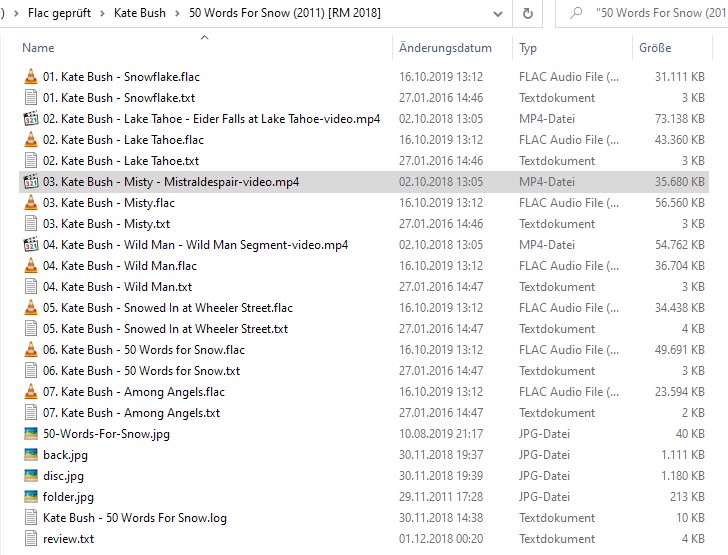
The file was named “title-video.mp4” but the associated track is “05 title.mp3” so I renamed the video “05 title-video.mp4” and hopefully that was the problem. Refresh Metadata didn’t make the renamed video show up next to the track yet. Do I have to scan the library?
It works! After a full scan of my music library (which takes hours and is still running) I now see the video icon next to the track and can play it using the menu. Note: I’m putting music videos for artists that do not have a full album by them in my collection in the compilation (various artists) they are in (associated with the track), and I’m putting music videos for artists that do have a profile in the Global music videos folder. So I’m glad this worked!
Now I wish I could figure out why ONE music video in the Global folder is not showing up under the artist profile while all the rest are.
‘Refresh Metadata’ should be all that’s needed. If you did a full scan of your entire library, it may take a while, even after it appears to have finished, to actually finish.
Refresh Metadata is working fine for me to get the video to show up in most cases. There is one video I added to the album with the track file name appended with ‘-video’ that shows up in the artist profile but not next to the album track. The rest worked fine and refreshed quickly.
I figured out why another video in the global videos folder would not show up in the artist profile. It was named ‘The 13th Floor Elevators - You’re Gonna Miss Me-video.mp4’. When I renamed it ‘13th Floor Elevators - You’re Gonna Miss Me-video.mp4’ it then showed up (the artist profile is ‘13th Floor Elevators’). I hope this helps others. The artist name in the video file name has to match the artist profile name exactly.