Server Version#: 1.32.7.7621
Player Version#:v.1.81.0.4012-a9d3f098
the plex is not usable in Mac OS, Please fix the bug, My Mac os version is 14.1.1 (23B81)
What exactly keeps crashing? The Plex Media Server or Plex for Mac client?
If the Plex Media Server won’t start and doesn’t even get to the stage where it’ll be writing to the server logs, you can attempt the following procedure to see if there’s any error messages on the OS level:
- Open Finder and navigate to
/Applications - Select
Show Contentfrom the context menu of thePlex Media Server.appitem - Navigate to
Contents/MacOS - Open the
Terminalapp - Drag the
Plex Media Serverexecutable from the Finder window (#3) into the Terminal Window and pressReturnto execute it
This is no different from running the app, so it won’t succeed – but you should get a more specific error message about what’s causing it to fail starting.
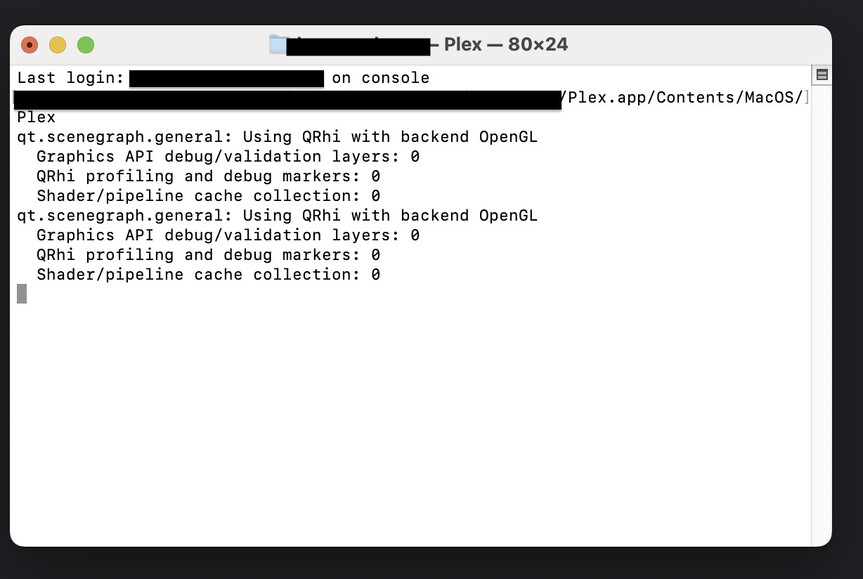
Is the app still running at that point?
If it completely crashed, the terminal command should actually end… 
Anything showing in your player logs?
On a Mac those should be located in ~/Library/Logs/Plex/

~/Library/Logs/Plex/ should resolve to /Users/<your Mac account>/Library/Logs/Plex. If the app ever run successfully, there should be a number of files. 
Plex.1.log (62.9 KB)
Plex.2.log (62.4 KB)
Plex.3.log (62.8 KB)
Plex.4.log (62.0 KB)
Plex.5.log (62.5 KB)
Plex.log (62.8 KB)Thanks,I found it, these are some of the most recent logs
Thanks for sharing your logs.

