Can't remove authorize devices help

I had my plex account ages ago. I didn’t bother about it until now as I decided to get a Synology box and set up my media server. I got myself Plex Pass too.

Looking at my authorized devices, I have 991 devices in the ‘others’ category from a span of 2 years back. I never logged into my account during that period.

I quickly set up 2FA now to be safe.

Whenever I remove the unknown authorized device, refreshing my page seems to not have them removed. Please help!

See video: https://www.dropbox.com/s/cma1p3m23f070mf/20201202_043111.mp4?dl=0

I also changed my password with checked option to sign out all connected devices.

Hmmm, does signing out of your account after deletion work. Also are you logged in at plex.tv

Yes. Tried deleting on phone and desktop browsers. Logged out and back in. No change. You saw the video in the link above?

I really need help with this. I bought the lifetime pass. I was thinking of deleting my account and creating a new one but my pass will be gone…

What browser are you using? it is strange none of those actually have information about the device.

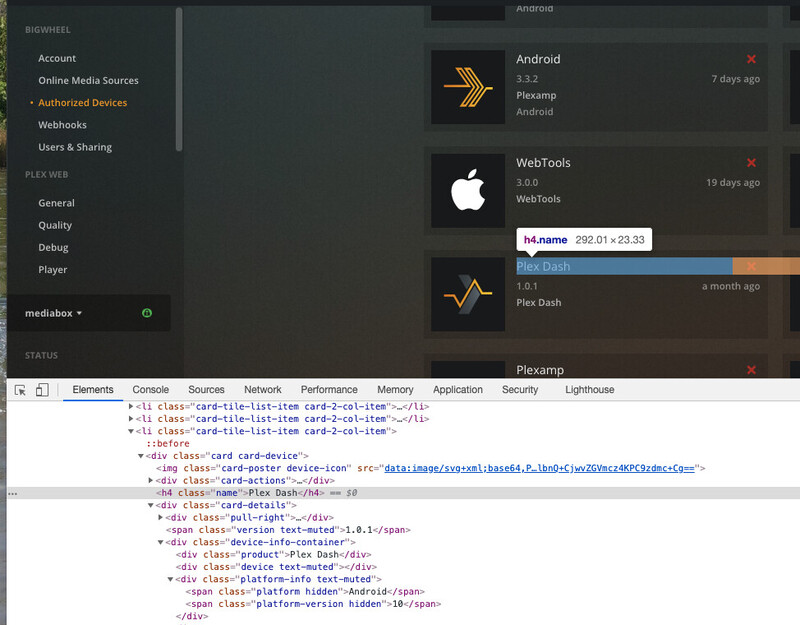
if you know how and inspect the element of that block in chrome do you see any info in the divs

had one of our account devs look into it. they manually removed all those blank devices for you.

1 Like

Thank you so much!!

I also have an Android device that I can’t remove from my account. I have deleted the app from my phone, but still no luck.

So it is not listed at https://app.plex.tv/desktop#!/settings/devices/android ?

It was listed there, looks like it’s not there anymore. Not sure if you removed it on your end? I tried to remove it from that section a few times, but kept getting an error message.

I didn’t do anything on our end.

This topic was automatically closed 90 days after the last reply. New replies are no longer allowed.