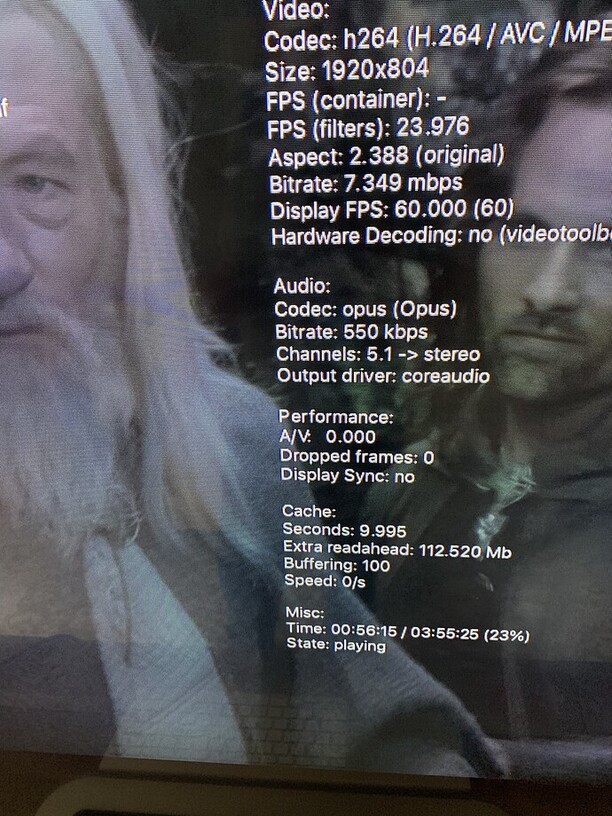
Hi, can someone explain what this means?
Under audio, see Channels 5.1 → stereo
Please state the used Plex client type.
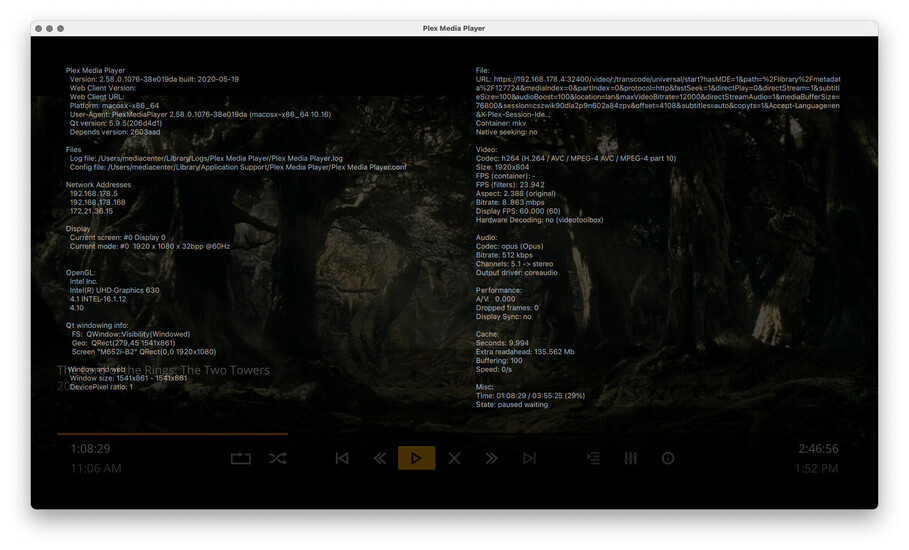
Sure, sorry about that, Plex Media Player Mac Intel 2.58.0.1076-38e019da
That prompted me to play in the less remote/tv friendly app Plex 1.12.1 … which doesn’t say stereo…but pressing “i” doesn’t bring up live stats like in Plex Media Player…however if I do the get info from the three dots, it does say it’s audio channels are in 6.1. See picture below. However, I’m still left unsure what it’s actually playing since the other player has the odd → stereo information.
First of all, you appear to be transcoding (hard to tell among the copious information you provided) because PMP is seeing opus audio which doesn’t appear to be in the original but is a preferred transcode target codec due for clients that support it. PMP will downmix this to stereo if you don’t have any true multi-channel audio output (passthrough doesn’t count here). This is likely the cause of what you are seeing.
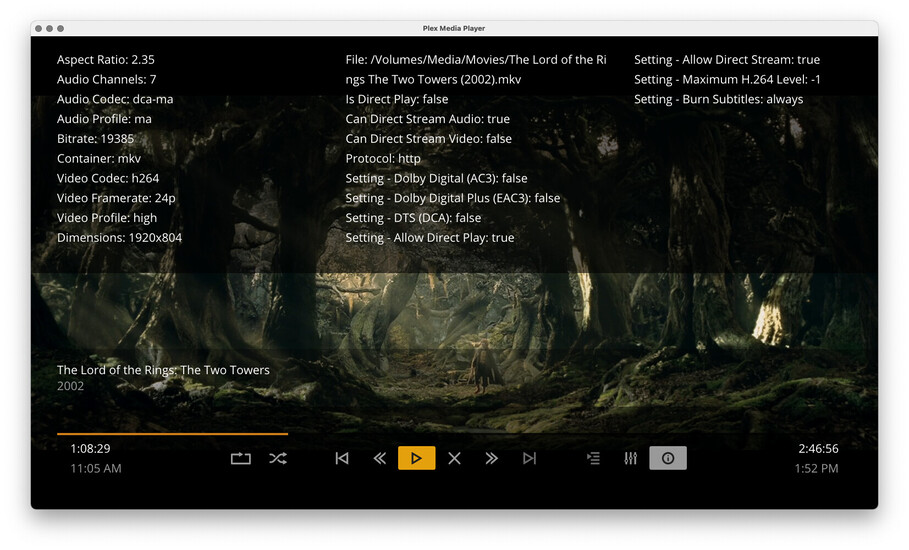
ah okay so now it get’s interesting…see screens with a lot more info.
allow direct play is on, but it’s not playing in direct play, says false. this is playing on my local network.
other movies do say true for direct play, not sure why this would not be playing the original?
if i go to player settings and quality, i only have convert options…in the general settings…video, local quality is set to original, hardware decoding is off
i thought it was doing this with all movies but as i just played about a dozen movies and i see either the channels numbers and then → stereo or ac3 passthrough, those are the only two in the information overlay when pressing “i”
the hdmi out from macmini is going into a tv which supports 5.1 pass through to a denon receiver…some streams get recognized with all channels but many/most just say left and right…two channel
Can you connect the Mac mini HDMI output directly to the Denon?
Some TVs do not pass all audio formats. For example, new LGs will not passthrough dts audio from HDMI attached devices.
Aha…interesting. It’s a Vizio and I am reading they are crap at passthrough.
I am upgrading the Denon and then routing everything into the Denon shortly … as soon as the dang thing ships…so I’ll hold off on digging into this further until then. Thank you for the replies all!
Please enable Debug logging on the server
restart the server
play the movie for ~1 minute
fetch the server logs and inspect the Plex Media Server.log
Search for lines containing MDE: as these (and their surrounding lines) have the most relevant information on why transcoding occurs.
Sometimes PMP gets stuck imposing a bandwidth requirement even when it is on LAN and the settings don’t require such a limit. Restart PMP often fixes this. Otherwise the logs on the server will indicate why it ended up transcoding instead of direct playing. Usually it’s a bandwidth limit imposed by either the server or the client.