If a Dolby 5.1 or higher-level film and television audio can only be transcoded to Opus if the device does not support decoding? Does opus only have 2ch? Can’t he output 6ch? I’m playing it on some unsupported devices now and it’s transcoded to opus but only 2ch
Are you actually using the Plex HTPC player?
If yes, there is no unsupported device as such.
If you have a sound interface which has 5.1 channels, you have to make sure that it is registered by the Operating System as a 5.1 sound output.
Then you open Plex HTPC and enter its settings dialog for sound. Set it to the actual sound interface’s name and tell it the number of audio channels it shall use.
As long there is sufficient network bandwidth available to transport a multi-channel audio signal from server to client, you should be able to hear multi-channel sound.
However, if the connection bandwidth is limited (or even routed over a plex relay connection) then the majority of the bandwidth is allotted to the video stream and audio is reduced to stereo.
In fact, I use pass-through HDMI to directly output audio in both HTPC on PC and Shield TV for 2019, and both can correctly output 6ch in compatible audio formats. But I have in some cases in these two devices especially pc I have hdmi link this one dac decoder is specially used to decode dolby and dts audio it can decode dolby truehd and dtsx below level format when if the audio format is higher than And when truehd is included, it will start transcoding the audio to opus. At this time, the output sound of my speaker is only 2ch. In my understanding, opus should be able to output up to 255 audio tracks, but in fact I don’t know whether plex is deliberately designed to mix all unsupported audio into 2ch or whether it can be set in some places, but I have not found any information about it. opus channel settings
Sorry, you lost me there. Plex cannot tell any device which is further down the HDMI chain what to do with audio. If you have a separate HDMI audio decoder, then you should look into how to configure that. Plex holds no sway over it.
All you can do in Plex is to enable HDMI passthrough, then enable or disable the various audio codecs it shall hand over unchanged or not.
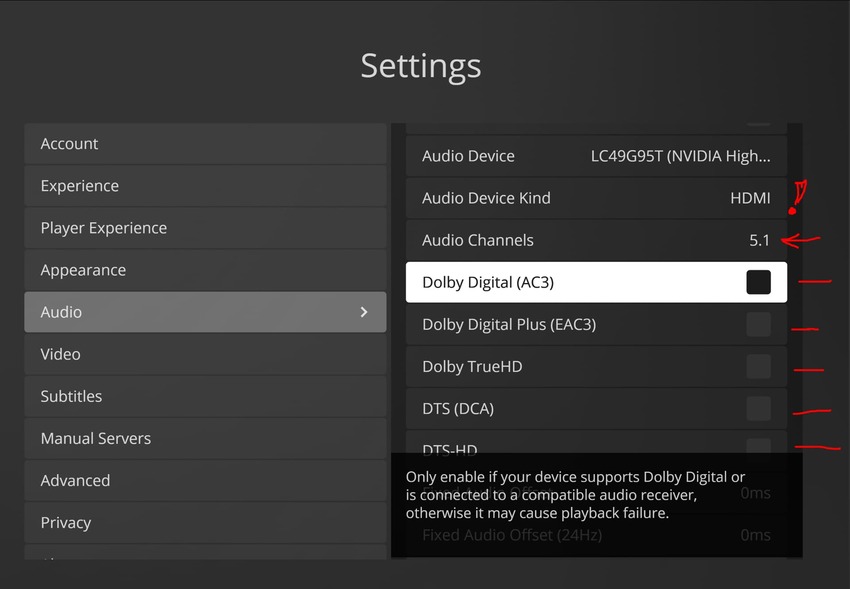
From a certain point of view, it means that if opus transcoding occurs under normal circumstances, 5.1 is converted to opus, then the converted opus is still 5.1. I understand it right, but it is 2.1 in my case. This may be me. Is this caused by the downstream DAC correct?
I cannot tell you. I’d have to know exactly which audio stream was selected for the source file, what codec and number of channels it holds.
Then how the chain of devices on your HDMI port looks like and what was selected in the audio settings of Plex HTPC, as indicated in my last screenshot above.
And of course whether the connection between your server and Plex HTPC has any bandwidth limitations or not.
It’s quite a complex matter.
Open the web app during playback and inspect the Activity - Dashboard with Detail info enabled. It should tell you whether the playback has ny bandwidth limts applied and whether the audio is being transcoded by Plex.
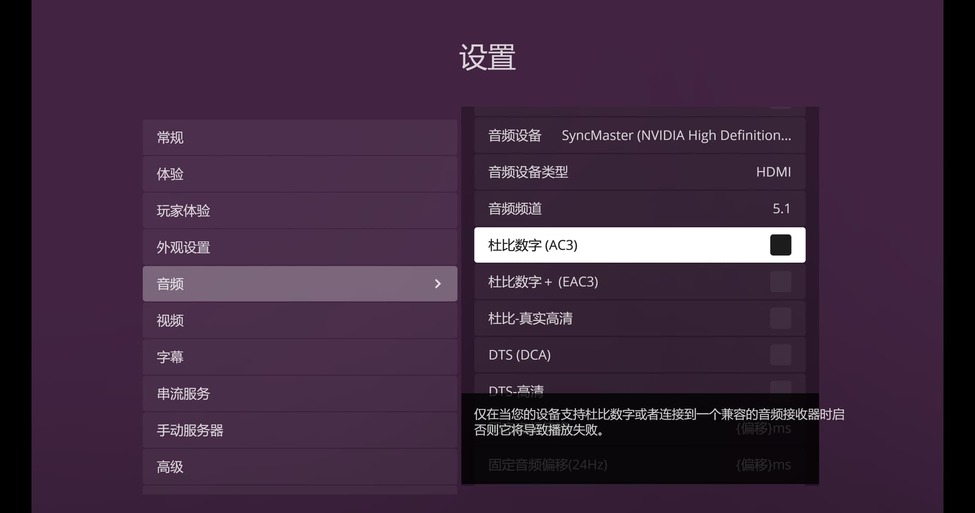
If you want Plex HTPC to send over audio in e.g. AC3 format over the HDMI line, yes its checkbox must be ticked.
Otherwise Plex HTPC will decode the audio itself and send it as PCM.
In addition, if it is optical fiber, is it only 2.0? Because I just tried to select fiber optic and I only saw 2.0 or if I connect fiber optic directly there will be 5.1 because I have not used fiber optic yet and I am considering using Logitech z906 fiber optic to connect to pc or hdmi to separate the audio to fiber optic for Logitech z906
