Not if you followed the instructions to the letter for the Plex Dance (ordering of the steps is important).
The played/unplayed status is stored separately, so it survives the Plex Dance.
Thank you for the suggestion, Otto. I removed all of the com.plexapp.agents.* directories from the /share/homes/[username]/Plex/Library/Plex Media Server/Plug-in Support/Caches directory on the QNAP NAS. As I’ve been working with the media, the folders have been recreated as needed.
I then performed the Plex Dance and moved the files back into the directory. Plex begins to scan immediately. I check the matching for the metadata, and then I play the file. The chapters still appear to be offset as described above (where chapter 1 and chapter 2, respectively, start from 0:00) and the timings are off completely for the subsequent chapters.
Just to give a little more background on my task, I am trying to separate the 2D from the 3D version of the movie (in this case, the film is Frozen). I have used the same process to edit the chapter settings for both versions. The 2D version has no problem clearing the legacy data using the Plex Dance, and the chapters work perfectly. It’s very responsive as well. By contrast, the 3D version has the chapter offset issues and so forth.
I’ve dropped multiple copies of the 3D version on the server with various tweaks during the troubleshooting. I’ve tried different filenames to distinguish one from the other, but, as you indicated, the playback appears based on the name of the film as indexed in the web interface (i.e. the Title). It looks like clearing the agents finally cleared the chapter thumbnails (which were persistent between each copy no matter how many Plex Dance processes I performed).
Additionally: I have a separate library for the 3D content from the 2D content. They are in separate directories in the filesystem. If there’s more to do to keep these scanned separately, I would.
I’m going to try changing the name of the directory and file to something completely not “Frozen 3D (2013)” to see if that breaks it and causes Plex to re-evaluate the chapter markers. Again, any other suggestions would be appreciated.
Try matching the 3D version with ‘the other’ movie agent.
i.e. if you are using ‘Plex Movie’ as default, use ‘Fix Match’ on the 3D version and use ‘Search Options’ during it to select ‘The Movie Database’. That way the two versions are truly separate and have independent playback state etc.
That’s an interesting tidbit of information: each Agent creates discrete (different) index with separate data (including the playback state). Would ‘Personal Media’ be an equal Agent option to ‘Plex Movie’ and ‘The Movie Database’ from this perspective?
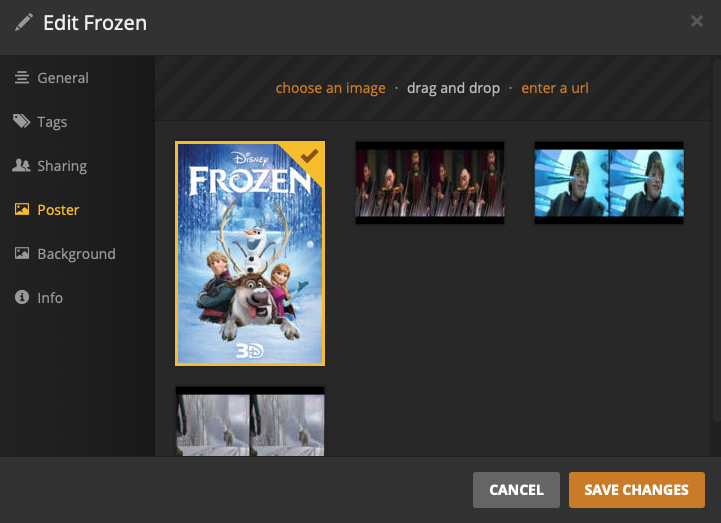
My preferred agent is ‘Personal Media’ (to first use the data I’ve saved in the Metadata of the file). I can confirm this by editing the film in the Plex web interface and see only the poster I’ve embedded. Incidentally, it seems that Plex automatically creates additional posters and backgrounds (the same 3 screenshots are used for both) and these are the only other options featured.
@OttoKerner - Can you confirm this is happening in real-time when I move the file into the directory monitored by the library? If it’s not happening in real-time, are these artifacts from a previous copy of the film? Are these stored in the agents cache?
Incidentally, I may have had some success. I did clear (delete) all the Agent cache directories (a couple of times) and perform the Plex Dance (again, a couple of times). However, I’m not sure this had an affect.
On a whim, I decided to re-mux the files. I had a CQ20 and CQ22 version that I am comparing (two different encodes), but I’m using the same Metadata, Chapters, and Audio Tracks between the two. Both seem to be working now.
The only other thing that I changed was the nesting of the directory. The Library is looking at a ‘Movies 3D/’ directory, and, within, I had a ‘Movies 3D/Family/’ directory wherein I was placing the various titles (in this case, ‘Movies 3D/Family/Frozen 3D (2013)/’). During the course of troubleshooting (along with the removal of the Agent cache directories), I eliminated the ‘Movies 3D/Family/’ directory and simply placed the film in ‘Movies 3D/Frozen 3D (2013)/’. I figured this, technically, changed the path for the film (thus, the relative filename), and I hoped this would spur another set of index data (chapters, etc.).
@OttoKerner - Do you think there’s any credence to this hypothesis?
I’m leaning into this suggestion a bit. I’m trying to keep my 3D titles to the Personal Media Agent. That means I have to supply the backgrounds manually (rather than pulling from the Plex Agent or The Movie DB), but keeping it a manual process might keep things tidy.
As a further measure, I’m renaming the Title in the Plex Web Interface. I’m hoping this will further differentiate the 3D from the 2D title. Can you confirm if this works or not from the perspective of the respective versions keeping their own cached chapter thumbnails, etc. rather than sharing because of a common title?
I think I’m doing everything I can to keep these things separated at this point. Different directories (and corresponding libraries), dissimilar Metadata agents, and dissimilar titles within the Plex Web Interface.
Just out of curiosity: does each library keep its own information on a common file? If I have a library based on the ‘Movies/’ directory and a library based on the ‘Movies/Family/’ directory (and allow for the ‘Movies/’ library to search recursively into the subdirectories), each Library seems to keep its own version of the film. I can change the name of the title in one Library, and the title in the other Library remains the same. They both point to the same file, but they retain the distinction.
However, it appears the titles in that scenario seem to share the same chapter thumbnails. That leads me to think the thumbnails are attached to the filename rather than the title. Am I right?
If you can live with typing/pasting in all meta data manually, sure.
No, Plex will use the guid="xxxxxxx" identifier to distinguish items. You can see it by looking at the Plex XML info of your library items.
They should not, unless they are matched to the Personal Media agent.
Have you tried to remove all versions of this movie during a Plex Dance (no matter whether they reside in different libraries or not.)
Afterwards, add temporarily only one of the versions back and see if the chapter markers are correct.
Have you played the file in e.g. VLC, to see whether the embedded chapter markers are correct at all?
Have you checked the MKV files with MKVtoolnixGUI to see whether they may contain several different versions of chapter markers?