Hello,
Im getting a lot of errors regarding codec downloads, the famous “Conversion failed. A required codec could not be found or failed to install.”
At one point it was impossible to play anything. 3hours later only h264 and Mpeg4 seems to be the problem.
This all showed up after years of perfect operation, maybe after latest update… all folder library entries disappeared from my (admin) profile, had to rebuild them all. But on other profiles everything is there besides the codec issue.
Im also unable to check codecs folder on QNAP server using putty. When I input “getcfg -f /etc/config/qpkg.conf PlexMediaServer Install_path” it doesnt do anything it simply states (processing)
So Im unable to check codec folder or any folder.
Why doesnt that folder show up on Qnap on its own? I have show hidden files turned on.
Thru win10 explorer there’s a “plexdata” folder but im unable to access, it asks for server password, when I enter the password of the server its not accepted.
Theres also another common error showing up on console regarding SSL certificate and SSH remote key. See attached image.
Any thoughts?
TY
Ivo
Server Version#: latest
Player Version#: latest
Because of a QNAP FileStation bug, you can’t use PlexData shared folder to go look.
Instead:
- SSH into the QNAP
cd /share/*/.qpkg/Ple*/Li*/Ple*- now do a
ls and look.
You likely need to update the codecs for the updated PMS version (common)
Your posted errors are showing CURL error 60 (Man-in-the-middle certificate errors)
Where do you have a Proxy or certificate set? It’s interfering with the connection from PMS → Plex.tv (Plex’s certificate only)
Thank you for the quick reply.
Man… what a blunder… I think I figured it out… wasted all day trying to figure this out… I had installed a couple of weeks ago PMS for win… I really dont know why… thats why it was showing empty libraries… I just figured this out by chance when using the search and it gave me 2 results on 2 diff servers (since I had rebuilt the libraries this morning).
Ive already deleted the new empty server. It does not explain why it wasnt downloading the codecs but everything seems working fine right now.
A great tip for plex UI on account settings… if there is more than one server it should show that immediately. As it is, if theres another server, it shows up under the server in use and you need to click on the server name to switch servers. I would have saved 8h of “debugging” lol.
Regarding that CURL error, sorry buddy I dont know what are you talking about. What certificates are you referring? I dont use proxies.
thanks!!!
Am I understanding correctly?
You didn’t click the OTHER server button on the left ? 

One thing about Plex:
- The Plex/web app is NOT ATTACHED to the server it loads from. It floats
- There used to a (IMHO) nicer mechanism where you had a dropdown for server selection. It seemed more intuitive to me. ( Personally, I don’t like seeing all the servers I have for testing listed below each other… I only one ONE… Maybe I’m old? )
I’ll send your suggestion up the flag pole again and see what happens.
Yep… The new server had a very similar name to the original… it only added the PC name, which is a number lol I did not saw it.
I get that, your case is diff but for most of us, there will only be 2 or 3 servers max.
Thanks for pushing up the suggestion.
Cheers.
Hello again buddy
Im forced to come back for help again. Things are messed up again.
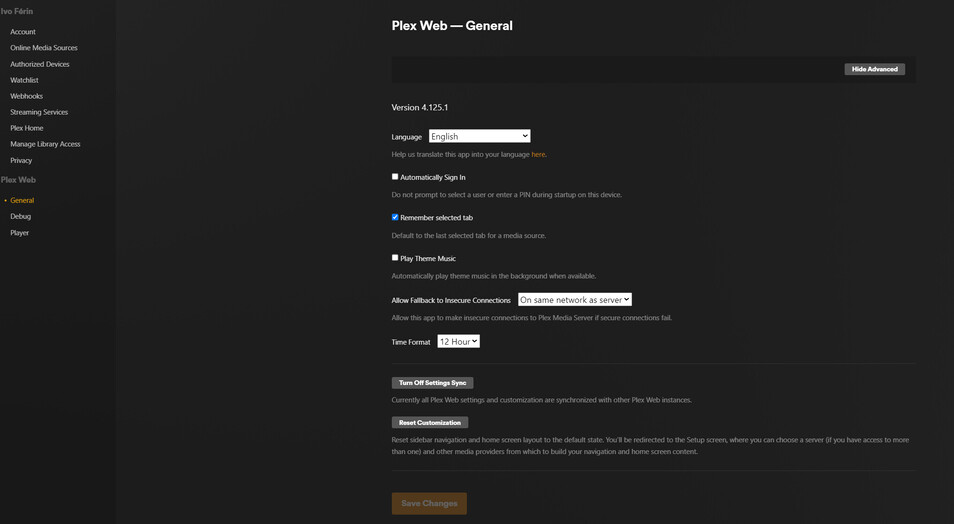
When I open my (admin) plex it doesnt show any server nor libraries. There arent any option to add library it only states to get a PMS. Even when I open plex from the QNAP app it shows the same thing.
The strange thing is that if I change profiles to one of my kids, everything is fine, libraries are there. If I open plex on my phone, with my admin profile, everything is there.
My settings are like this:
What gives??
thanks man