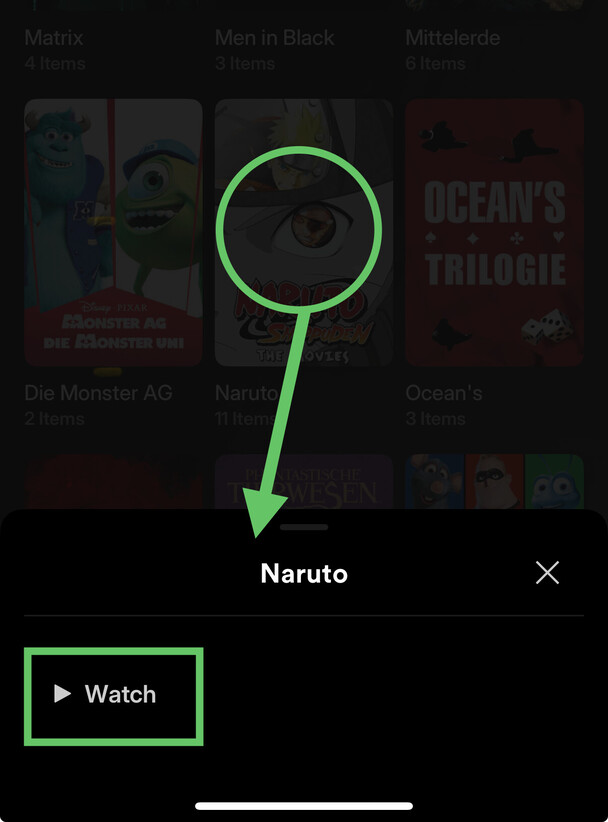
Collections: Missing "Play" Button

While the Collections are now showing up the Android Build of the new Experience, it is missing a “Play” Button, Videos can only be played one by one by manually selecting them.

Since I use these as a “playlist” of some sort, being able to Play the Full Collection in Order.

Is this being worked on?

On what version of the preview are you?
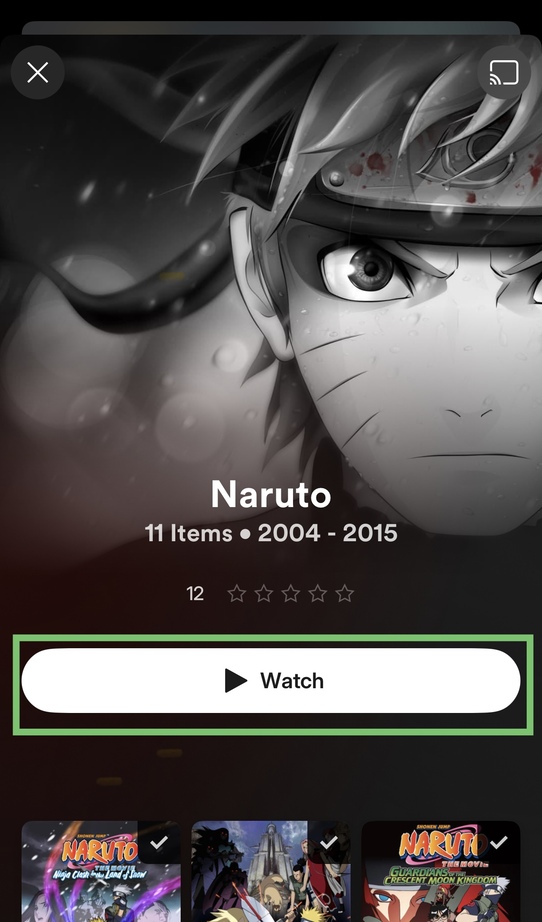
The current version is showing me a big (almost full-width) Watch button at the top of the collection page (just below the backdrop/logo).

Version 2024.11.0 (1229)

No big play button for me :frowning:

I don’t think you’re on the current release.

I was just able to Update to 2024.12.1 (1252) but the play button is still missing.

Now I’m a bit lost (based on what gap the screenshot is supposed to highlight).

  • There’s no watch button on the collection posters (and no watch all collections button).
  • You should be able to access the watch button from the collection’s context menu (long-press) and when opening the collection (see screenshot above)

That’s what’s extra weird. There is no context menu for me as well. If I long press, just nothing happens.

Also, Collections don’t have their Cover Art added to them.

This happens across multiple android devices, all on 2024.12.1

Looks like your server may be on 1.41.1 the minimum server version is 1.41.2 for best performance right now with the preview app (it may increase again by release time). That may be why you are seeing those folder icons instead of posters for example and other weirdness

1 Like